

Site Identity
Everything that introduces your site is here: logo, browser tab icon, site name, contact details for Google, and the store map. A few dashboard login security options are in this tab too.
Where is it? Farin → Settings → Site Identity
Every change is saved immediately. Options that might lock you out, such as the login URL or the site URL, show a confirmation message before saving.
Site logo
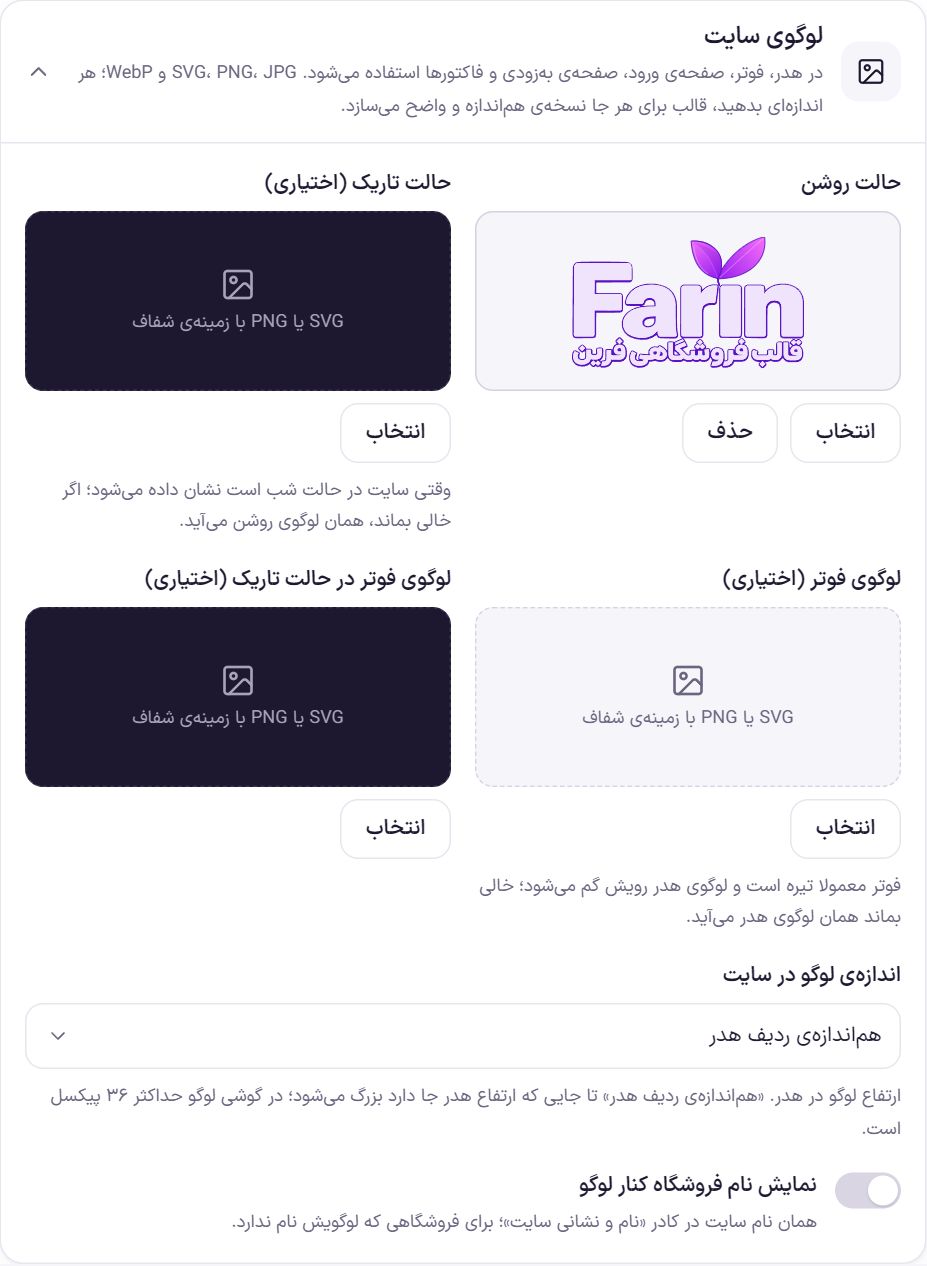
The logo is used in the header, footer, login page, coming-soon page and invoices. The file can be SVG, PNG, JPG or WebP. File size does not matter; the theme makes a right-sized version for each place. An SVG or a PNG with a transparent background gives the best result.
| Option | What it does | Default |
|---|---|---|
| Light mode | The site's main logo. | Empty |
| Dark mode (optional) | Shown when the site is in night mode. If left empty, the light logo is used. | Empty |
| Footer logo (optional) | The footer is usually dark and the header logo is not visible on it; give a lighter version here. If left empty, the header logo is used. | Empty |
| Footer logo in dark mode (optional) | The footer logo when the site is in night mode. | Empty |
| Logo size on the site | Logo height in the header: “Extra small” (26 px), “Small” (32), “Medium” (40), “Large” (50), “Extra large” (62), or “Match header row”, which grows as far as the header height allows. On mobile the logo is at most 36 px. | Match header row |
| Show the store name next to the logo | Writes the “Site name” next to the logo. For when your logo is only a symbol with no name. | Off |
Favicon (browser tab icon)
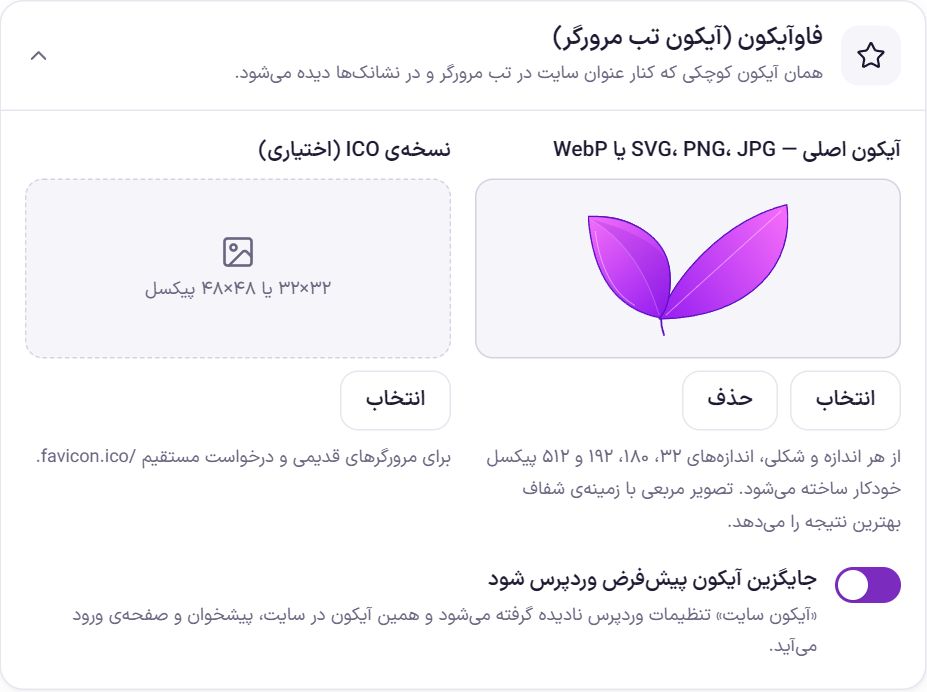
A favicon is the small icon shown next to the site title in the browser tab and in bookmarks.
| Option | What it does | Default |
|---|---|---|
| Main icon | SVG, PNG, JPG or WebP. The 32, 180, 192 and 512 px sizes are created from it automatically. It should be square, at least 512 px, with a transparent background. | Empty |
| ICO version (optional) | For older browsers and for direct requests to /favicon.ico. Size 32×32 or 48×48 px. | Empty |
| Replace the default WordPress icon | The “Site icon” in WordPress's own settings is ignored, and this icon is used on the site, dashboard and login page. | On |
Panel name in the dashboard
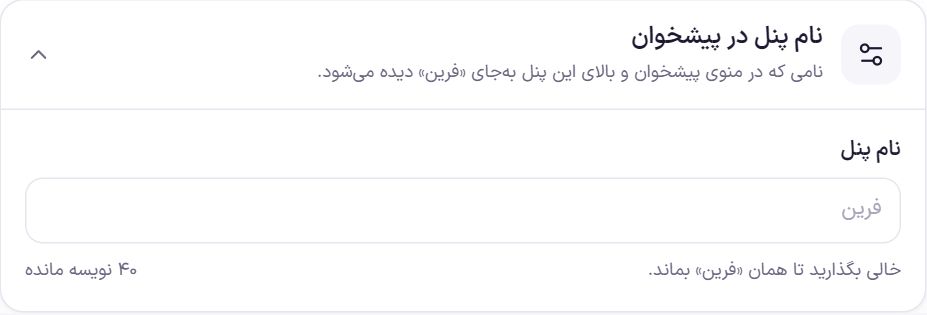
The name shown in the dashboard menu and at the top of the panel instead of “Farin”, up to 40 characters. For example, write your own store name so staff recognize the panel by it.
Home page in search results
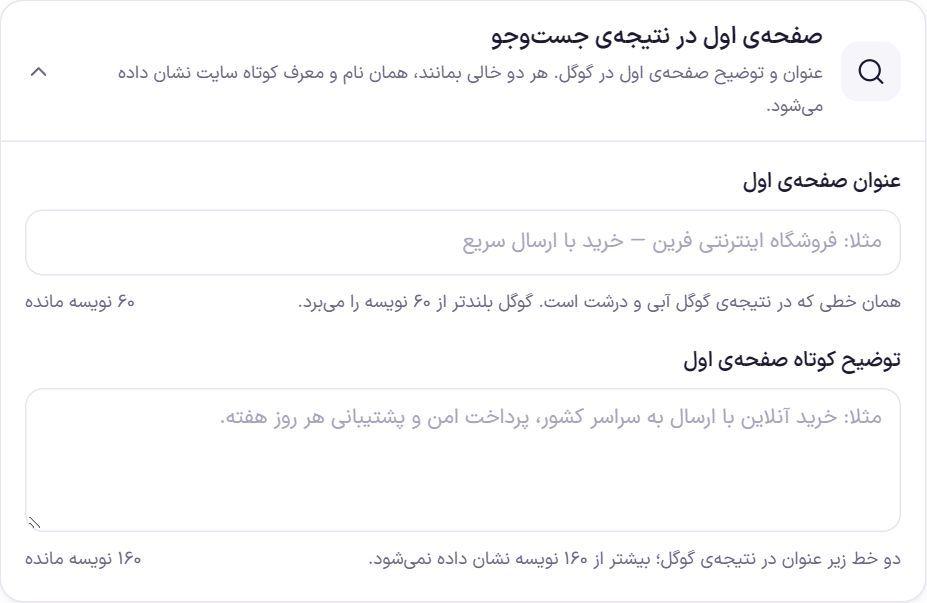
| Option | What it does | Default |
|---|---|---|
| Home page title | The large blue line of the Google result, up to 60 characters. Google shortens longer titles. | Empty |
| Home page short description | The two lines under the title in the Google result, up to 160 characters. | Empty |
If both are left empty, the “Site name” and “Tagline” from the Site name and address box are used.
Link preview in Telegram and WhatsApp
When you send the site link in Telegram, WhatsApp, Instagram or any other messenger, a card with the image, name and description of the page appears under the link. Farin builds this card for all pages itself.
| Option | What it does | Default |
|---|---|---|
| Preview image (optional) | The image sent with the link of the home page, shop, categories and pages without an image. The best size is 1200×630 pixels, JPG or PNG. SVG images are not accepted. | The first slide image of the home page “Main slider” |
- A product or post that has a featured image shows its own image.
- The card title is the page title, and its description is the short description you wrote in Search result .
- An image heavier than 300 KB is shrunk automatically, because WhatsApp does not show heavy images.
- If an SEO plugin such as Yoast or Rank Math is on, that plugin builds this card and this option does not apply.
?v=2 at the end of it.Dashboard login URL
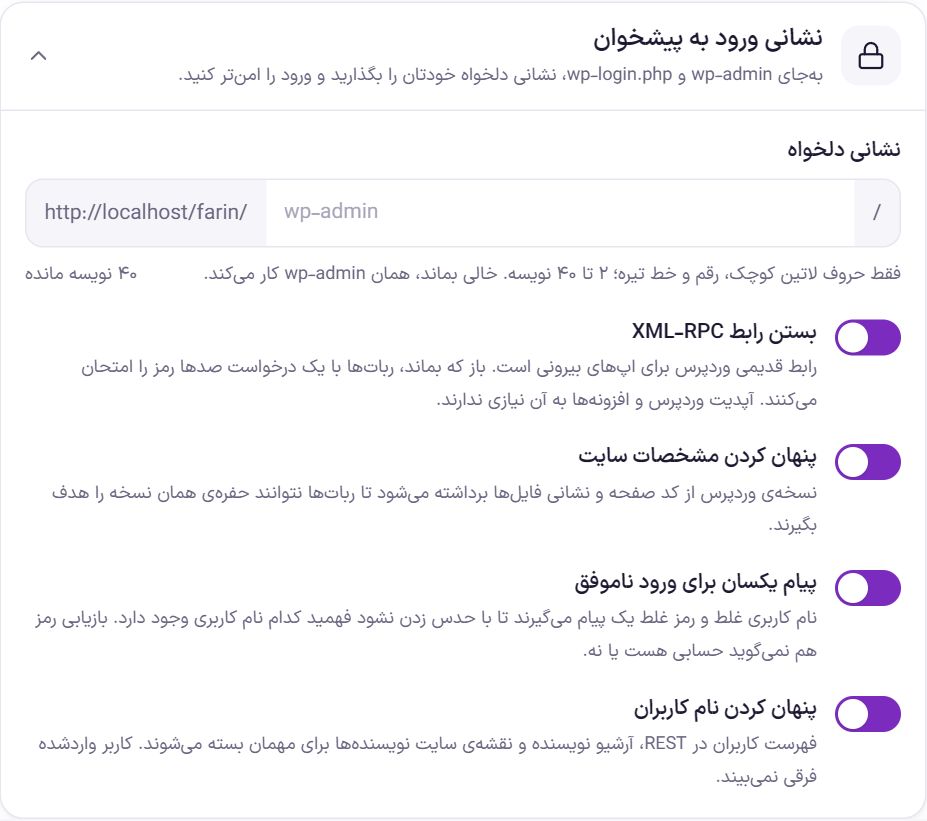
Bots always try the wp-admin and wp-login.php addresses. With a custom URL, these requests never reach the login page.
| Option | What it does | Default |
|---|---|---|
| custom address | Lowercase Latin letters, digits and hyphens only, 2 to 40 characters; for example modir-shop. Names that WordPress, WooCommerce or one of the site's pages already uses (such as login, shop, cart) are not accepted. If left empty, the default wp-admin works. | Empty |
| Disable XML-RPC | This legacy interface is for external apps, and bots use it to try hundreds of passwords with a single request. WordPress and plugin updates do not need it. A confirmation message appears when you turn it back on. | On |
| Hide site details | The WordPress version is removed from the page code and file URLs so that vulnerabilities of that exact version cannot be targeted. | On |
| Same message for failed login | A wrong username and a wrong password get the same message, and password recovery does not reveal whether an account with that address exists. | On |
| Hide usernames | The user list in REST, the author archive and the authors sitemap are closed to guests. A logged-in user notices no difference. | On |
| Block PHP execution in the uploads folder | The uploads folder holds only images and files, and no code should run there. WordPress does not prevent this by itself. If a plugin vulnerability puts a PHP file there, this option stops it from running. On Apache and LiteSpeed hosts Farin puts the rule itself in the .htaccess file in the upload folder, and other plugins' rules in that file are left untouched. | On |
Uploads folder test
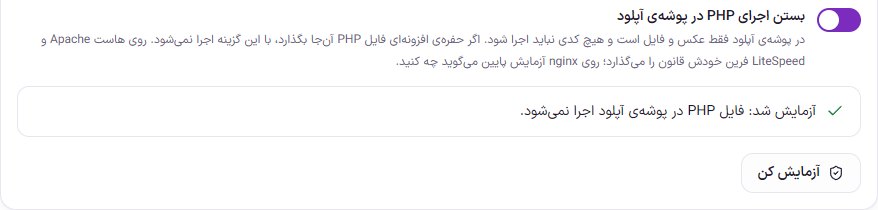
With “Test”, a small harmless file is placed in the uploads folder, the site opens it, and the file is deleted at once. The result is written under the switch:
- Does not run: the uploads folder is blocked.
- Still runs: your server (usually nginx) does not read the
.htaccessfile. Farin shows ready-made rule text; give it to your host support so they put it in the site settings. - The host does not accept the rule: some hosts do not allow this rule in the
.htaccessfile, and the site's images show errors with it. Farin detects this immediately and removes the rule so the images do not break, and shows the rule text for your host support.
wp-admin comes back.Admin login page
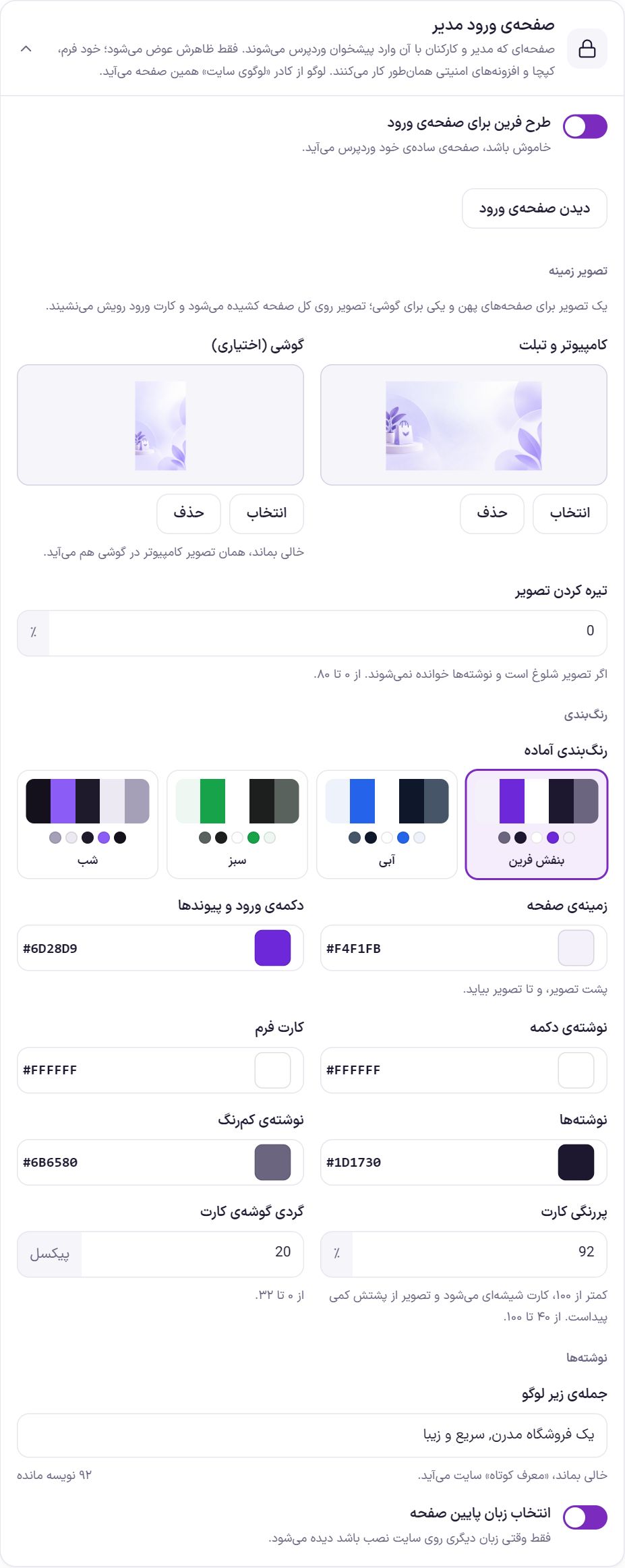
Only the look of the WordPress login page changes. The form itself, the captcha and security plugins work as before. This page's logo comes from the “Site logo” box.
| Option | What it does | Default |
|---|---|---|
| Farin design for the login page | If turned off, WordPress's plain page is used and the other options are hidden. | On |
| Desktop and tablet | The background image of the whole page; landscape, such as 1920 by 1080. The login card sits on top of it. | Empty |
| Mobile (optional) | A portrait image for mobile, such as 1080 by 1920. If left empty, the desktop image is used. | Empty |
| Darken the image | From 0 to 80 percent; for a busy image that makes the text hard to read. | 0 |
| Ready-made color schemes | Four ready-made combinations: “Farin purple”, “Blue”, “Green” and “Night”. Choosing one fills in the colors below at once. | Farin Purple |
| Page background | The color behind the image, shown until the image loads. | #F4F1FB |
| Login button and links | The color of the login button and the page's links. | #6D28D9 |
| Button text | The color of the text on the button. | #FFFFFF |
| Form card | The color of the card that holds the login form. | #FFFFFF |
| Text | The color of the main text. | #1D1730 |
| Light text | The color of the secondary text. | #6B6580 |
| Card opacity | From 40 to 100 percent. Below 100, the card becomes glass-like and the image shows through slightly. | 92 |
| Card corner radius | From 0 to 32 px. | 20 |
| Sentence under the logo | Up to 120 characters. If left empty, the site's “Tagline” is used. | Empty |
| Language picker at the bottom of the page | The WordPress language picker. It is only visible when another language is installed on the site. | On |
Comments
| Option | What it does | Default |
|---|---|---|
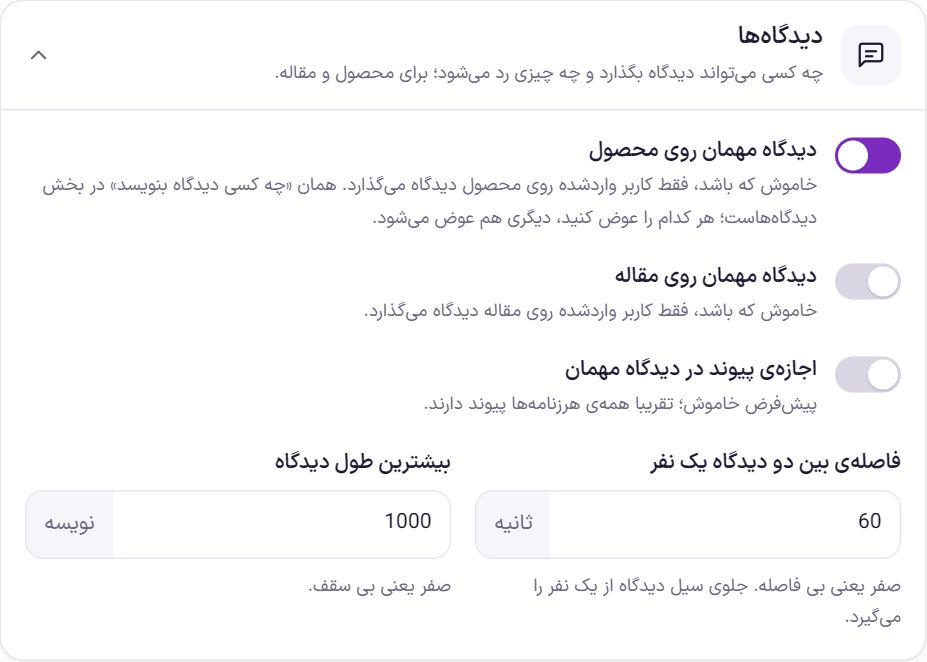
| Guest comments on products | If turned off, only logged-in users can comment on products. This toggle is the same as “Who can comment” in the Comments section; changing either one changes the other. | Off |
| Guest comments on articles | If turned off, only logged-in users can comment on articles. | Off |
| Allow links in guest comments | Almost all spam contains links; if turned off, a guest comment containing a link is not accepted. | Off |
| Interval between two comments from one person | In seconds, up to 86,400. Stops a flood of comments from one person. Zero means no interval. | 60 |
| Maximum comment length | In characters, up to 20,000. Zero means no limit. | 1,000 |
Store map
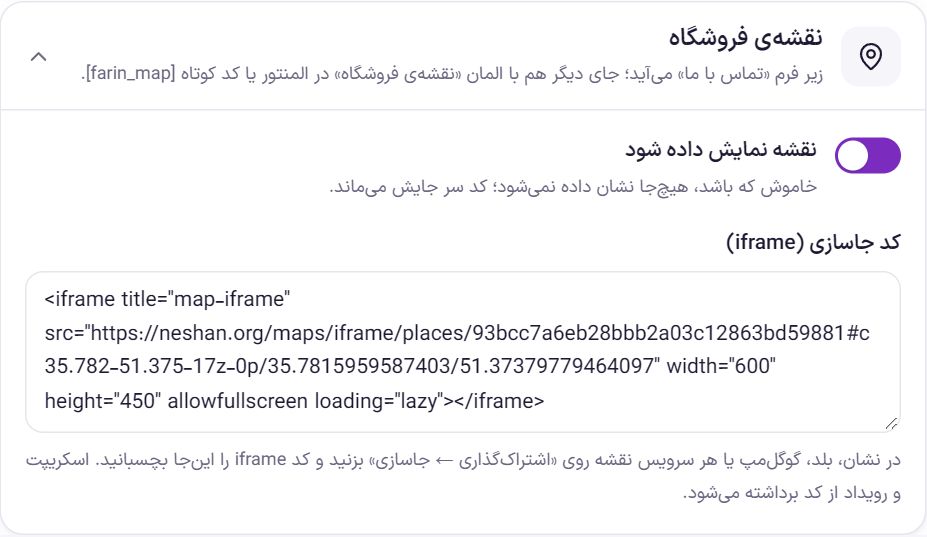
The map is shown below the “Contact us” form. To place it on another page, drag the “Store map” widget in Elementor, or write the shortcode [farin_map] in the page text.
- Get the map code. In Neshan, Balad, Google Maps or any other map service, find your store's location and click “Share → Embed”.
- Paste the code. Code
<iframe …>into “Embed code (iframe)”. - Turn the map on. Turn on the “Show map” toggle and check the contact page.
| Option | What it does | Default |
|---|---|---|
| Show map | If turned off, the map is not shown anywhere, but its code is not deleted. | Off |
| Embed code (iframe) | Only the iframe itself is kept; scripts and events are stripped from the code. The map URL must start with https:// . | Empty |
Day and night mode
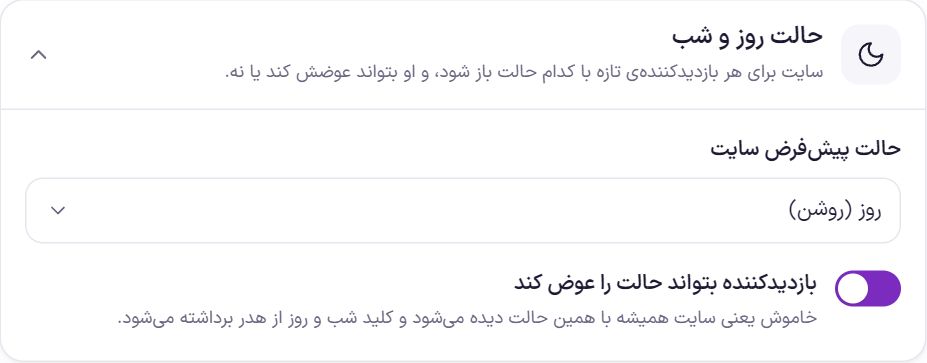
| Option | What it does | Default |
|---|---|---|
| Site default mode | “Day (light)” or “Night (dark)”. | Day (light) |
| Let visitors change the mode | If turned off, the site is always shown in the default mode and the day/night toggle is removed from the header. | On |
Text selection on the site
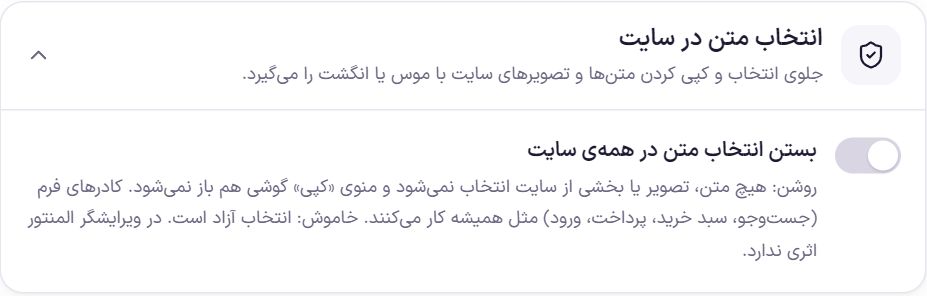
Turning on “Block text selection across the site” means no text, image or part of the site can be selected with a mouse or finger, and the phone's “Copy” menu does not open. Form fields, such as search, cart, checkout and login, work as usual. It has no effect in the Elementor editor. Default: off.
How the site appears on Google
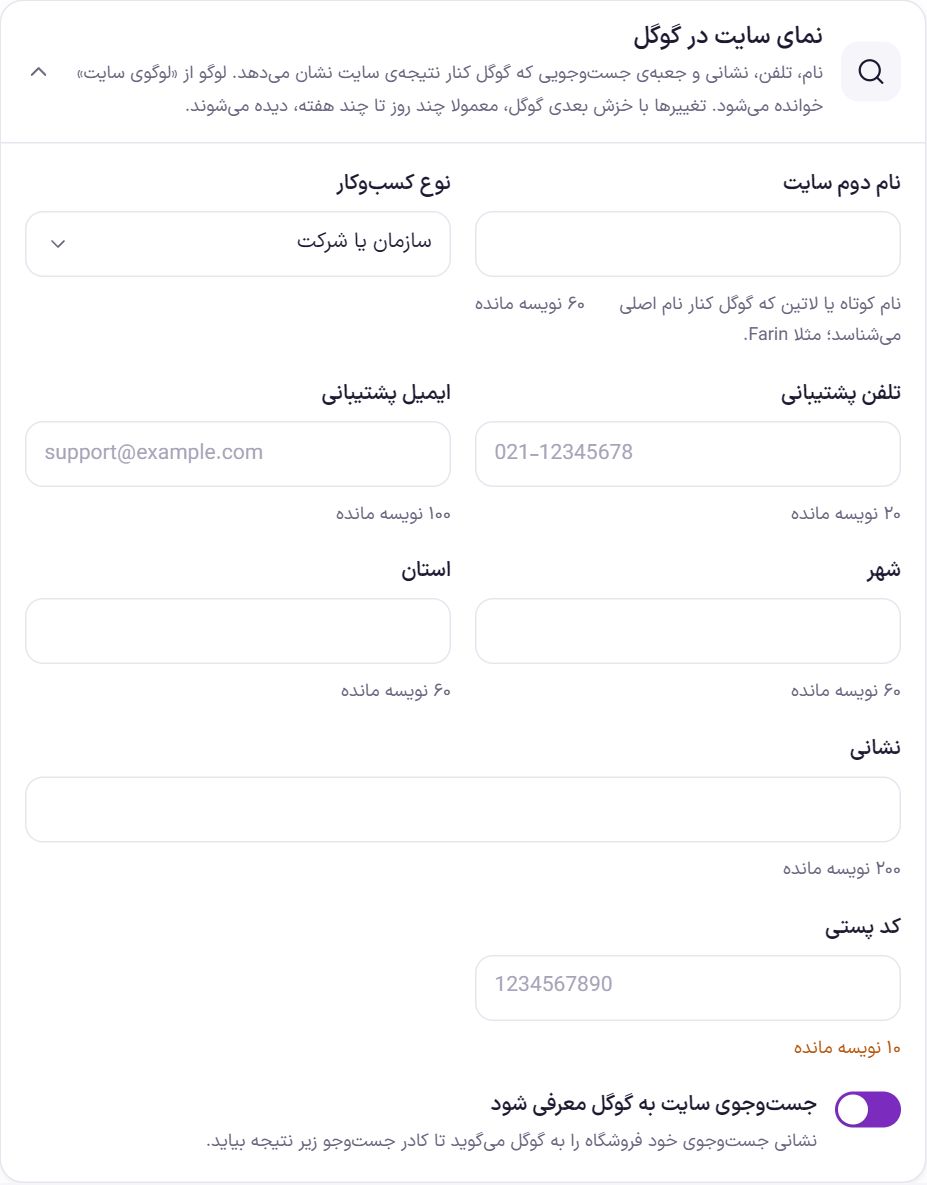
This information is written into the page code in Google's language. The logo is read from “Site logo”. Changes show up on Google's next crawl, which usually takes a few days to a few weeks.
| Option | What it does | Default |
|---|---|---|
| Second site name | A short or Latin name that Google recognizes alongside the main name; for example Farin. | Empty |
| Business type | “Organization or company”, “Online store”, “Physical and online store” or “Local business”. | Organization or company |
| Support phone | For example 021-12345678. Persian digits are also accepted. | Empty |
| Support email | The email buyers use to contact you. | Empty |
| City | The store's city. | Empty |
| Province | The store's province. | Empty |
| Address | Full address, up to 200 characters. | Empty |
| Postal code | 10 digits. | Empty |
| Tell Google about the site's search | The store's own search URL is shared with Google so a search box can appear under the site's result. | On |
Site name and address
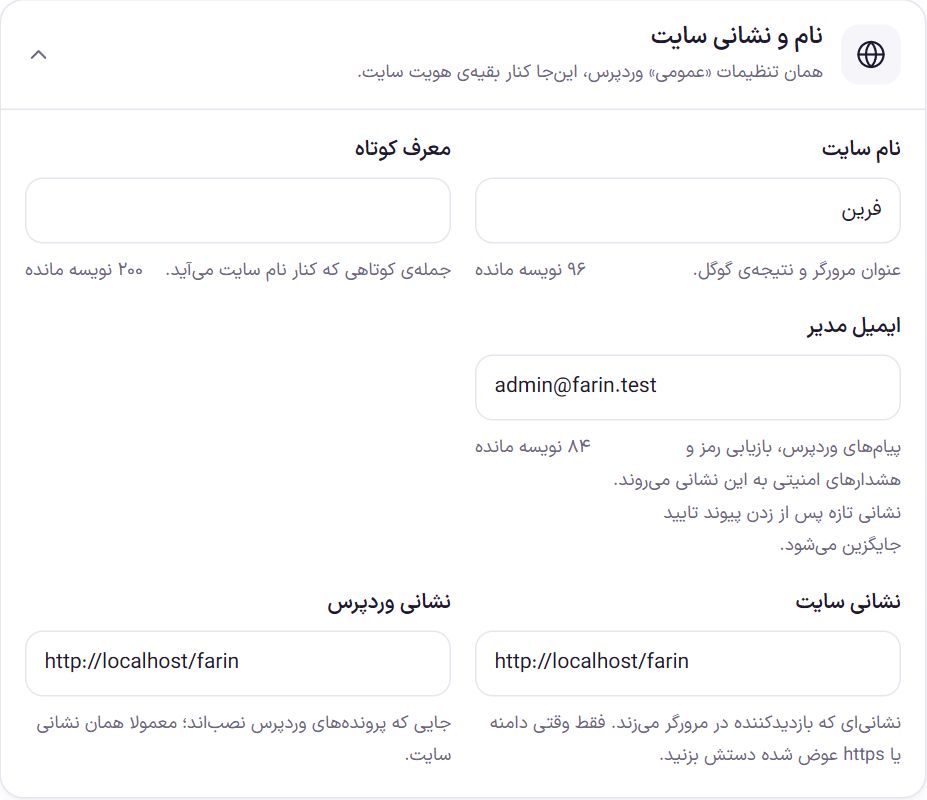
| Option | What it does |
|---|---|
| Site name | Shown in the browser title and the Google result. |
| Tagline | A short sentence that appears next to the site name. |
| Admin email | WordPress messages, password recovery and security alerts go to this address. When you enter a new address, a confirmation link is sent to it, and until you click it the old address stays. Below the field it shows which address is awaiting confirmation. |
| Site URL | The address a visitor types in the browser. It must be complete and start with http:// or https:// . |
| WordPress URL | Where the WordPress files are installed; usually the same as the site URL. |
Frequently Asked Questions
I forgot the login URL. What do I do?
Via FTP or your host's file manager, disable the Farin theme; for example, temporarily rename the folder wp-content/themes/farin . The permanent URL wp-admin comes back. After logging in, rename the folder back and see the new URL in this box.
The logo does not show in the footer.
Probably the logo is dark and the footer is dark too. Put a light version of the logo in “Footer logo (optional)”.
I changed the admin email but it is still the old one.
The new address replaces the old one only after you click the confirmation link. Check the new address's inbox, and the spam folder, and click the link.
I pasted the map but it does not appear.
Turn on the “Show map” toggle. If it is on, the URL inside the code must start with https:// ; code without an iframe, or with an http URL, is not saved.
Farin Theme · 1405