

Captcha
Before sending forms that bots go after, the captcha asks for an “I'm not a robot” confirmation. Its most important job is to stop a bot from requesting SMS codes in a row, trying passwords or leaving spam comments.
Where is it? Farin → Settings → Captcha
Every change is saved at once and the preview at the top of the tab refreshes by itself.
Quick setup
- Choose the service. If you are not sure, keep ALTCHA; it needs no key and works right away.
- Enter the keys. Only for other services: get the site key and secret key from that service's panel.
- Turn on the CAPTCHA. Flip the “Captcha enabled” switch.
- Try it. In the preview, confirm the box and press “Test verification”.
Preview
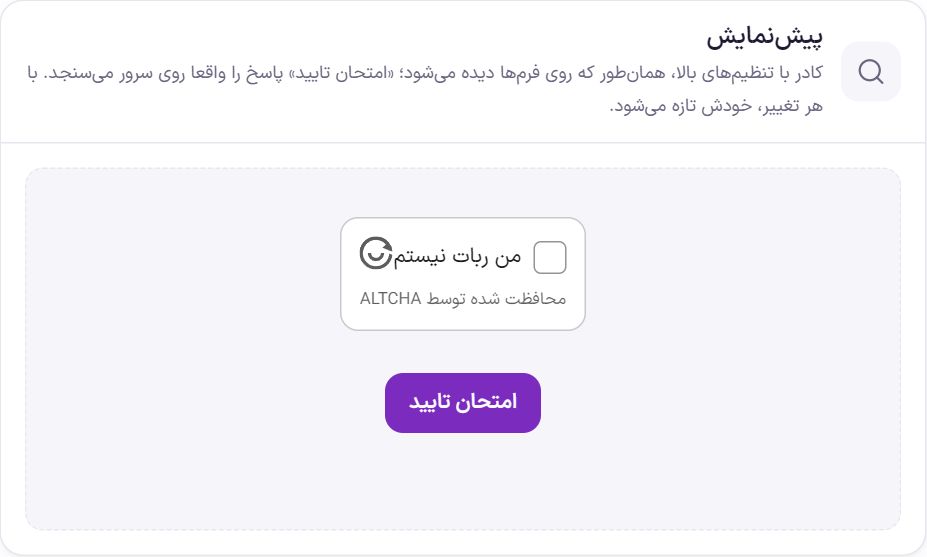
“Test verification” genuinely checks the answer on the server. If it is verified here, the keys are correct and the site's server can reach the service.
Captcha
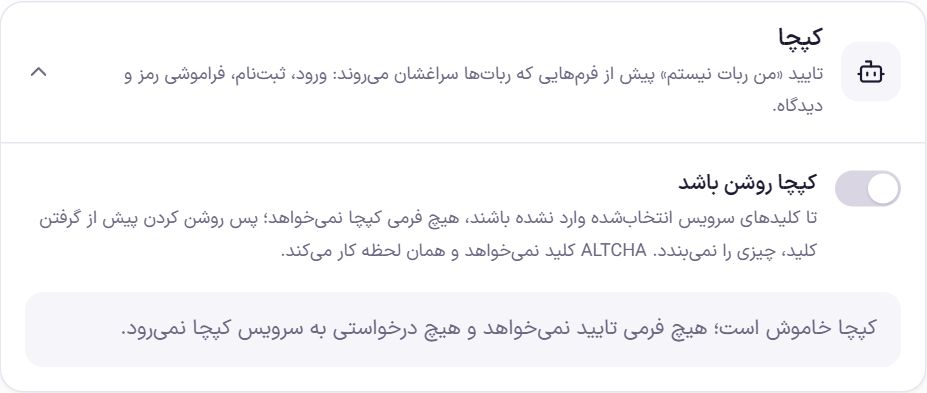
“Captcha enabled” is off by default. While it is off, no form asks for verification except “Send one-time code”: each code is an SMS, so Farin adds ALTCHA for it itself, which is checked on this same site. No request goes to an external captcha service. If you choose a service that needs keys and have not entered the keys yet, turning captcha on does not block any form; captcha starts working once the keys are entered.
Captcha service
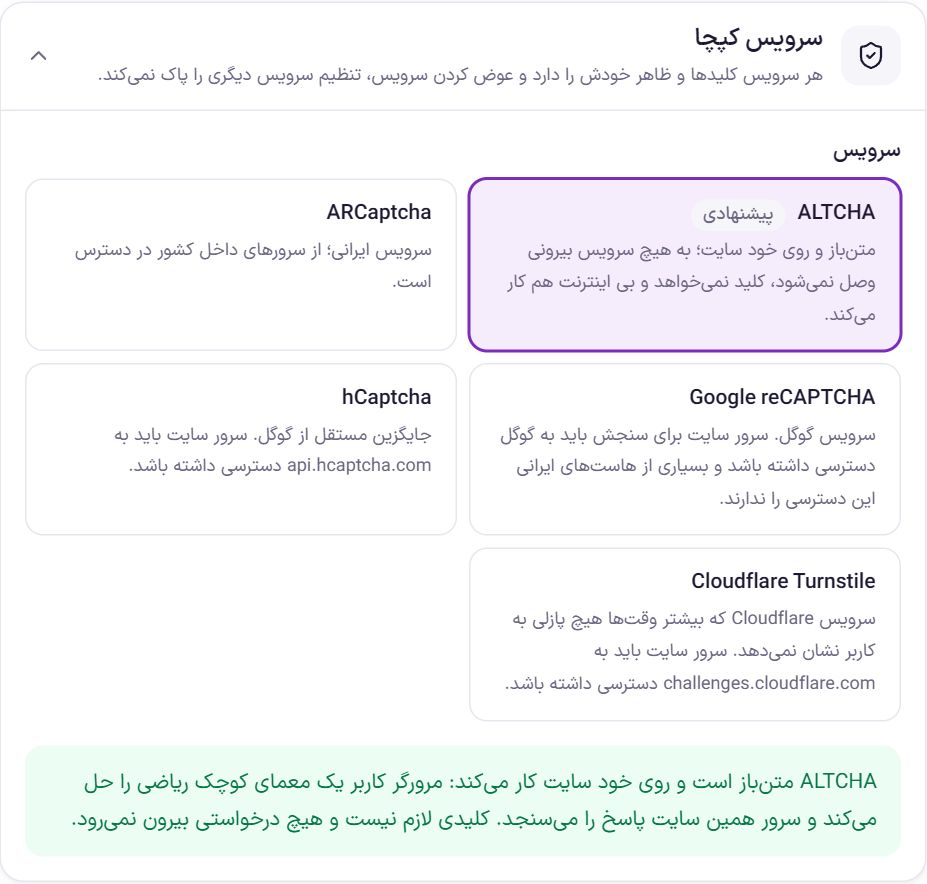
| Service | What you should know |
|---|---|
| ALTCHA | Open source and on the site itself. The user's browser solves a small math puzzle and this site's own server checks the answer. It needs no key and no request goes out. Default. |
| ARCaptcha | An Iranian service; reachable from servers inside the country. It needs a key. |
| Google reCAPTCHA | Google's service. To verify, the site's server must be able to reach Google, and many Iranian hosts cannot. |
| hCaptcha | A Google-independent alternative. The site's server must have access to api.hcaptcha.com . |
| Cloudflare Turnstile | Most of the time it shows the user no puzzle. The site's server must have access to challenges.cloudflare.com . |
Each service has its own keys and look. Switching services does not erase the previous service's settings.
Service keys
For services other than ALTCHA, the links “Register and get a key” and “Service guide” appear under the cards. Register in the service's panel, add the site's domain and put the two keys here.
| Option | What it does |
|---|---|
| Site Key | It is visible in the page's code and is not a secret. |
| Secret Key | It stays only on the server and is never sent back to the browser. After saving, the field shows empty and only the last few characters of the key are visible. To change it, type the new key. |
| Fill in test keys | Puts the service's own test keys in the two fields. These keys are always accepted and block no bot; they are only for trying out. |
reCAPTCHA settings
When you choose Google reCAPTCHA, some more options appear:
| Option | What it does | Default |
|---|---|---|
| reCAPTCHA version | “Version 2, ‘I'm not a robot’ box”, “Version 2, invisible” or “Version 3, no box with score”. Each version has its own keys; a key you got for version 2 does not work with version 3. | Version 2, box |
| Service address | recaptcha.net The address of Google's own alternative, for places where google.com is blocked. | recaptcha.net |
| Minimum accepted score | Version 3 only. Google gives each request a score between 0 and 1, and anything below this number is rejected. Google suggests 0.5. | 0.5 |
Box appearance
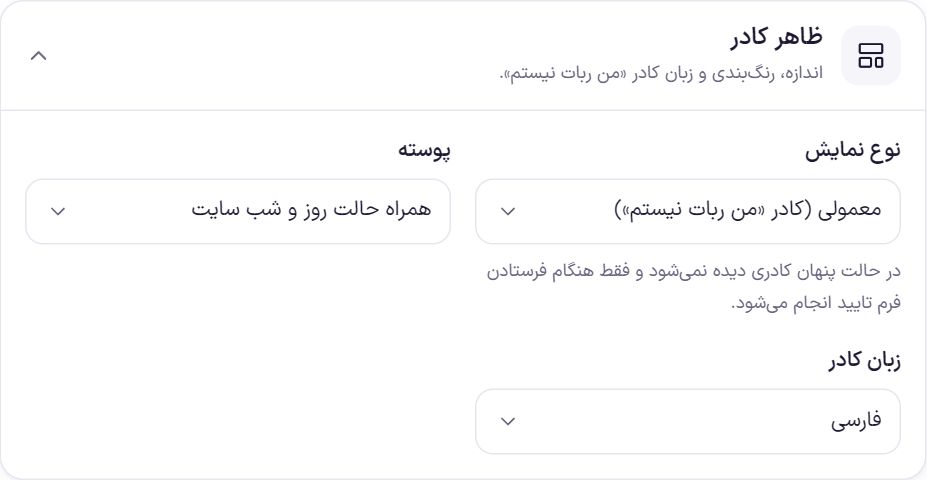
| Option | What it does | Default |
|---|---|---|
| Display type | Depending on the service: “Normal (I'm not a robot box)”, “Compact”, “Form width” (Turnstile only) or “Invisible”. In invisible mode no box is seen and verification happens only when the form is sent. | Normal |
| Theme | “Follow the site's light and dark mode”, “Light” or “Dark”. | Follow the site's light and dark mode |
| Box language | “Persian” or “English”. | Persian |
| Box color | Only for ARCaptcha. Write a hex color such as #7b2cbf or choose from the ready-made colors. If left empty, the service's own color stays. | Empty |
| Show the box's error message | Only for ARCaptcha. Messages such as “Verification time expired” are shown under the box itself. | On |
Where it is shown
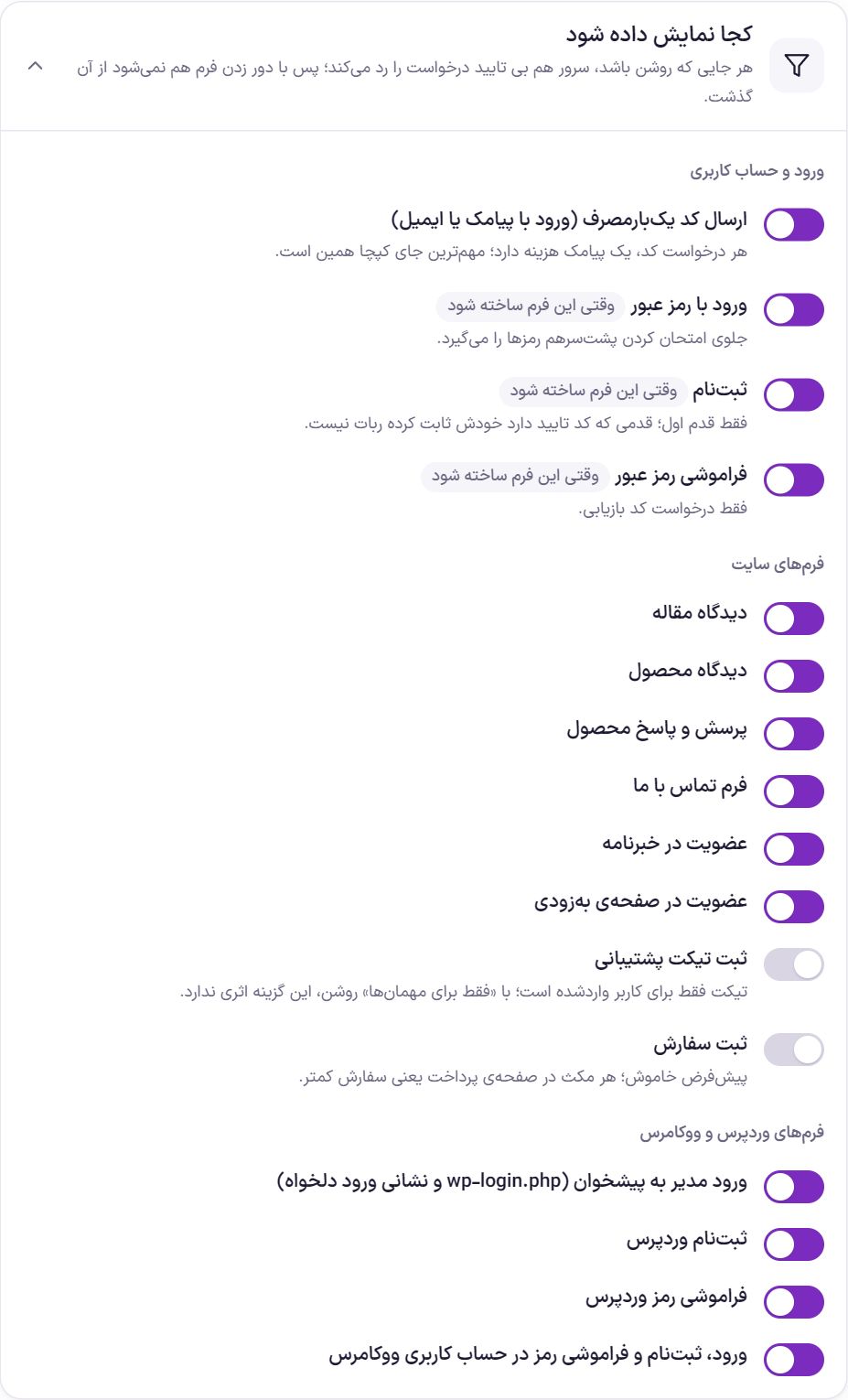
Wherever it is on, the server also rejects a request without verification; so a bot cannot get through by bypassing the form. Beside some options is the label “When this form is built”: that form has not yet been built in Farin, and your choice takes effect from when the form is added.
| Option | What it does | Default |
|---|---|---|
| Login and user account | ||
| Sending a one-time code (login by SMS or email) | Each code request costs one SMS; this is the most important place for the captcha. | On |
| Login with password | Stops passwords from being tried one after another. | On |
| Sign up | First step only; the step that has a verification code has already proven itself not a bot. | On |
| Forgot password | Only the recovery code request. | On |
| Site forms | ||
| Article comment | The comment form under articles. | On |
| Product comment | The comment form on the product page. | On |
| Product Q&A | The question form on the product page. | On |
| Contact us form | The contact page form. | On |
| Newsletter signup | The newsletter signup form. | On |
| Signup on the coming soon page | The notify-me form on the Coming soon page. | On |
| Submit support ticket | A ticket is only for a logged-in user; with “Guests only” on, this option has no effect. | Off |
| Place order | Every pause on the checkout page means fewer orders; turn it on only if you have bot orders. | Off |
| WordPress and WooCommerce forms | ||
| Admin login to the dashboard (wp-login.php and a custom login address) | The dashboard login page, whether at the usual address or at a custom address. | On |
| WordPress registration | WordPress's own registration form. | On |
| WordPress password reset | WordPress's own password recovery form. | On |
| Login, registration and password reset in the WooCommerce account | The forms on the WooCommerce “My account” page. | On |
Behavior
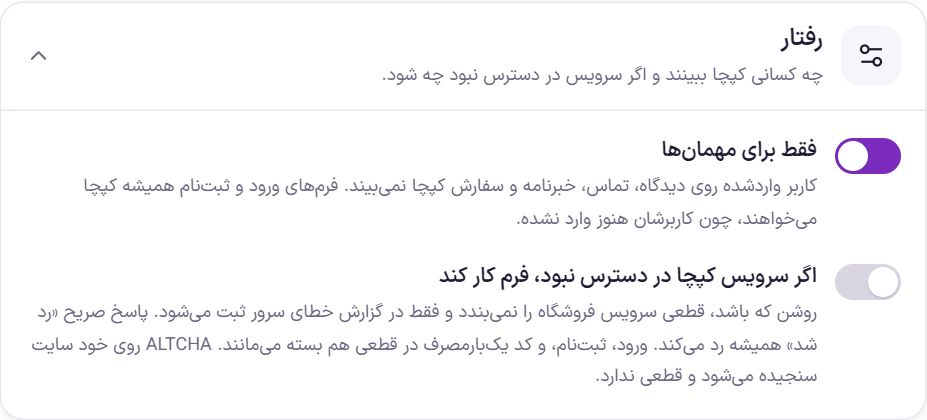
| Option | What it does | Default |
|---|---|---|
| Guests only | A logged-in user sees no captcha on comments, contact, newsletter and checkout. Login and registration forms always require a captcha, because their user is not yet logged in. | On |
| If the captcha service is unreachable, let the form work | When on, a service outage does not shut down the shop and is only recorded in the server error log. A clear “rejected” answer always rejects. Login, registration and one-time codes stay closed even in an outage, because every pass through them costs an SMS or opens an account. ALTCHA is checked on the site itself and has no outage. | Off |
Frequently Asked Questions
Which service should I choose?
For most shops, ALTCHA. It needs no key, does not connect to an outside server and works even when international internet is down. If you want an Iranian service with the familiar “I'm not a robot” box, ARCaptcha.
I set up reCAPTCHA and no form can be sent.
Probably the host's server cannot reach Google. In the preview press “Test verification”; if it is rejected, set the “Service address” to recaptcha.net , or switch the service to ALTCHA or ARCaptcha.
If I turn on the captcha, will I be locked out of the dashboard?
No, as long as the captcha verifies correctly in the preview. Before turning on “Admin login to the dashboard”, press “Test verification” once. Until the keys of a service that needs keys are entered, no form asks for a captcha.
Farin Theme · 1405