

Authentication
With this section a buyer verifies their national ID once, and the Shahkar system tells you immediately whether this ID belongs to the owner of the account's mobile number. You decide whether verification is required for purchases or wallet withdrawals, and which other inquiries run.
Where is it? Farin → Authentication → National ID verification
This section has one tab: “National ID verification”. Shahkar's answer is automatic and no queue is created for manual review.
National ID verification
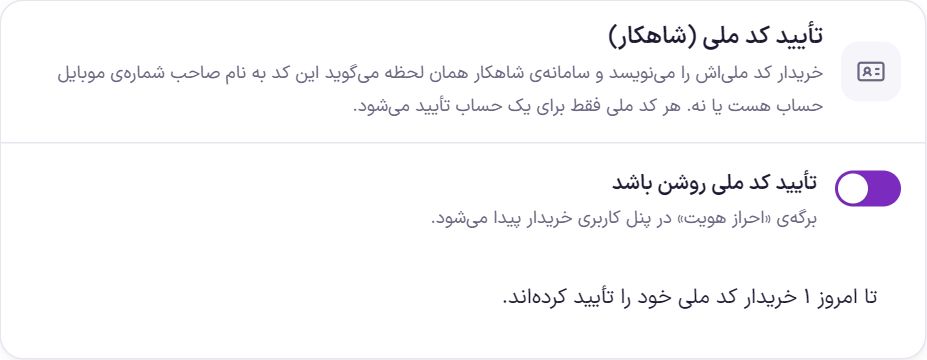
National ID verification (Shahkar)
| Option | What it does | Default |
|---|---|---|
| Turn on national ID verification | The “Identity verification” page appears in the buyer's account panel. | Off |
Each national ID is verified for only one account. If someone has several accounts with several SIM cards, only one of them is verified with their national ID.
Inquiry service: Zohal
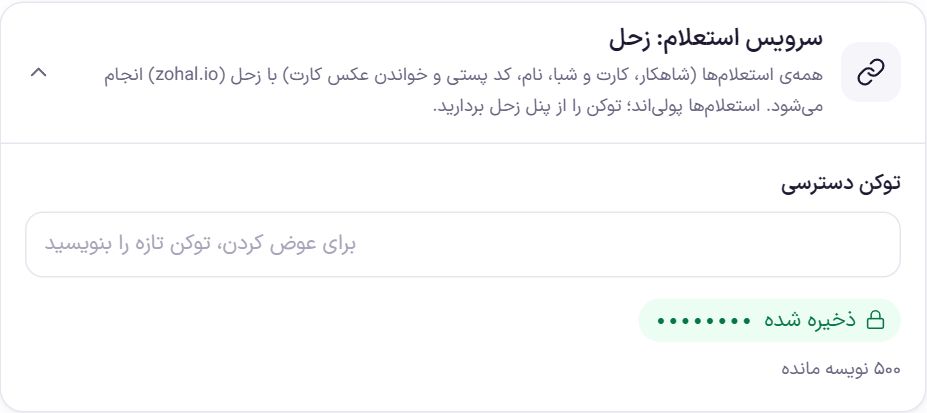
All inquiries (Shahkar, card and IBAN, name, postal code and national card photo reading) are done with Zohal (zohal.io). Inquiries are paid, and the cost of each is deducted from your Zohal account credit.
- Create an account on Zohal and buy credit.
- Copy the access token from the Zohal panel.
- Put it in “Access token”. After saving, the token is no longer shown. To change it, write the new token in the same field.
- Run an inquiry with “Test service” to make sure the token is correct.
What requires verification
| Option | What it does | Default |
|---|---|---|
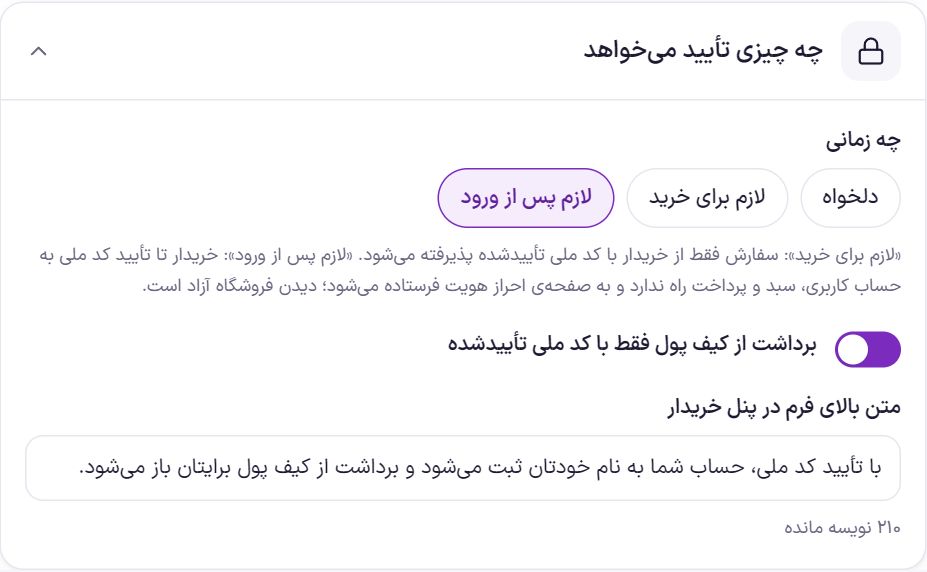
| When | “Optional”: the buyer verifies if they want and purchasing is open. “Required for purchase”: an order is accepted only from a signed-in buyer with a verified national ID. “Required after sign-in”: until the national ID is verified, the buyer cannot access the account, cart or checkout and is sent to the identity verification page; browsing the store stays open. | Custom |
| Wallet withdrawal only with a verified national ID | A buyer who has not verified their national ID cannot use Wallet to request a withdrawal. | On |
| Text above the form in the buyer's panel | One sentence above the national ID form, up to 300 characters. | By verifying your national ID, your account is registered under your own name and wallet withdrawals are unlocked for you. |
More inquiries
| Option | What it does | Default |
|---|---|---|
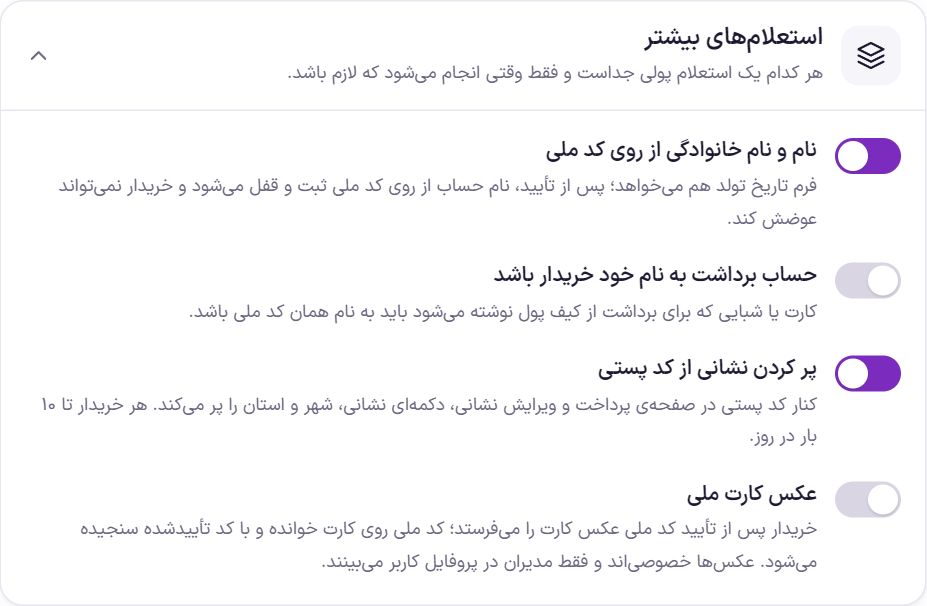
| Full name from national ID | The identity verification form also asks for the date of birth. After verification, the account name is set from the national ID and locked, and the buyer cannot change it. | Off |
| Withdrawal account in the buyer's own name | The card or IBAN entered for wallet withdrawal must be in the name of the same national ID. Before the inquiry, the validity of the card and IBAN numbers is checked free of charge. | Off |
| Fill in the address from the postal code | Next to the postal code at checkout and in address editing, a button fills in the address, city and province. Up to 10 times a day per buyer. | Off |
| National card photo | After national ID verification the buyer sends a photo of the front (and back) of the card. The national ID on the card is read and compared with the verified ID; up to three times a day per buyer. | Off |
National card photos are private. They are stored in a closed folder with a random name, hidden file data (such as EXIF) is stripped from them, and only admins can see them in the user's profile. When a user is deleted, their photos are deleted too.
Test service
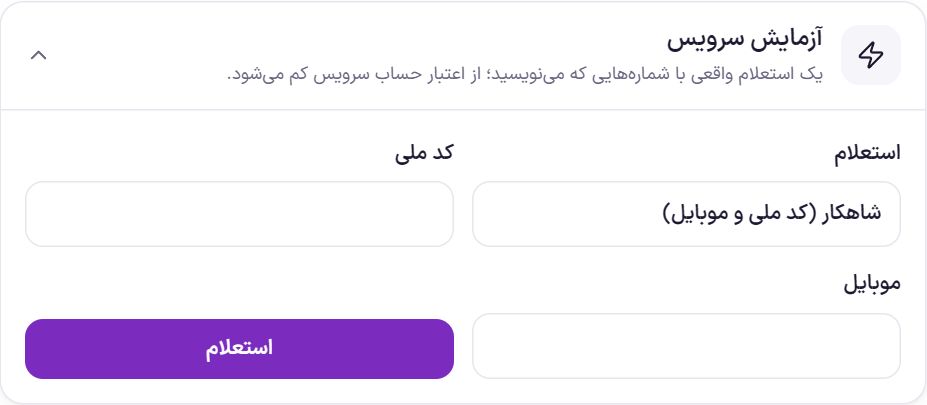
It runs a real inquiry with the numbers you enter, and its cost is deducted from the service account credit. Choose the inquiry type (Shahkar, bank card in the name of the national ID, IBAN in the name of the national ID, name from national ID and date of birth, or address from postal code), fill in the fields and click “Inquire”. Only the site's super admin sees this box.
Inquiry log
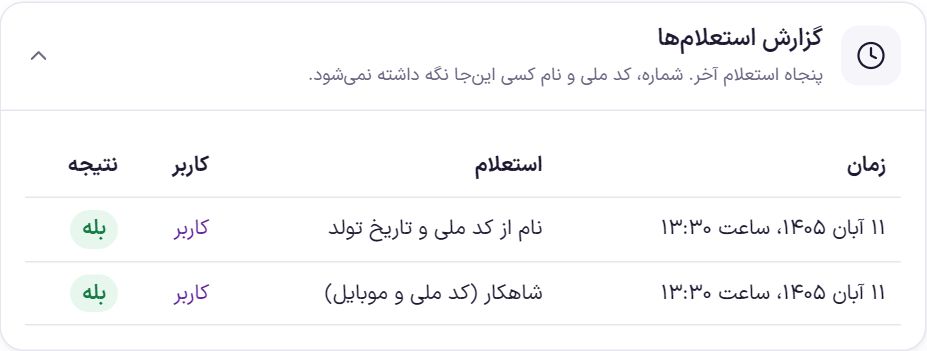
The last fifty inquiries are listed here. Nobody's mobile number, national ID, card number or name is kept in the log; only the time, inquiry type, user and result.
The buyer's identity verification page
When national ID verification is on, “Identity verification” appears in the account panel menu. This page opens inside the login page frame so the buyer sees only this.
- The buyer enters the national ID. If the name inquiry is on, they also choose the date of birth by day, month and year.
- Shahkar answers immediately. If the ID is not in the name of the owner of the account's mobile number, the message “This national ID is not in the name of the owner of this account's mobile number” appears.
- After verification, the page says “Your identity is verified” and shows the last three digits of the national ID and the verification date. The full national ID is not shown anywhere.
Each buyer can try only a limited number of times per hour. If the buyer has not yet signed in with an SMS code, the page asks them to sign in once with an SMS code and come back.
In WordPress “Users” there is an “Identity” column. In each user's profile you see the verification, the locked name and the card photos, and an admin can remove the verification with “Revoke verification”; after that the buyer can verify again.
Frequently Asked Questions
The buyer says “This national ID has been verified for another account”.
It means this same national ID was previously verified on another account. The buyer must sign in with that account. If you no longer want that account, click “Revoke verification” in that user's profile to free the ID.
The mobile line is not in the buyer's own name.
Shahkar only says whether the national ID is in the name of the SIM card's owner. If the line is in someone else's name, the buyer must sign in with a number that is in their own name.
How much does each verification cost?
The price of inquiries is set by Zohal and is deducted from your Zohal account credit. You can see the number of inquiries in the “Inquiry log”.
Farin Theme · 1405