

Post-Payment Page
The buyer sees this page after returning from the gateway. Depending on the order status, Farin shows one of three messages — success, pending, or failed — and below it shows the order number, amount, items, and the next step.
Where is it? Farin → Site content → Checkout and Payment → Post-Payment Page
This page is the same for all gateways. Any instructions that the gateway or payment method itself provides (such as the account number for a bank deposit) appear below it.
Preview
The top of the page is a preview of the page with a sample order. Use the “Success”, “Pending”, and “Failed” buttons to see all three states, and “Desktop” and “Mobile” to change the size. Any change to the options appears right there.
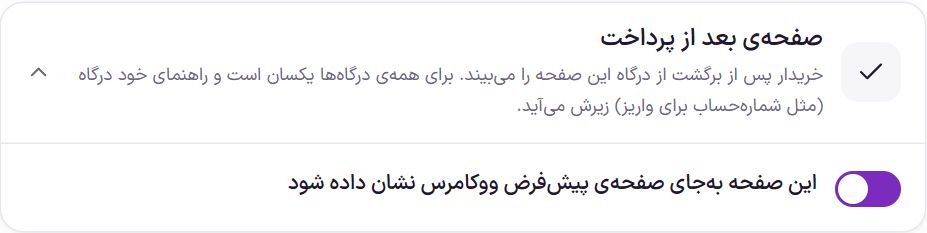
Turn on the page
| Option | What it does | Default |
|---|---|---|
| Show this page instead of the default WooCommerce page | When on, the WooCommerce “Order received” page gives way to the Farin page. When off, the WooCommerce page appears and the other options on this page have no effect. | On |
The three page states
Farin works out the state from the order status:
- Successful payment: The payment gateway has confirmed it.
- Pending confirmation: The order is placed but the money is not yet confirmed; for example card-to-card, bank deposit, or pay on delivery. A pay-on-delivery or bank-deposit order stays in this state until its payment date is recorded, even if its status is “Processing”.
- Failed payment: The payment gateway declined it, the buyer cancelled, or the order was cancelled.
Each state has its own box with three texts: a “Small label” above the heading (up to 80 characters), the “Heading” (up to 80 characters), and the “Text” (up to 300 characters). A small label left empty is not shown.
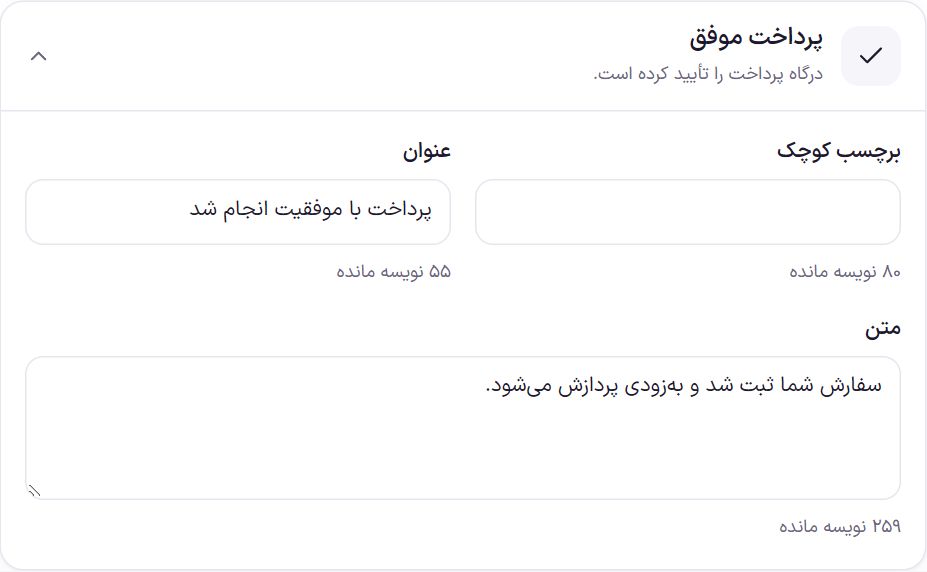
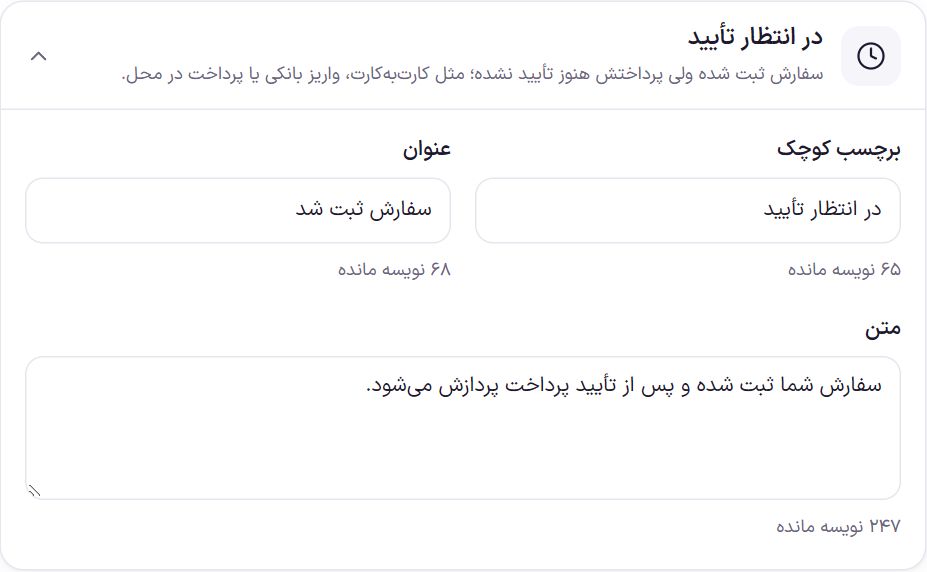
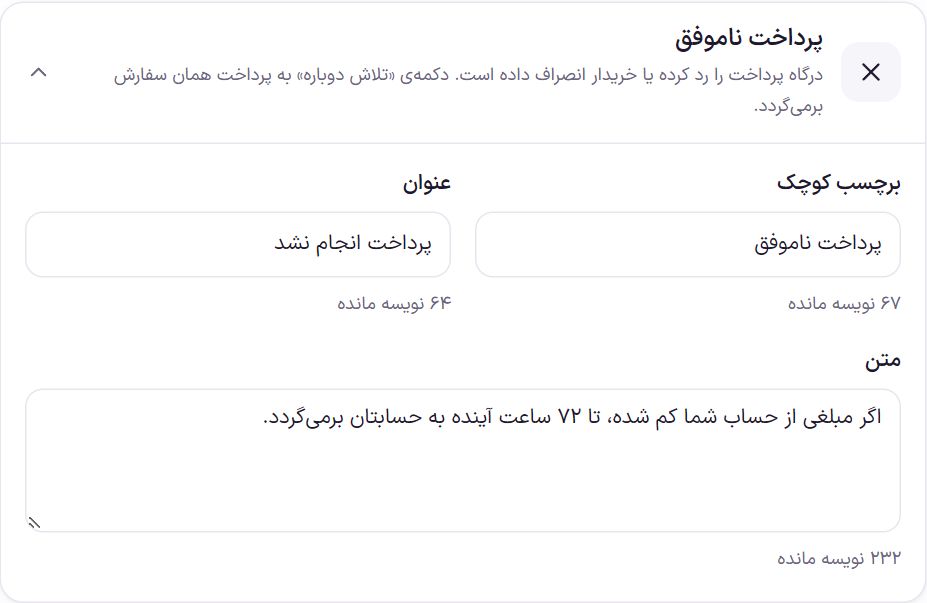
| Mode | Small label | Title | Text |
|---|---|---|---|
| Successful payment | (empty) | Payment completed successfully | Your order has been placed and will be processed shortly. |
| Pending confirmation | Pending confirmation | Order placed | Your order has been placed and will be processed once the payment is confirmed. |
| Failed payment | Failed payment | Payment was not completed | If any money was deducted from your account, it will be returned to your account within the next 72 hours. |
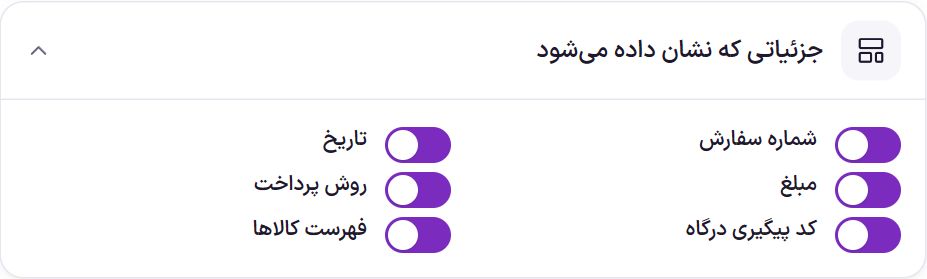
Details shown
| Option | What it does | Default |
|---|---|---|
| Order number | The order number, for tracking. | On |
| Date | The date the order was placed. | On |
| Amount | The order’s total amount. | On |
| Payment method | The gateway or method the buyer chose. | On |
| Gateway tracking code | The tracking code the gateway returned. Shown only in the success state and only when the gateway has given a code. | On |
| Item list | The items in this order. | On |
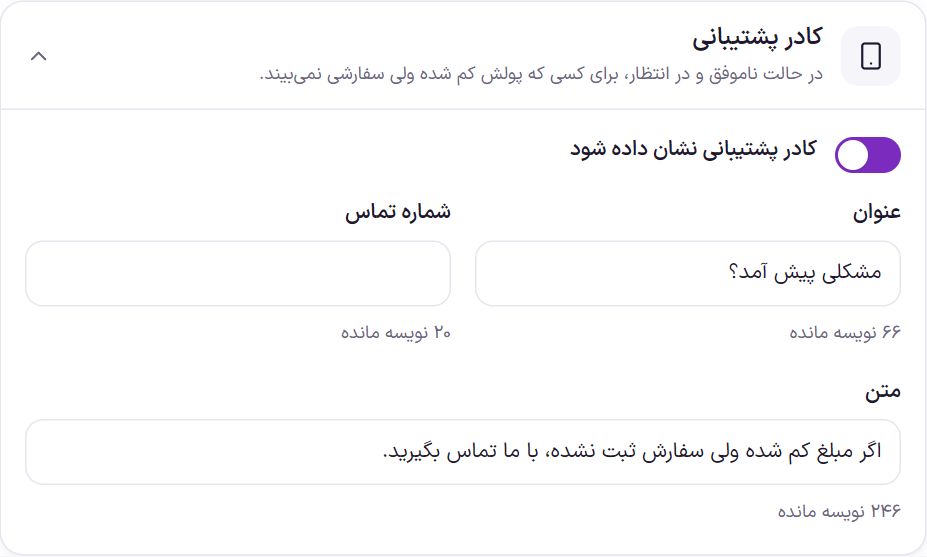
Support box
This box appears only in the failed and pending states, not when the payment was successful.
| Option | What it does | Default |
|---|---|---|
| Show the support box | Turns the box on or off. If the “Heading” is empty, the box is not shown either. | On |
| Title | The box title. | Something went wrong? |
| Phone number | The number the buyer calls with one tap on a phone. Only digits, spaces, + and - are accepted; up to 20 characters. Leave it empty and no number is shown. | Empty |
| Text | A guiding sentence. | If money was deducted but no order was placed, contact us. |
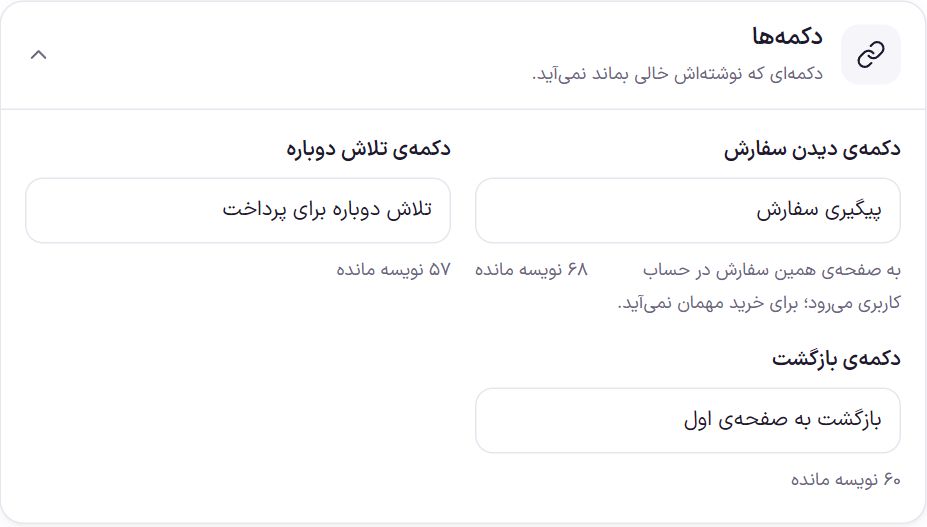
Buttons
| Option | What it does | Default |
|---|---|---|
| View order button | Goes to this order’s page in the buyer’s account. Not shown for guest checkout. | Track order |
| Try again button | Only in the failed state, and it takes the buyer to pay for the same order again; they don’t need to rebuild the cart. | Try paying again |
| Back button | Takes the buyer to the store page. | Back to store |
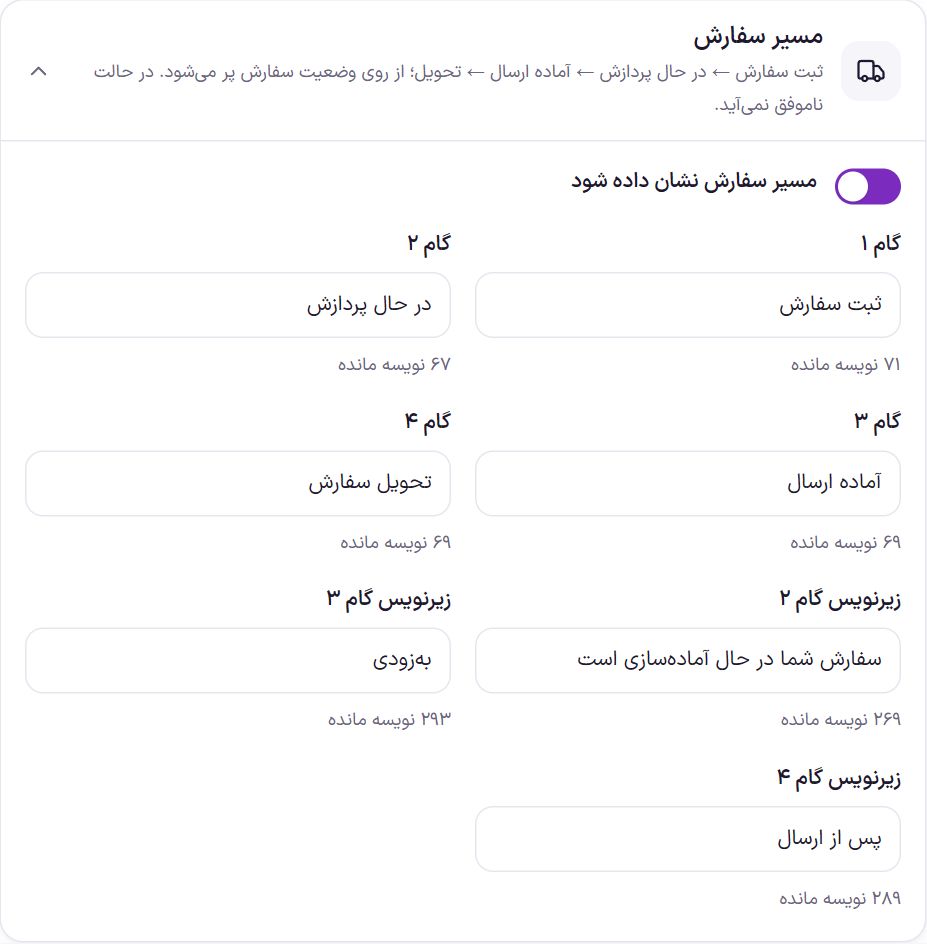
Order tracker
A four-step bar showing where the order is. The lit step is chosen from the order status: an order awaiting payment is on step 1, a processing order on step 2, an order ready for shipping or shipped on step 3, and a completed order on step 4. The order date appears under step 1. In the failed state this bar is not shown.
| Option | What it does | Default |
|---|---|---|
| Show the order tracker | Turns the bar on or off. | On |
| Step 1 | Name of the first step. | Place order |
| Step 2 | Name of the second step. | Processing |
| Step 3 | Name of the third step. | Ready to ship |
| Step 4 | Name of the fourth step. | Order delivered |
| Step 2 subtitle | A short sentence under the second step. | Your order is being prepared |
| Step 3 subtitle | A short sentence under the third step. | Coming Soon |
| Step 4 subtitle | A short sentence under the fourth step. | After shipping |
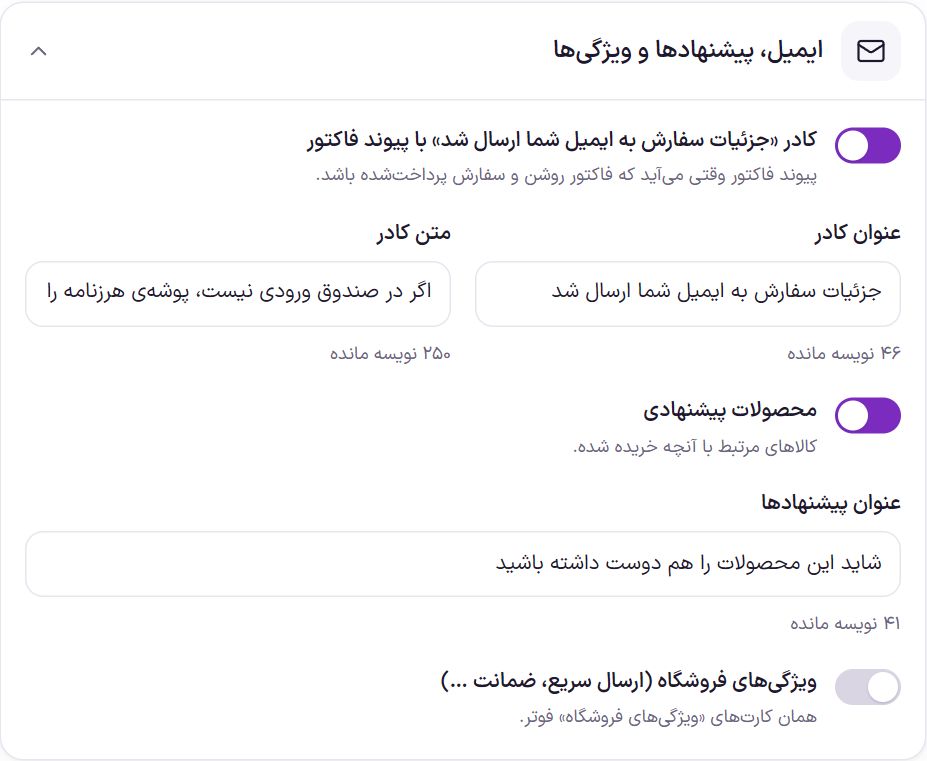
Email, suggestions, and features
| Option | What it does | Default |
|---|---|---|
| The “Order details were sent to your email” box with the invoice link | A box saying the details were sent to the buyer’s email, with a view-invoice button. The invoice link appears only when Invoice is on and the order is paid. It does not appear in the failed state. | On |
| Box heading | The heading of that box. | Order details were sent to your email |
| Box text | The sentence under the heading. | If it is not in your inbox, check your spam folder. |
| Suggested products | Up to eight products related to what was bought. | On |
| Suggestions heading | The heading above the suggested products. | You might also like these products |
| Store features (fast delivery, guarantee, …) | The same “Store features” cards that you built in Footer settings. | Off |
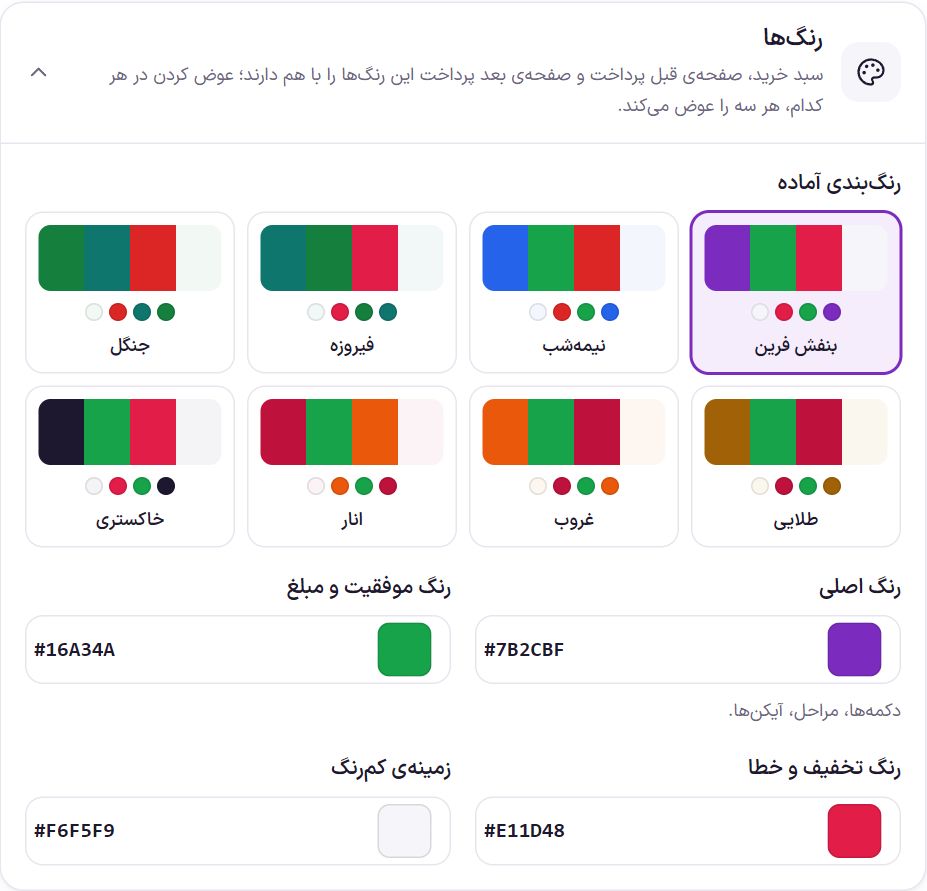
Colors
This box is the same as the cart colors box and the Pre-Payment Page box. If you change a color here, it changes on those two pages too.
Frequently Asked Questions
The buyer paid by card-to-card. Why do they see a “Pending” message?
Because nobody has confirmed the payment yet. Once you confirm the payment and the order status changes, the order counts as paid.
The money was deducted from the buyer’s account but the page says “Failed”.
It means the payment gateway has not confirmed the payment to the site. The default text of the failed state tells the buyer the amount will be returned within 72 hours; the support box with your number also appears in this state. Check the transaction status in your gateway’s panel.
Where does my gateway’s instruction (for example, the account number) appear?
Below the Farin page. Farin does not remove the gateway’s own text.
Farin Theme · 1405