

Coming Soon
When the site is not ready yet or is under repair, coming soon mode shows visitors a simple page instead of the site: a title, a description, a countdown to launch and a form that takes their email or mobile number. Meanwhile you see the site normally and keep working.
Where is it? Farin → Settings → Coming Soon
Every change is saved at once.
Setup
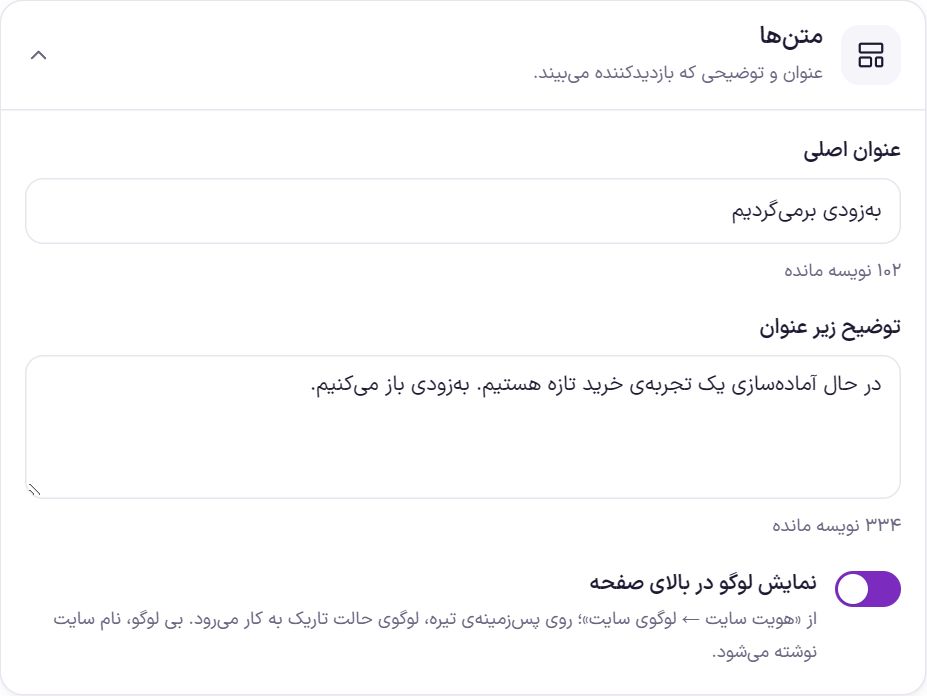
- Write the texts. Change the title and description in the “Texts” box, or keep the ready-made text.
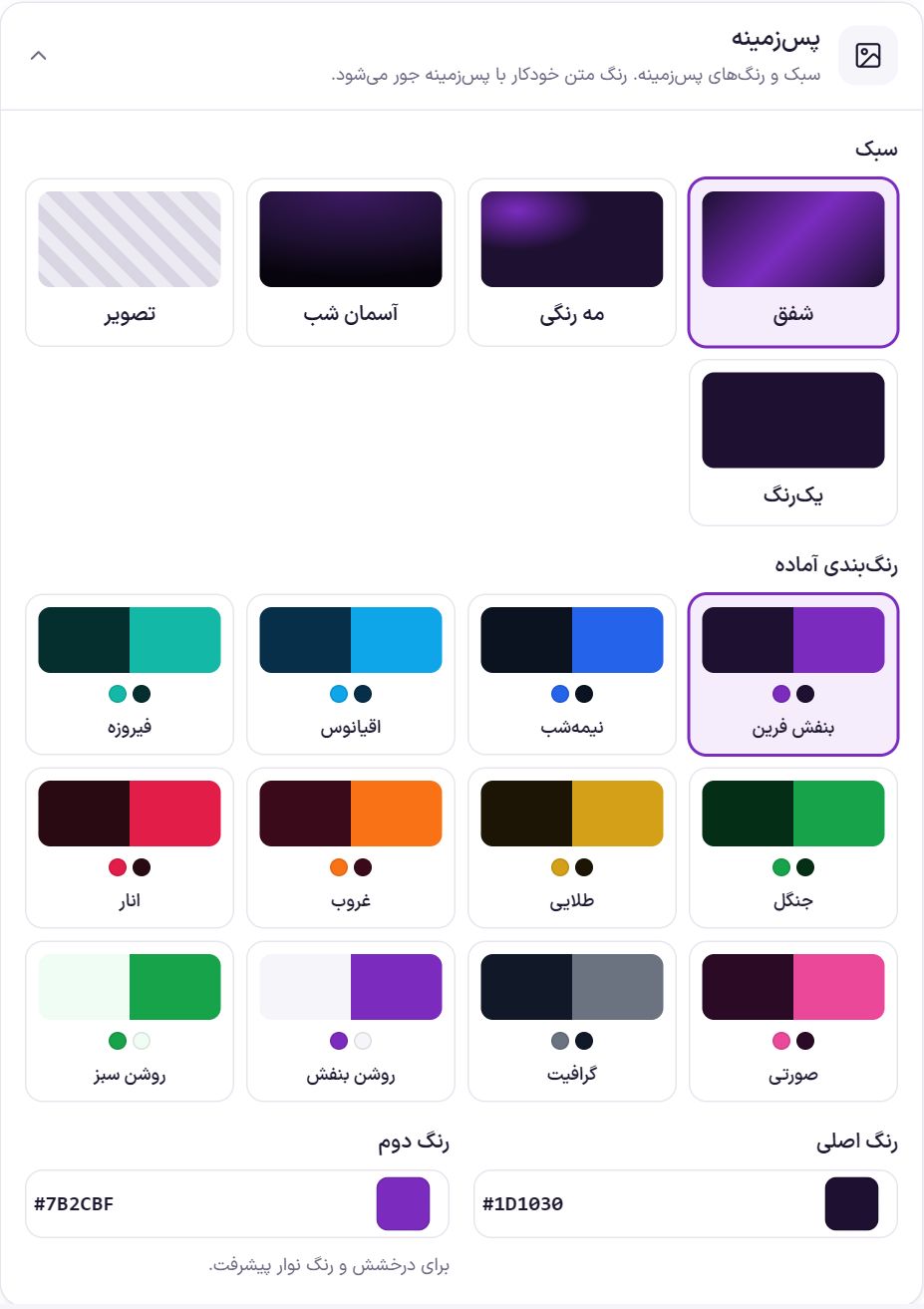
- Choose the look. In “Background” pick a style and a color scheme.
- See the preview. Press “View page preview”; the page opens in a new tab.
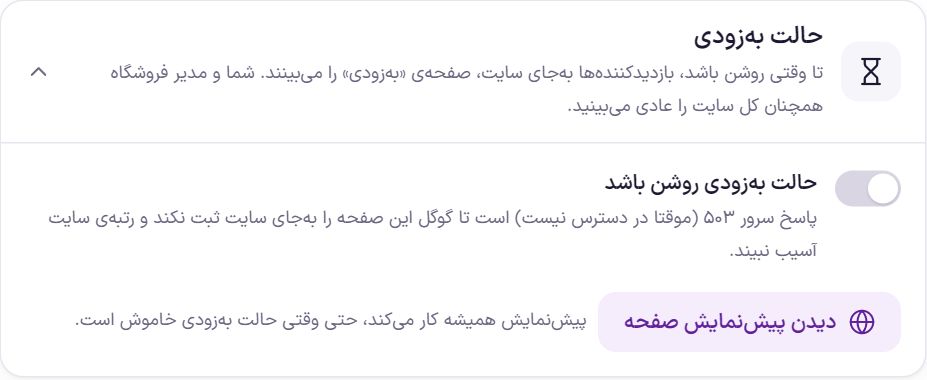
- Turn on coming soon mode. From this moment visitors see only the coming soon page.
Coming soon mode
| Option | What it does | Default |
|---|---|---|
| Coming soon mode enabled | Visitors see the coming soon page instead of any page of the site. The server response is 503 (temporarily unavailable) so that Google does not record this page in place of the site and the site's ranking is not hurt. | Off |
| View page preview | Shows the coming soon page with the current settings in a new tab. Only the site's main administrator sees it. |
Texts
| Option | What it does | Default |
|---|---|---|
| Main title | Up to 120 characters. | We'll be back soon |
| Description under the title | Up to 400 characters. | We are preparing a new shopping experience. We will open soon. |
| Show logo at the top of the page | The logo comes from Site identity → Site logo ; on a dark background the dark-mode logo is used. If you have not set a logo, the site name is written. | On |
Background
| Option | What it does | Default |
|---|---|---|
| Style | “Twilight”, “Colored mist”, “Night sky”, “Image” or “Solid color”. | Twilight |
| Ready-made color schemes | Twelve combinations, from “Farin purple” to “Bright green”. Clicking any of them fills the two colors below. | Farin Purple |
| Main color | Background color. | #1D1030 |
| Second color | Glow and progress bar color. | #7B2CBF |
| Background image | Only with the “Image” style. At least 1920×1080 pixels. A dark layer goes over the image so the text stays readable. | Empty |
Countdown and progress
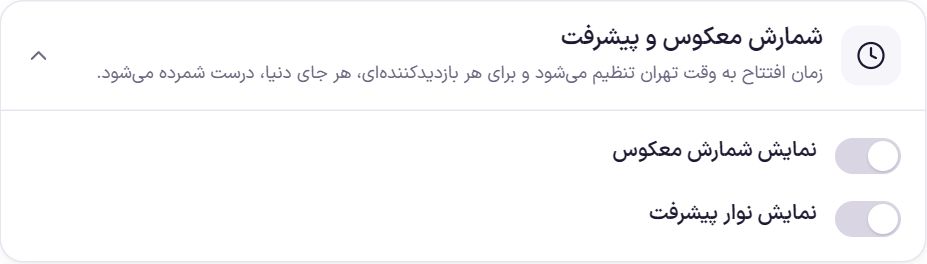
The launch time is chosen in the Jalali date and Tehran time, and is counted correctly for every visitor, wherever in the world they are.
| Option | What it does | Default |
|---|---|---|
| Show countdown | A counter of days and hours to launch. | Off |
| Launch date and time (Jalali, Tehran time) | Day, month, year, hour and minute (in 5-minute steps). Under it, it says what day the launch is and how many days are left. | About 30 days after installation |
| Open the site automatically at launch time | As soon as the count reaches zero, the coming soon page steps aside and visitors see the site; nobody has to turn it off by hand. | On |
| Show progress bar | A bar that shows how far along the work is. | Off |
| Progress percent | From 0 to 100. You set this number yourself and it does not change automatically. | 70 |
“Notify me” form
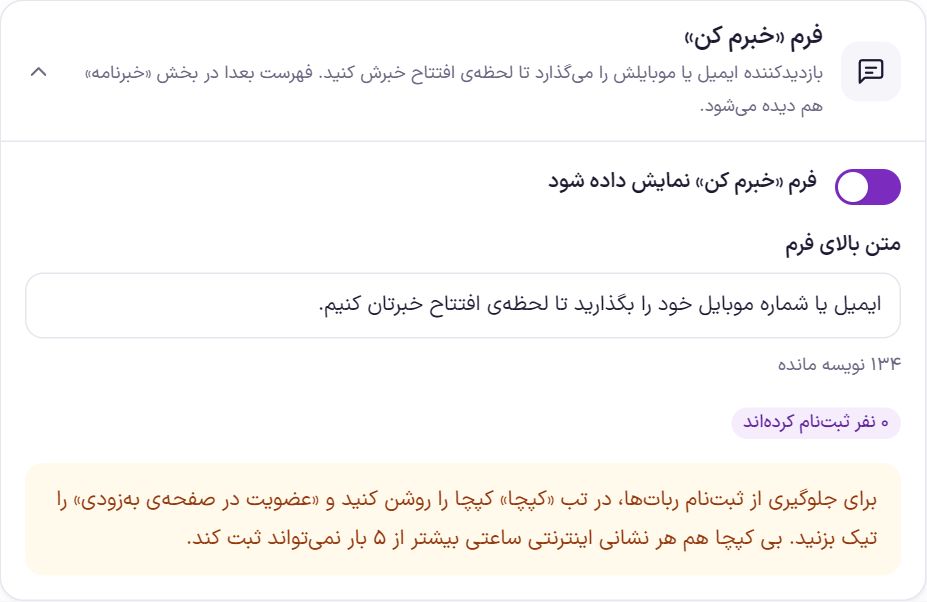
The visitor enters their email or mobile number so you can tell them at launch. The list can also be seen later in the “Newsletter” section.
| Option | What it does | Default |
|---|---|---|
| Show the “Notify me” form | Shows the form under the page text. | On |
| Text above the form | Up to 200 characters. | Enter your email or mobile number and we will tell you the moment we open. |
| Get the list (Excel) | When at least one person has signed up, this button gives the list as an Excel file. |
Social networks
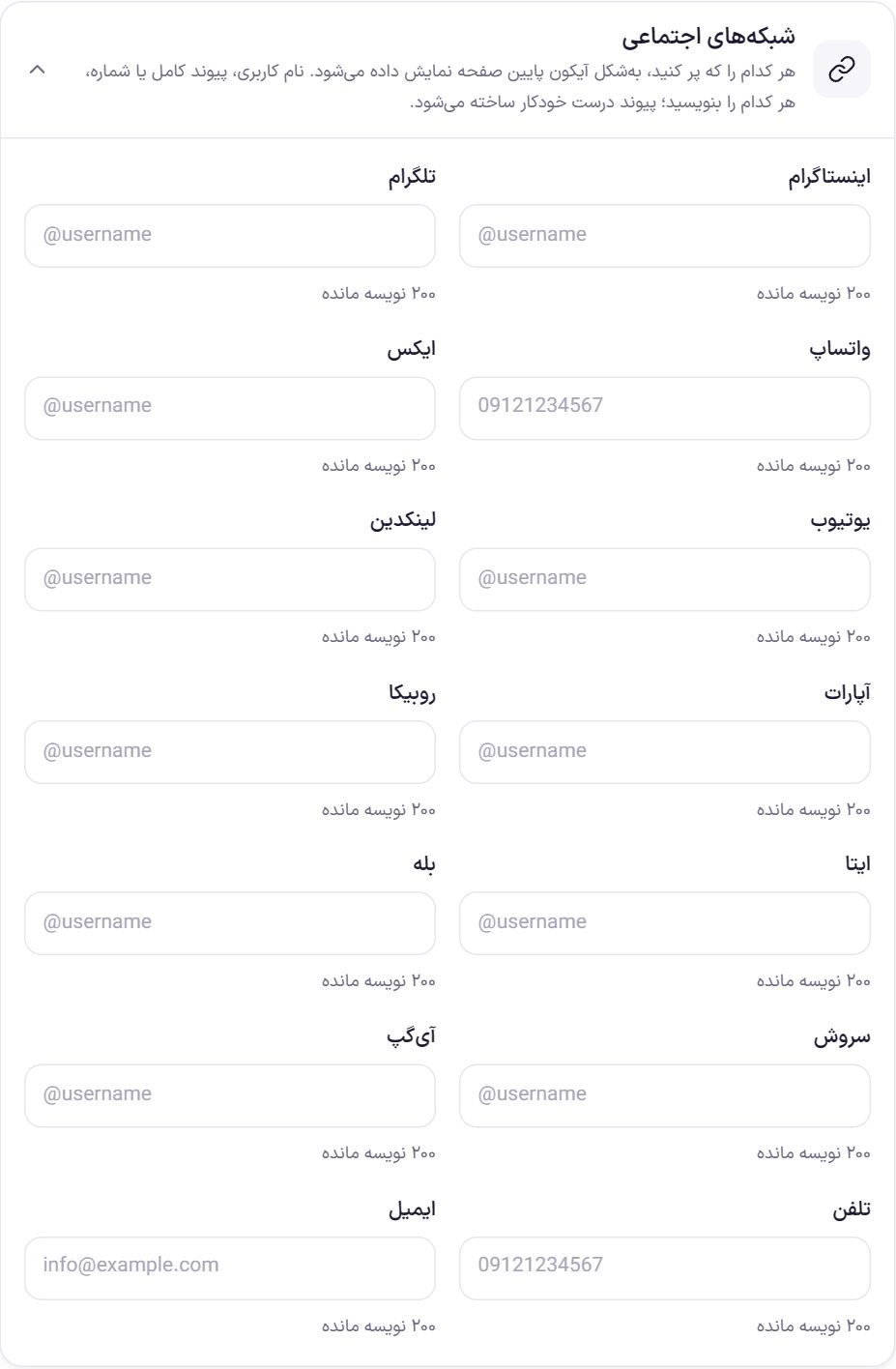
There is a field for Instagram, Telegram, WhatsApp, X, YouTube, LinkedIn, Aparat, Rubika, Eitaa, Bale, Soroush, iGap, phone and email. Write a username (such as @farinshop), a full link or a number, whichever you have; the correct link is built automatically. An empty field has no icon.
Frequently Asked Questions
I turned on coming soon mode but I see the site normally.
That is right. Administrators see the site normally so they can work. To see what the visitor sees, press “View page preview” or open the site in the browser's incognito window.
Will my Google ranking be lost?
Not for a few days or a few weeks. The 503 response tells Google the site is temporarily unavailable and to come back later. Don't leave coming soon mode on for months.
The count reached zero and the site did not open.
“Open the site automatically at launch time” is off. Either turn it on, or turn “Coming soon mode enabled” off by hand. If you have a cache plugin, clear the cache too.
Farin Theme · 1405