

Font
This tab sets the font of all the store’s text: page text, headings, text size and weight. Farin has two Persian fonts, IRANSansX and Anjoman, and if you have bought another font you can upload its file. Every change is saved on the spot and the sample at the top of the tab updates with it.
Where is it? Farin → Site content → Site Appearance → Font
Site text font
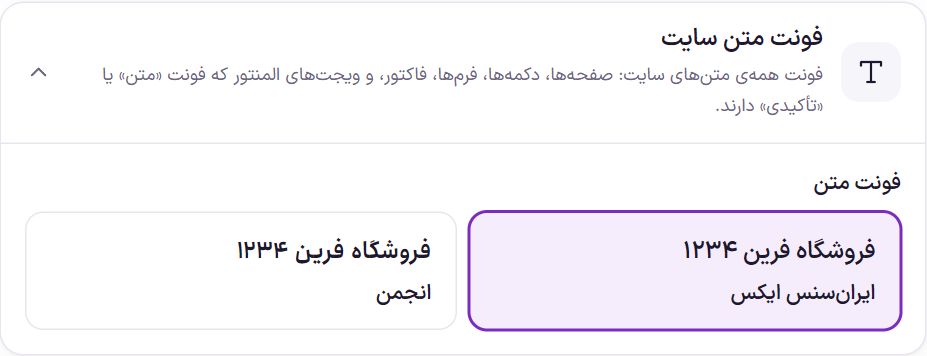
The font of all the site’s text comes from here: pages, buttons, forms, invoices and the Elementor widgets that have the “Text” or “Accent” font. Fonts you upload yourself appear beside these two cards with an “Uploaded” label.
Heading font
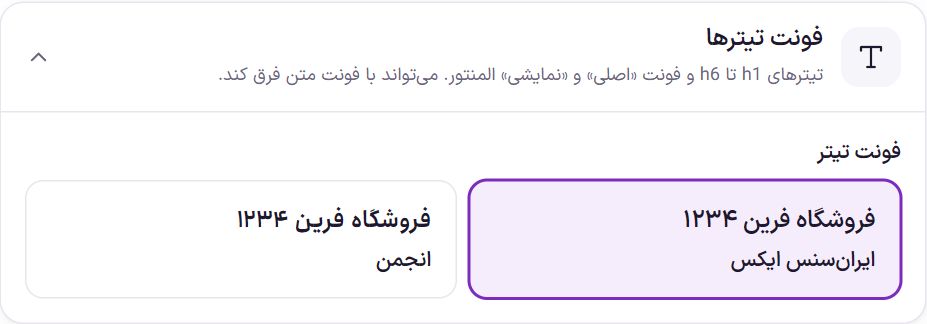
This font applies to h1 to h6 headings and to Elementor’s “Primary” and “Display” fonts. For example, set the text to IRANSans and the headings to Anjoman.
Size and spacing
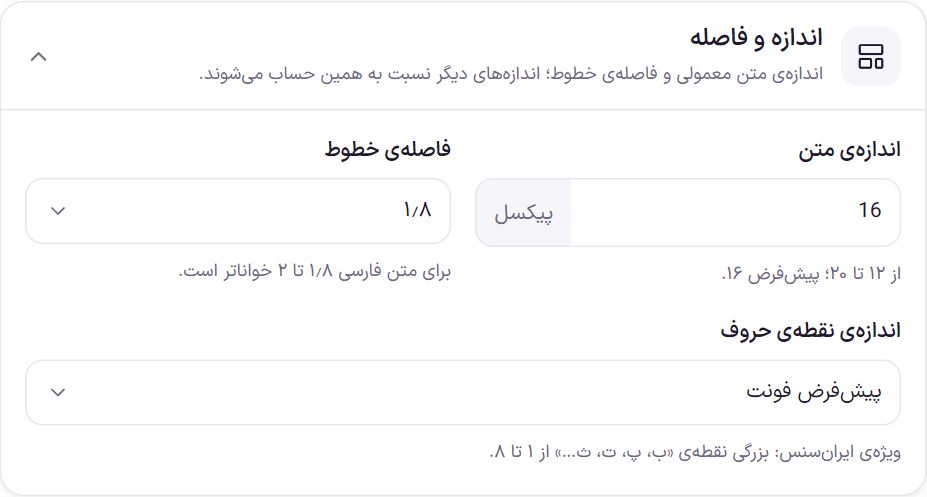
| Option | What it does | Default |
|---|---|---|
| Text size | The size of normal text in pixels, from 12 to 20. The site’s other sizes are calculated relative to it, so making it larger makes everything slightly larger. | 16 px |
| Line spacing | The space between the lines of a paragraph, from 1.4 to 2.4. For Persian text, 1.8 to 2 is more readable. | 1.8 |
| Letter dot size | Visible only when the text font is IRANSansX. It sets the size of the dots on letters such as “ب، پ، ت، ث” from 1 to 8. “Font default” means the dots stay at the font’s own designed size. | Font default |
Weights
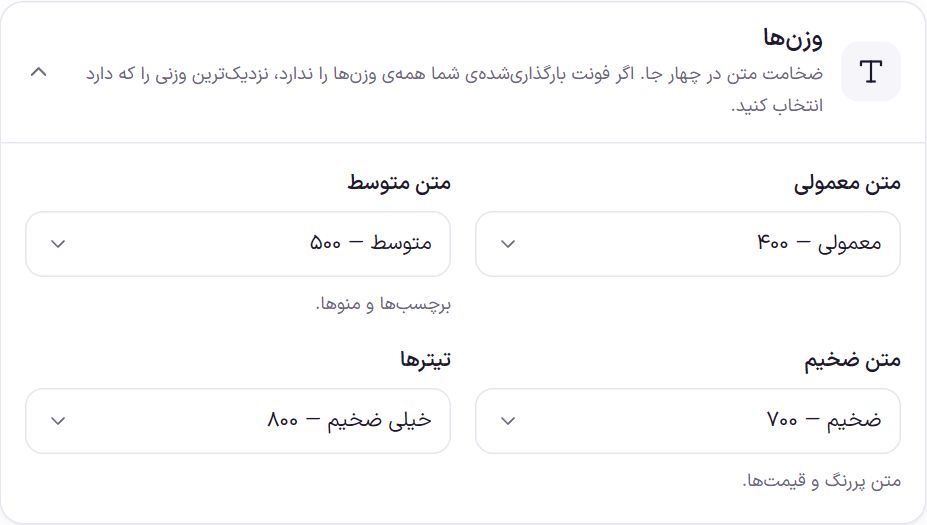
Each list runs from “Thin 100” to “Black 900”. If your uploaded font does not have all the weights, choose the nearest weight it has.
| Option | What it does | Default |
|---|---|---|
| Normal text | The weight of paragraph text. | Regular 400 |
| Medium text | Labels and menus. | Medium 500 |
| Bold text | Bold text and prices. | Bold 700 |
| Headings | The weight of h1 to h6 headings. | Extra bold 800 |
WordPress dashboard font
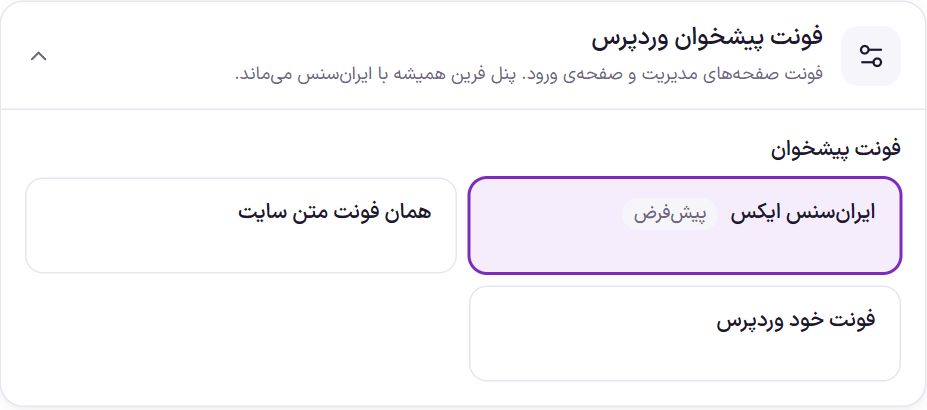
| Option | What it does |
|---|---|
| IRANSansX | The WordPress dashboard is written in IRANSans. This is the default. |
| Same as the site text font | The dashboard also takes the font you chose for the site text. |
| WordPress’s own font | Farin does not touch the dashboard font. |
The Farin panel always stays in IRANSans, whichever you choose.
Custom font
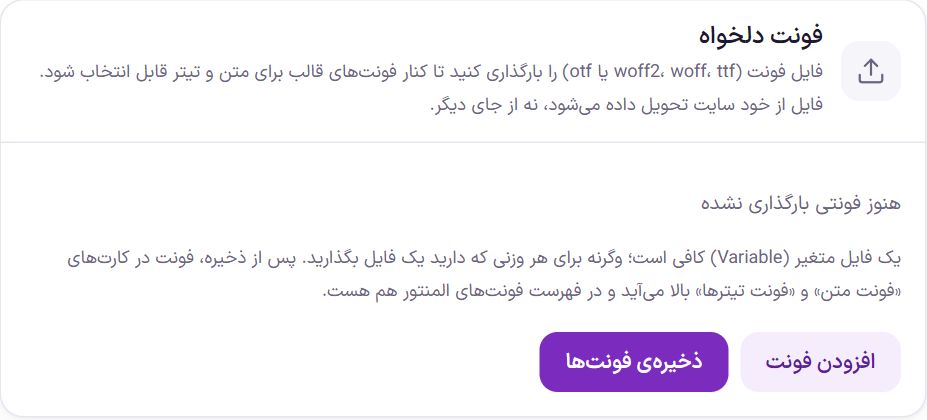
Upload a font file with the extension woff2, woff, ttf or otf so it can be chosen for text and headings beside the theme’s fonts. The file is served to the shopper from your own site, not from another service.
- Click “Add font”. A new card opens with a place for the name and several places for files.
- Write the font name. For example “Vazir”. This same name appears on the font card and in Elementor’s font list.
- Add the files. If your font has a Variable file, fill in only the “Variable file (all weights)” spot. Otherwise, put the file for each weight you have in its own spot: Regular 400, Medium 500, Bold 700 and Extra bold 800.
- Click “Save fonts”. The font appears in the “Text font” and “Heading font” cards and is also in Elementor’s font list.
“Remove” removes one weight’s file, and the × button beside the name removes the whole font.
Frequently Asked Questions
In Elementor I set another font for a widget. Does this change it?
No. Widgets that use Elementor’s “Text”, “Accent”, “Primary” or “Display” font follow this tab. A font you pick by hand in the widget itself stays as it is.
I don’t see the “Letter dot size” option.
This option is shown only when the site text font is IRANSansX, because only that font has such a setting.
Bold text doesn’t get bold with my own font.
You probably haven’t uploaded that weight’s file. Either put the file for that weight in the font card, or in the “Weights” box choose a weight whose file you have.
Farin Theme · 1405