

Guides / Reports and Settings
Settings
The Settings page gathers the site-wide jobs: logo and identity, login and comment security, captcha, “Coming soon” mode, custom code, cache, backup and Shop manager access.
Where is it? Rafina Panel → Settings
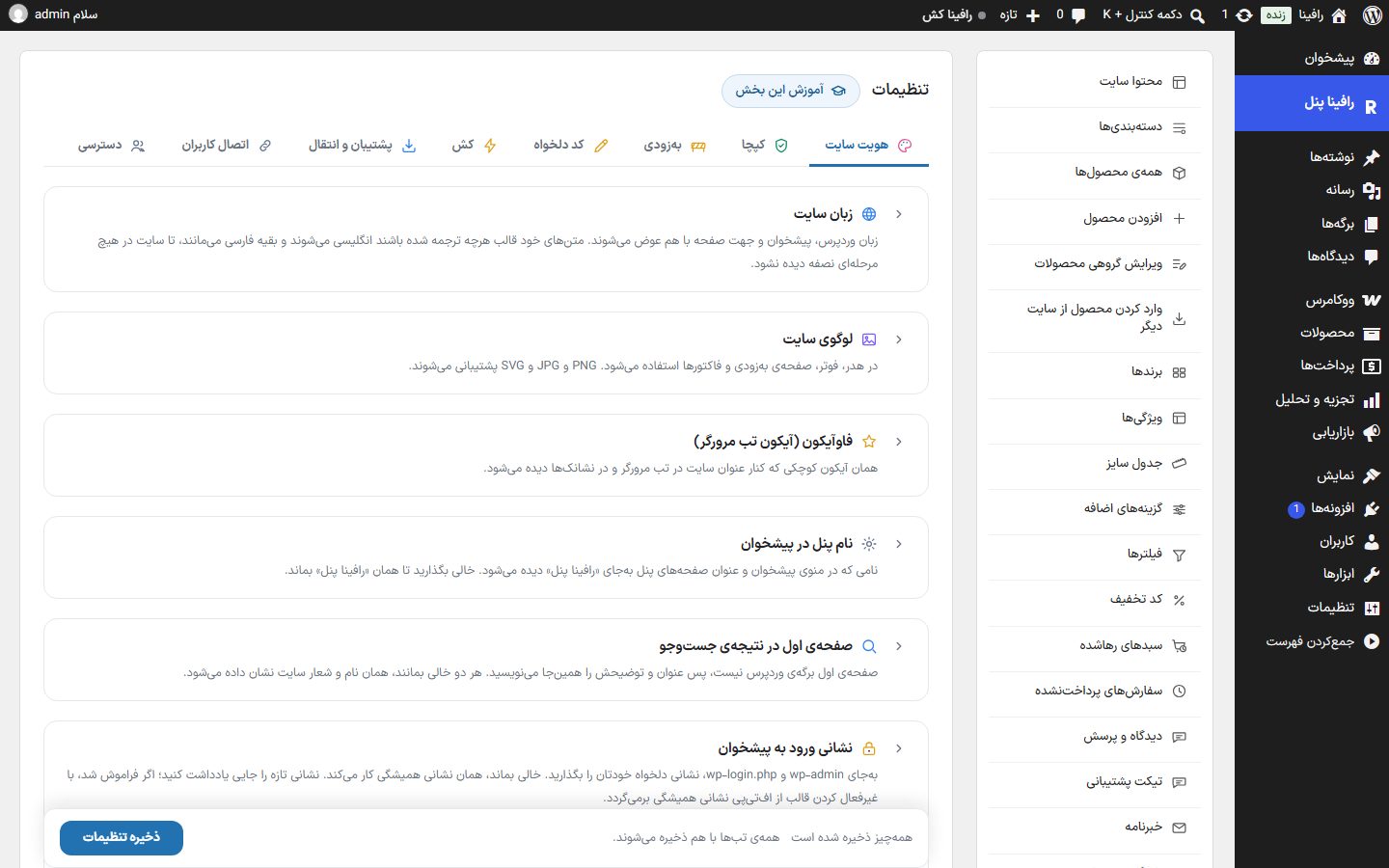
Tabs
Site IdentityLanguage, logo, favicon, panel name, home page title on Google, dashboard login address, comments, map, day and night mode, how the site appears on Google, text selection prevention, and site name and address
Captcha“I'm not a robot” verification with five services and form selection
Coming SoonTemporarily closing the site with a launch page, countdown and notify-me form
Custom CodeCustom CSS and header and body code for analytics and ownership verification
cacheTheme cache, clearing the cache, WordPress heartbeat, image cache and database cleanup
Backup and TransferExport and import of settings and media, and product backup
Connecting usersLinking previous-theme customers' accounts to their mobile numbers
AccessWhich parts of the panel and dashboard the Shop manager can reach
Save
All tabs are saved together: whatever change you make in any tab, the “Save settings” button on the bottom bar saves everything at once. The bottom bar shows “Everything is saved” or “You have unsaved changes”.
NoteSeveral tab tools (clearing the cache, database cleanup, export and import, user linking) have their own button and run immediately, not with “Save settings”.
NoteThe “Backup and Transfer”, “User Linking” and “Access” tabs are visible only to the site Administrator; the Shop manager does not see them.