

Captcha
Captcha asks for “I'm not a robot” verification before the forms bots go after: SMS code request, login, sign-up, comment and other forms. You choose the service; ARCaptcha and ALTCHA also work on Iranian hosts.
Where is it? Rafina Panel → Settings → Captcha
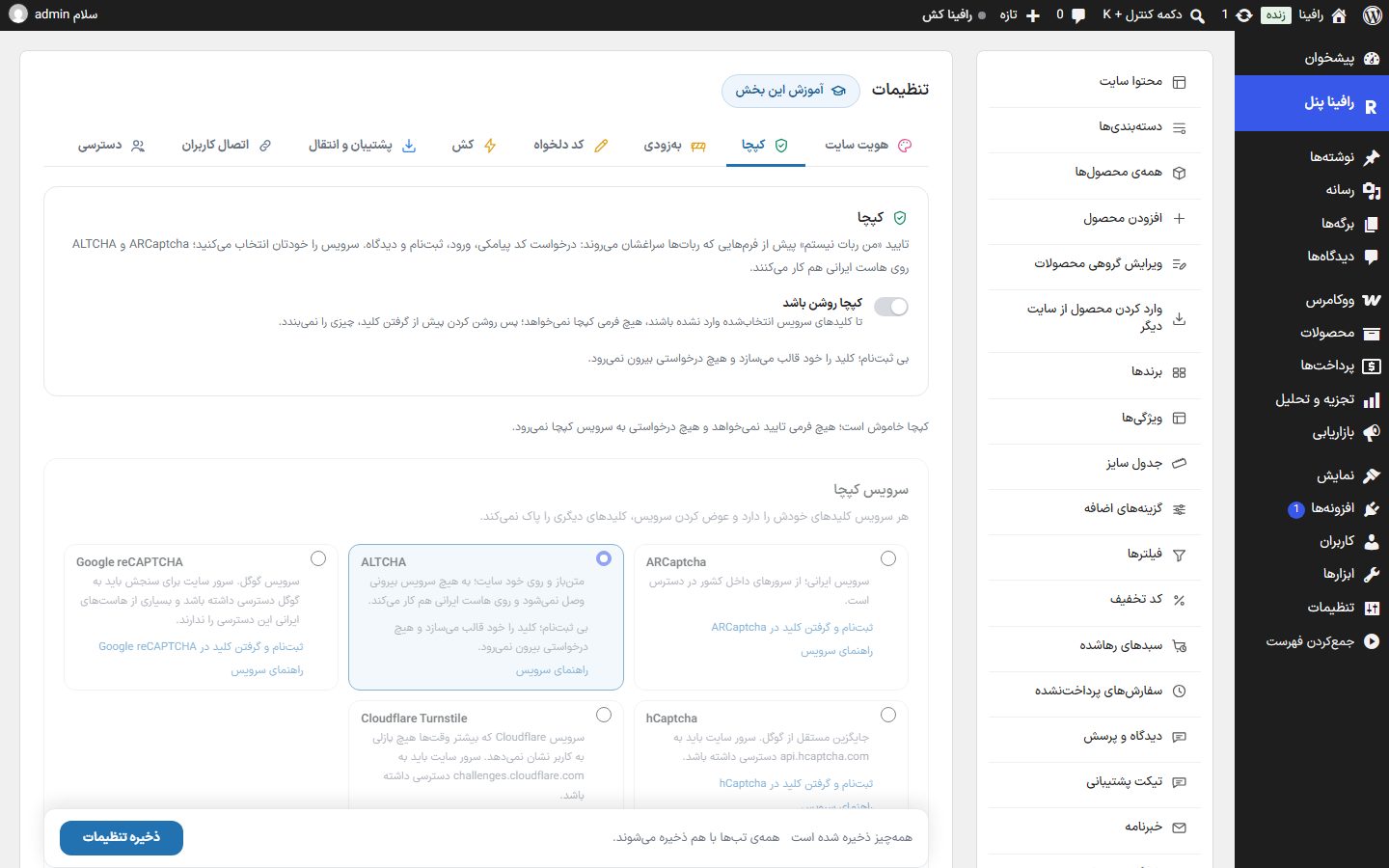
Setup
- In the “Captcha service” card, choose one of the five services.
- With the service's “Sign up and get key” link, add the site domain and get the “Site key” and “Secret key” (ALTCHA needs no sign-up or key).
- Paste the two keys in the keys card and turn on the “Captcha is on” switch.
- In “Where to display”, tick the forms.
- In the “Preview” card look at the box and tick it once; then “Save settings”.
Captcha is on
The section's main switch (default off). Beside it is the sign-up and get key link of the selected service so it is available before turning on.
Captcha service
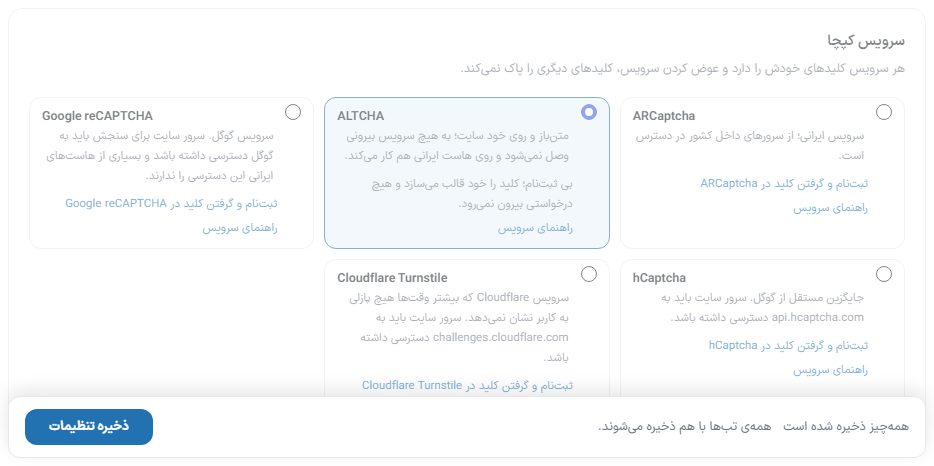
| Service | When it fits |
|---|---|
| ARCaptcha | Iranian service; reachable from servers inside the country. Default. |
| ALTCHA | Open source and on the site itself; it connects to no external service and needs no sign-up — the theme creates the key itself. The most hassle-free option on an Iranian host. |
| Google reCAPTCHA | The site server must be able to reach Google for verification, and many Iranian hosts don't have that access. |
| hCaptcha | A Google-independent alternative; the site server must be able to reach api.hcaptcha.com . |
| Cloudflare Turnstile | Most of the time it shows the user no puzzle; the site server must be able to reach challenges.cloudflare.com . |
Keys
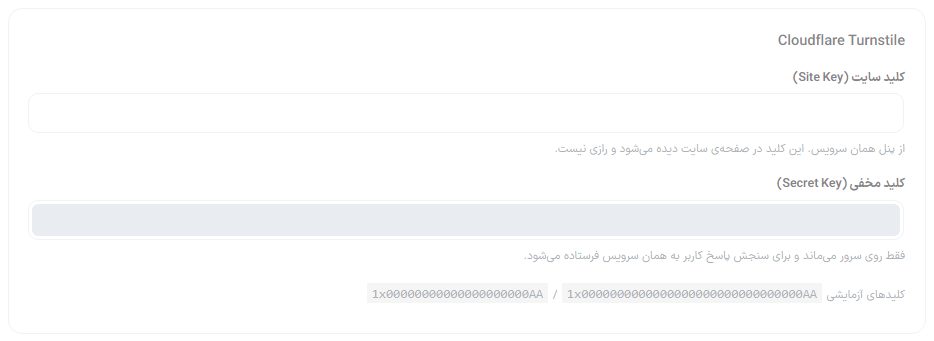
| Option | What it does |
|---|---|
| Site Key | From that service's panel. It appears in the page and is not a secret. |
| Secret Key | Stays only on the server and is sent to that service to verify the user's response. Not shown after saving; to change it, type the new key. |
| Test keys | For some services a test key is written that is always accepted; it is for trying only, and a real key must be set before the site goes live. |
Google reCAPTCHA-only options
With reCAPTCHA chosen, these options also appear in the same card:
| Option | What it does | Default |
|---|---|---|
| reCAPTCHA version | “Version 2, I'm not a robot box”, “Version 2, invisible” or “Version 3, boxless with score”. Each version's key is separate in Google's console. | Version 2 with box |
| Minimum accepted score | Version 3 only: Google gives each request a score between 0 and 1, and anything below this number is rejected. | 0.5 |
| Service address | recaptcha.net The address of Google's own alternative, for places where google.com is blocked. | recaptcha.net |
For ALTCHA, instead of the keys card an “ALTCHA” card appears explaining that the user's browser solves a small math puzzle on the site itself.
Box appearance
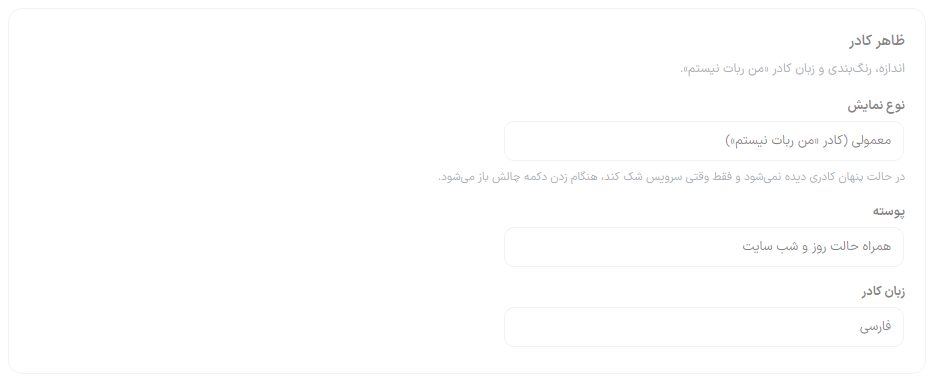
| Option | What it does | Default |
|---|---|---|
| Display type | Box size; options depend on the service: “Normal (I'm not a robot box)”, “Form width”, “Compact” or “Invisible”. In invisible mode no box is seen and the challenge opens at button press only when the service is suspicious. | Normal |
| Theme | “Follow the site's light and dark mode”, “Light” or “Dark”. | Follows day and night mode |
| Box language | Persian or English. | Persian |
| Box color | Only ARCaptcha accepts a color; leave empty to keep the service's own color. | Empty |
| Show the box's error message | ARCaptcha only: messages such as “Verification time expired” under the box itself. | On |
Where it is shown
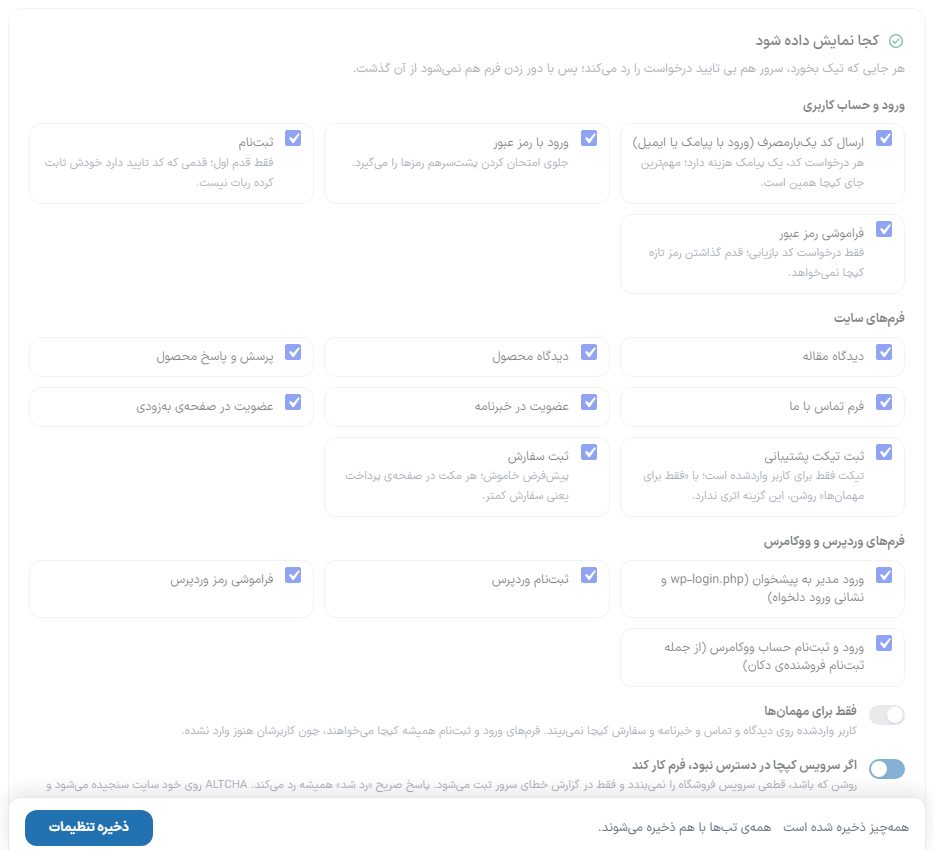
| Group | Places |
|---|---|
| Login and user account | Sending a one-time code (each code request costs one SMS; the most important place for captcha), login with password, sign-up (first step only), forgot password (recovery code request only). |
| Site forms | Article comment, product comment, product Q&A, contact us form, newsletter signup, coming-soon page signup, support ticket submission, order placement. |
| WordPress and WooCommerce forms | Admin login to the dashboard (wp-login.php and the custom login address), WordPress sign-up, WordPress password recovery, WooCommerce account login and sign-up (including shop seller sign-up). |
On a fresh install every place is ticked except “Order placement” and “Support ticket submission”. Order placement is deliberately off: every pause on the checkout page means fewer orders.
| Option | What it does | Default |
|---|---|---|
| Guests only | A logged-in user does not see the captcha on comments, contact, newsletter and orders. Login and sign-up forms always require the captcha. Tickets are for logged-in users only, so this switch has no effect on “Support ticket submission”. | On |
| If the captcha service is unreachable, let the form work | When on, a service outage does not shut the store and is only recorded in the server error log. An explicit “rejected” answer always rejects. ALTCHA is verified on the site itself and has no outages. | On |
Preview
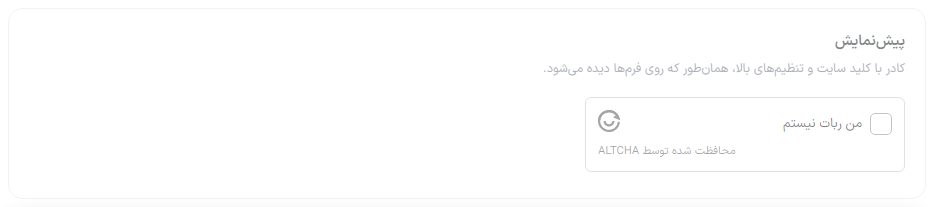
Tick the normal box like a visitor would. For hidden modes (the “Invisible” display type, or reCAPTCHA version 2 invisible and version 3) where no box is visible, a “Try verification” button appears that solves the box once and reports the result. If the message “The captcha service script did not load” appears, your browser cannot reach that service.
FAQ and troubleshooting
After turning on captcha I can't log in to the dashboard.
If “Admin login to the dashboard” is ticked and the secret key is wrong, the service answers “rejected” and “Let the form work” doesn't help. Temporarily deactivate the theme via FTP or delete the option rafina_captcha from the database; then set the correct key. Before ticking dashboard login, try the captcha on the other forms.
A red “Test only” text appears under the Turnstile box.
This is Cloudflare's own warning for a test key and doesn't appear with a real key.
Google or hCaptcha always gives an error.
Your server can't reach that service; choose ARCaptcha or ALTCHA.