

Site Identity
The first tab of the Settings page; things that determine the face and security of the whole site: logo, browser icon, home page title on Google, dashboard login address, comment rules, store map, day and night mode, how the site appears on Google, text selection prevention, and site name and address.
Where is it? Rafina Panel → Settings → Site Identity
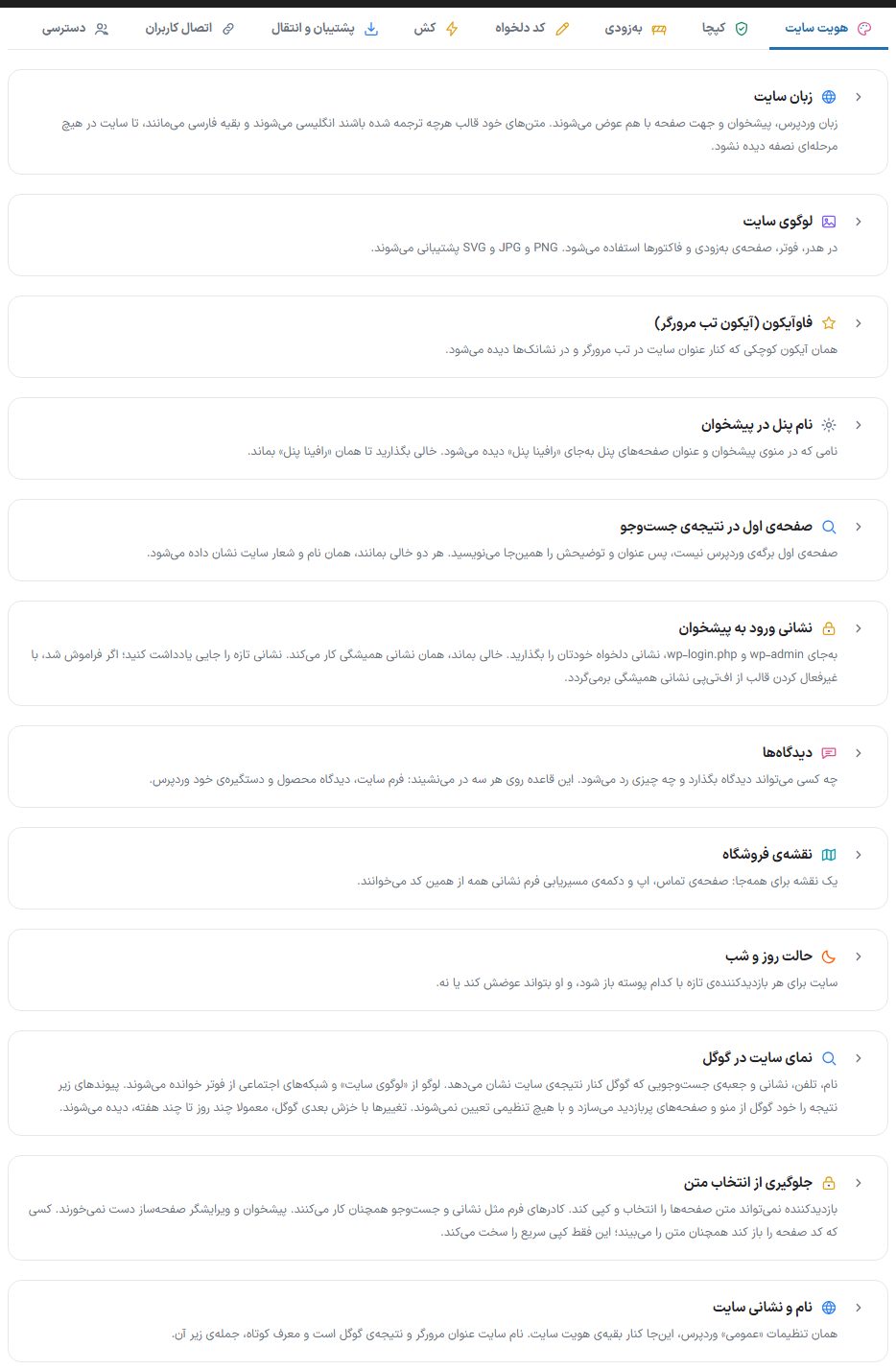
Site language
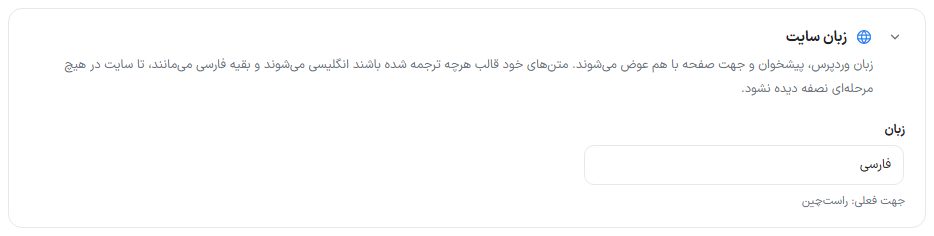
Choosing “Persian” or “English” changes the WordPress language, dashboard language and page direction (right-to-left or left-to-right) together. Whatever the theme's own texts have translated becomes English and the rest stays Persian, so the site is never seen half-done at any stage. The current page direction is written below the choice.
Site logo
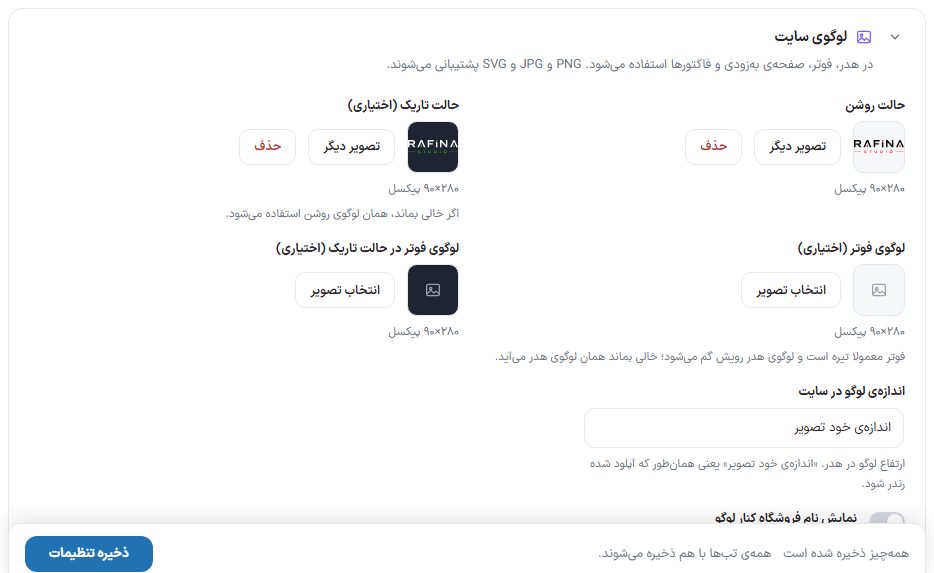
The logo is used in the header, footer, “coming soon” page and invoices. PNG, JPG and SVG are accepted.
| Option | What it does | Size / default |
|---|---|---|
| Light mode | The site's main logo. | 280 × 90 pixels |
| Dark mode (optional) | Logo in night mode. If left empty, the light logo is used. | 280 × 90 pixels |
| Footer logo (optional) | The footer is usually dark and the header logo gets lost on it; if left empty, the header logo is used. | 280 × 90 pixels |
| Footer logo in dark mode (optional) | Footer logo in night mode. | 280 × 90 pixels |
| Logo size on the site | Logo height in the header: “Image's own size”, “Extra small”, “Small”, “Medium”, “Large” or “Extra large”. “Image's own size” means it is rendered as uploaded. | Image's own size |
| Show the store name next to the logo | Writes the site title from the WordPress settings next to the logo; for a store whose logo has no name in it. | Off |
Each image has an “Another image” (replace) button and a “Remove” button.
Favicon (browser tab icon)
| Option | What it does | Size / default |
|---|---|---|
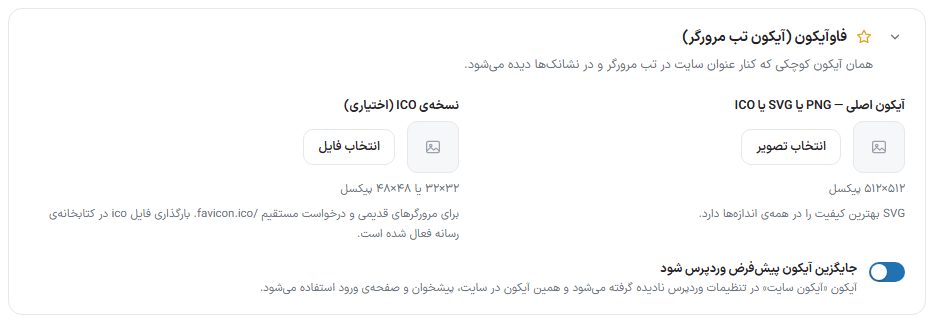
| Main icon — PNG, SVG or ICO | A small icon shown beside the site title in the browser tab and in bookmarks. SVG has the best quality at all sizes. | 512 × 512 pixels |
| ICO version (optional) | For old browsers and direct requests /favicon.ico. Uploading ico files to the media library has been enabled for this purpose. | 32 × 32 or 48 × 48 pixels |
| Replace the default WordPress icon | The WordPress settings “Site icon” is ignored and this icon is used on the site, in the dashboard and on the login page. | — |
Panel name in the dashboard

The name shown in the dashboard menu, panel page titles and the dashboard report card instead of “Rafina Panel”, up to 40 characters. Leave empty to keep “Rafina Panel”. Only the site Administrator can change it; for the Shop manager the box is read-only. The side menu shows the previous name until the next page load.
Home page in search results
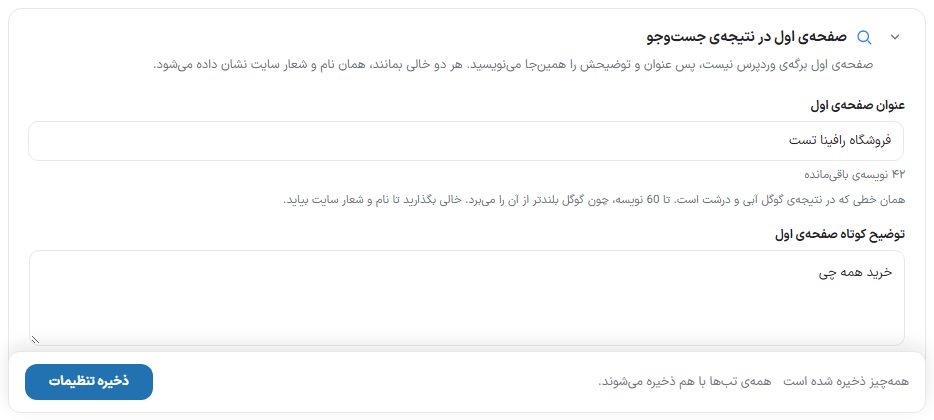
The home page is not a WordPress page, so its title and description for Google are written here. If both are left empty, the site name and tagline are shown.
| Option | What it does |
|---|---|
| Home page title | The large blue line of the Google result; up to 60 characters, since Google truncates longer ones. The counter below the box shows the remaining characters. |
| Home page short description | The two lines under the title in the Google result; up to 160 characters. If left empty, the theme's automatic description stays. |
Dashboard login address and security
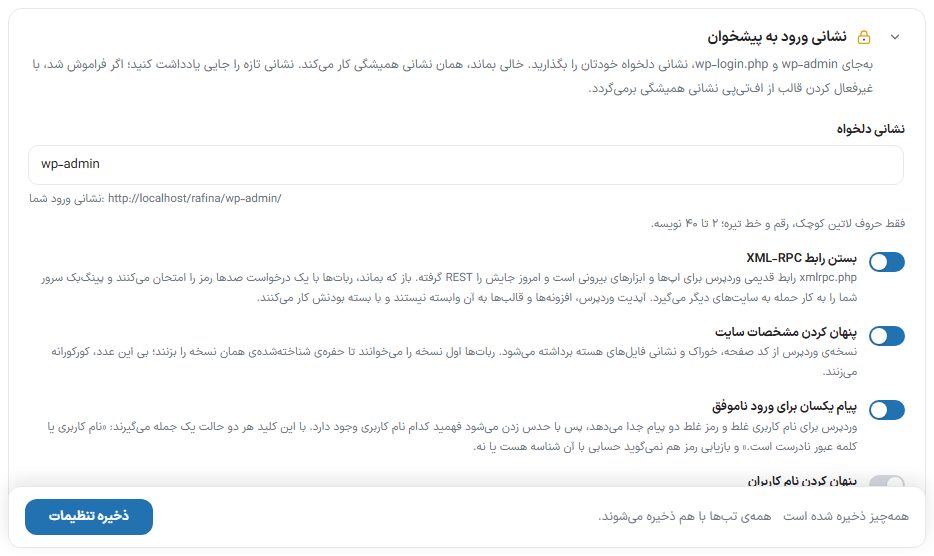
| Option | What it does | Default |
|---|---|---|
| custom address | Instead of wp-admin and wp-login.php your own custom address; only lowercase Latin letters, digits and hyphens, 2 to 40 characters. The full login address is written below the box. With the address on, wp-login.php and wp-admin gives guests a plain 404 page. Writing wp-admin or clearing the box means going back to the usual address. Changing the address closes all admin sessions and takes you to the new address. | wp-admin |
| Disable XML-RPC | xmlrpc.php is WordPress's old interface; if it stays open, bots try hundreds of passwords with a single request. WordPress, plugin and theme updates do not depend on it. Turning it off shows a warning window. | On (blocked) |
| Hide site details | The WordPress version is removed from the page source, the feed and core file URLs so bots do not target that version's vulnerability. | On |
| Same message for failed login | A wrong username and a wrong password get the same message (“The username or password is incorrect.”) so it cannot be guessed which username exists. | On |
| Hide usernames | The user list in REST, the author archive (?author=1) and the authors sitemap are closed to guests. A logged-in user sees no difference. | On |
rafina_admin_slug from the database) restores the usual address. This box is editable only by the site Administrator.Comments
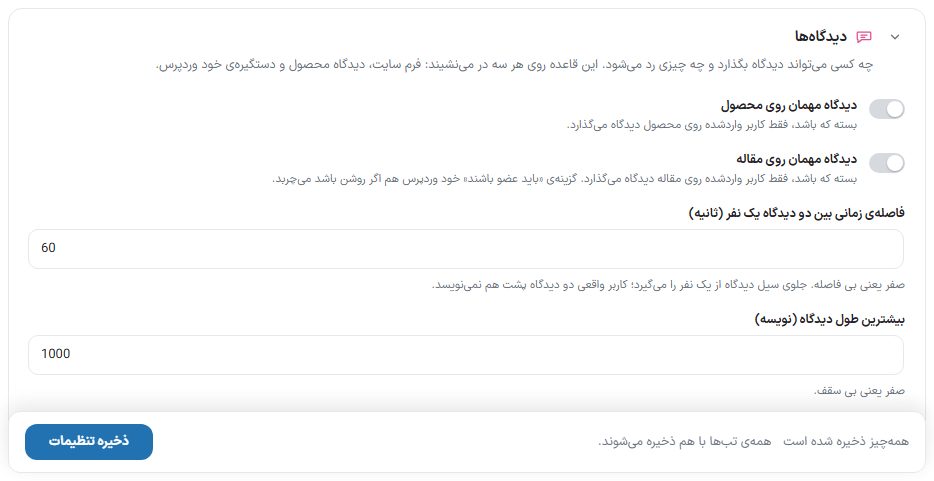
Who can leave a comment and what is rejected. This rule applies to all three routes: the site form, the product review and WordPress's own handler.
| Option | What it does | Default |
|---|---|---|
| Guest comments on products | When closed, only a logged-in user can leave a review on a product. | Closed |
| Guest comments on articles | When closed, only a logged-in user can comment on an article. If WordPress's own “Users must be registered” option is on, it takes precedence. | Closed |
| Time gap between two comments from one person (seconds) | Prevents a flood of comments from one person. Zero means no gap. | 60 |
| Maximum comment length (characters) | A longer comment is rejected. Zero means no limit. | 1000 |
| Allow links in guest comments | Almost all spam contains links, so the default is closed. | Closed |
Store map
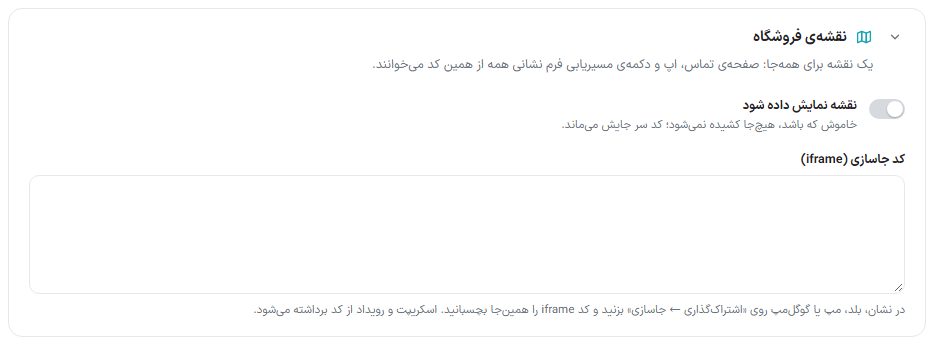
One map for everywhere: the contact page, the mobile app and the directions button of the address form all read from this same code.
| Option | What it does |
|---|---|
| Show map | When off, it is drawn nowhere; the code stays in place. |
| Embed code (iframe) | Map embed code from Neshan, Balad, Map.ir or Google Maps. Scripts and events are stripped from the code. |
- In the map service (for example Neshan), find the store location.
- Click “Share → Embed” and copy the iframe code.
- Paste the code into “Embed code (iframe)”, turn the switch on and save.
Day and night mode
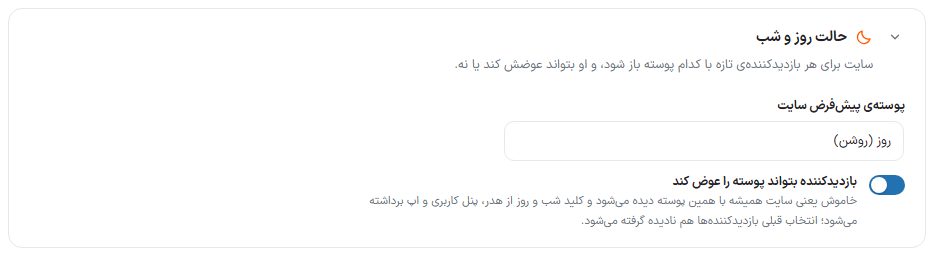
Which mode the site opens in for each new visitor, and whether they can change it.
| Option | What it does | Default |
|---|---|---|
| Default site mode | “Day (light)” or “Night (dark)”. A visitor who has not chosen anything sees the site in this mode. | Day (light) |
| Visitor can change the mode | Off means the site is always seen in the default mode: the night/day switch is removed from the header, user panel and app, and visitors' earlier choices are ignored too. | On |
How the site appears on Google
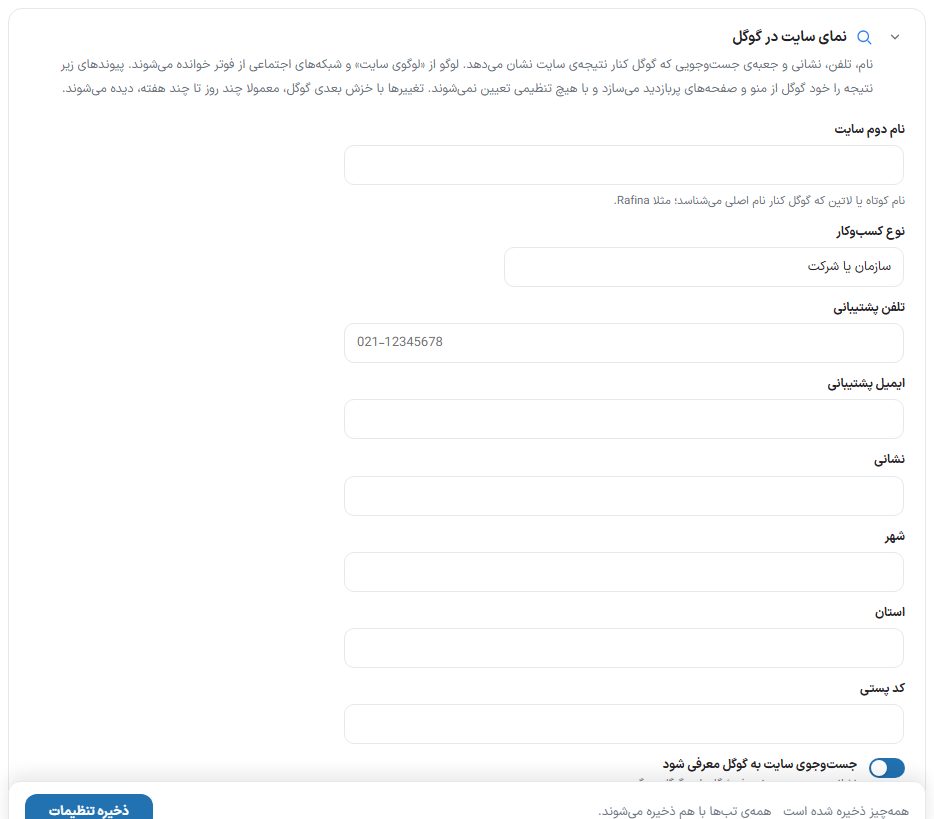
Information Google shows beside the site's result. These fields are written into the home page structured data (Organization and WebSite) and are not shown to the buyer. The logo is read from “Site logo” and social networks from the footer, so they are not asked again here.
| Option | What it does | Default |
|---|---|---|
| Second site name | A short or Latin name Google recognizes beside the main name; for example Rafina. | Empty |
| Business type | “Organization or company”, “Online store”, “Physical and online store” or “Local business”. | Organization or company |
| Support phone and support email | A contact route Google may show. | Empty |
| Address, city, province, postal code | The store's postal address; useful for “local business” and “physical store”. | Empty |
| Tell Google about the site's search | Tells Google the store's own search address so it can put a search box beside the result. | On |
Text selection prevention

With the “Text selection prevention” switch on, the visitor cannot select and copy page text. Form fields such as address and search still work, and the dashboard and page builder editor are untouched. Default is off.
Site name and address
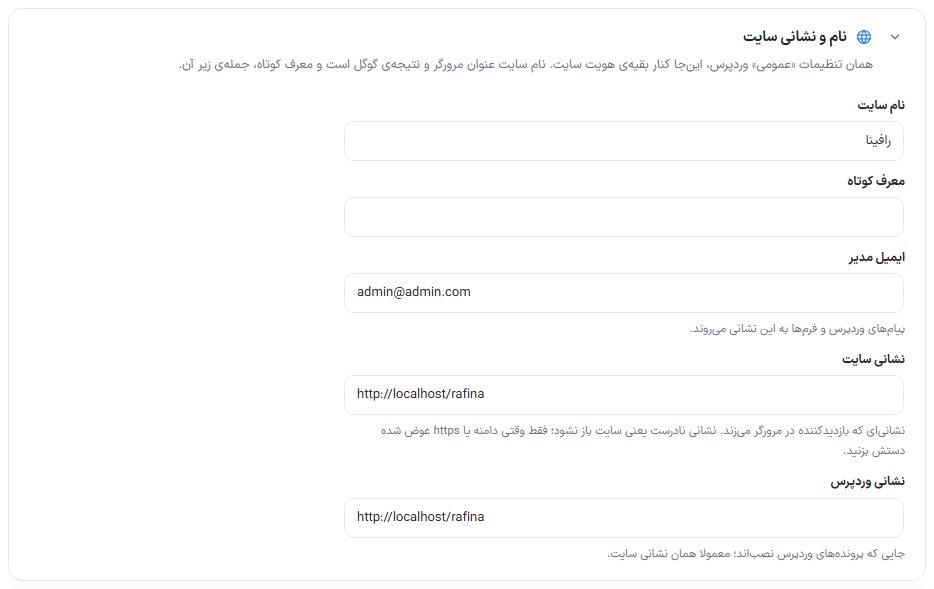
The same WordPress “General” settings, here beside the rest of the site identity. Only the site Administrator can change this box; it is read-only for the Shop manager.
| Option | What it does |
|---|---|
| Site name | Browser title and Google result. |
| Tagline | The short sentence under the site name. |
| Admin email | WordPress and form messages go to this address. |
| Site URL | The address the visitor types in the browser. It must be complete and start with http:// or https:// . |
| WordPress URL | Where the WordPress files are installed; usually the same as the site address. This too must start with http:// or https:// . |