

Coming Soon
While this mode is on, visitors see the “Coming soon” page instead of the site; for before launch or during maintenance. You, as a logged-in administrator, still see the whole site normally.
Where is it? Rafina Panel → Settings → Coming Soon
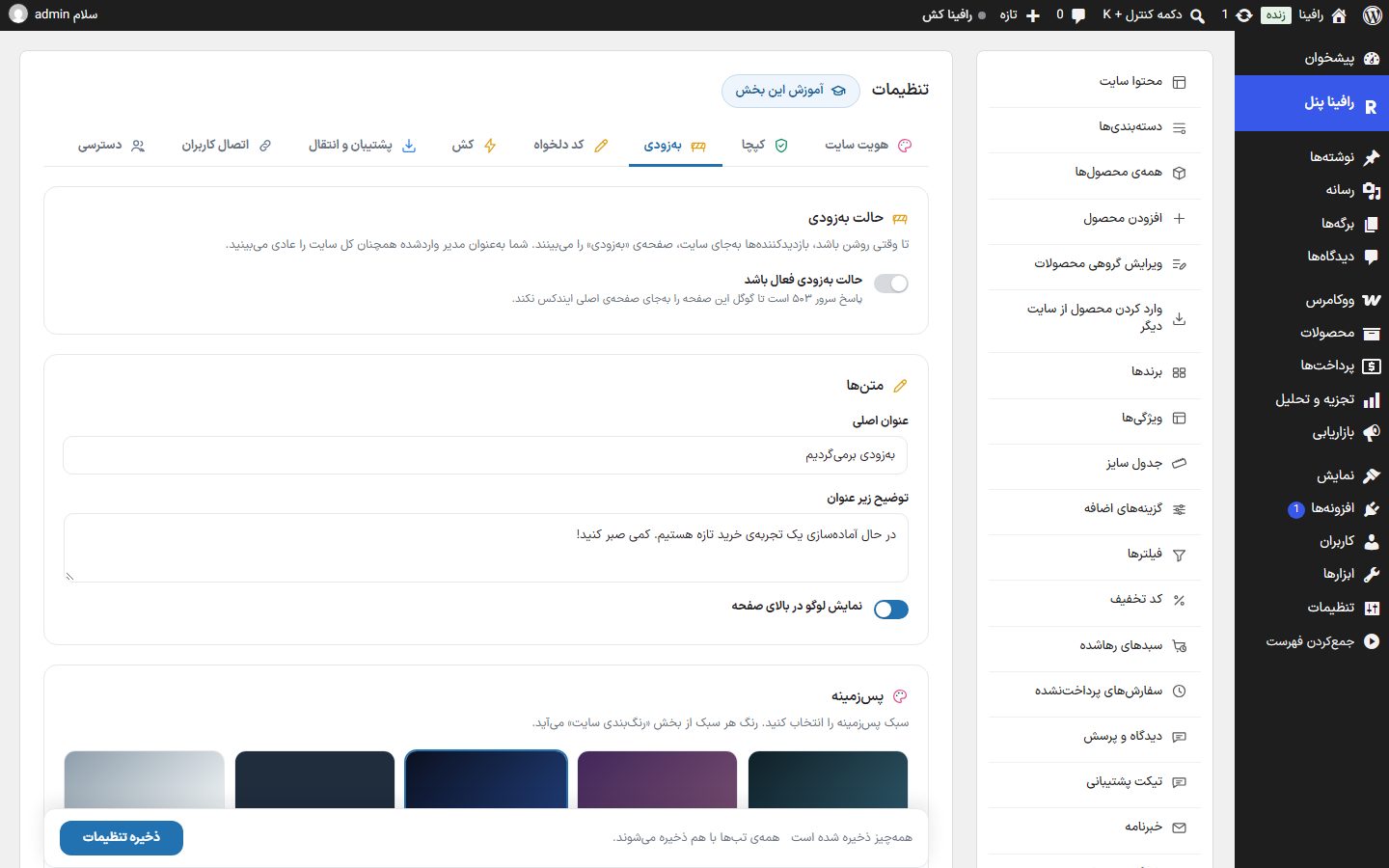
Coming soon mode
| Option | What it does | Default |
|---|---|---|
| Coming soon mode is active | The whole site is closed to visitors and the “Coming soon” page is shown. The server response is 503 so Google doesn't index this page instead of the main page. | Off |
Texts
| Option | What it does | Default |
|---|---|---|
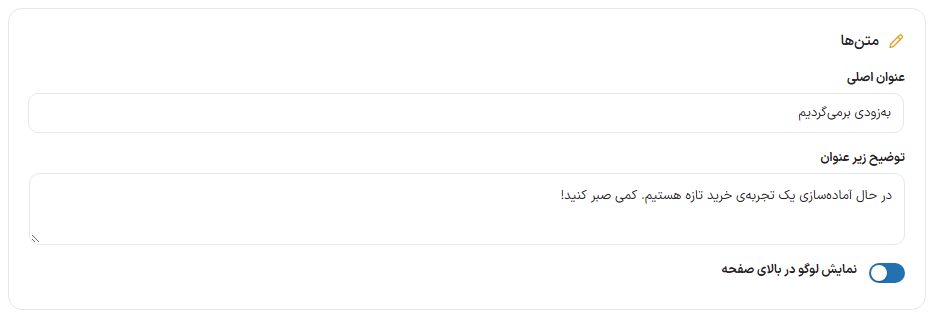
| Main title | The large headline of the page. | We'll be back soon |
| Description under the title | The sentence under the title. | We're preparing a new shopping experience. Please wait a little! |
| Show logo at the top of the page | The site logo (from Site Identity) at the top of the page. | On |
Background
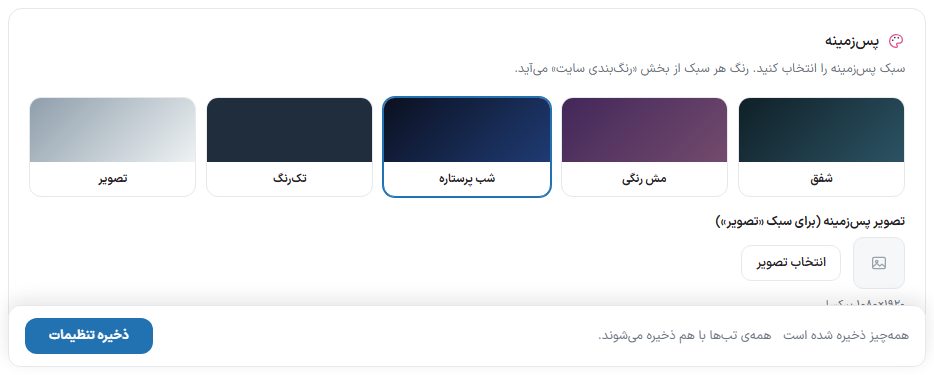
Choose one of five styles: “Aurora” (default), “Color mesh”, “Starry night”, “Solid color” or “Image”. The color of each style comes from Site color scheme .
| Option | What it does |
|---|---|
| Background image (for the “Image” style) | Used only with the “Image” style. Size: 1920 × 1080 pixels. A dark layer is placed over the image so the text stays readable. |
Countdown and progress
| Option | What it does | Default |
|---|---|---|
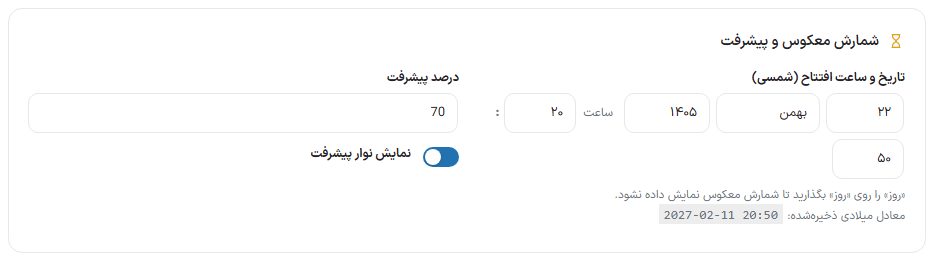
| Launch date and time (Jalali) | With day, month, year, hour and minute drawers. The saved Gregorian equivalent is written below. To have no countdown, set the “Day” drawer to “Day” (empty). | No countdown |
| Progress percent | The number the progress bar shows. | 70 |
| Show progress bar | Turn the progress bar on and off. | Off |
Notification form
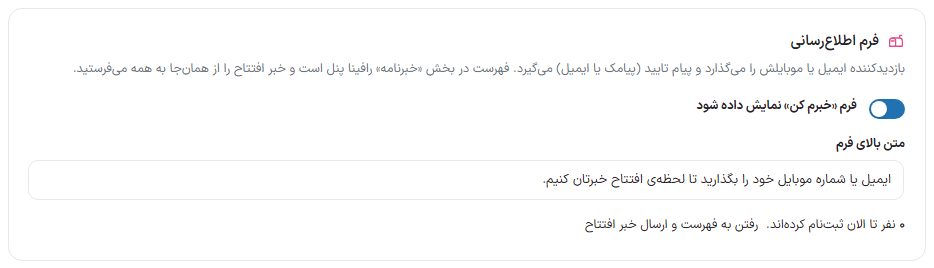
The visitor enters their email or mobile and receives a confirmation message (SMS or email). The list is collected in the Newsletter section of Rafina Panel, and from there you send the launch news to everyone.
| Option | What it does | Default |
|---|---|---|
| Show the “Notify me” form | The email or mobile sign-up form on the page. | On |
| Text above the form | The invitation sentence above the form. | Enter your email or mobile number and we will tell you the moment we open. |
| Sign-up count and “Go to the list and send the launch news” | Shows how many people have signed up so far, and its link takes you to the newsletter page. | — |
Social networks
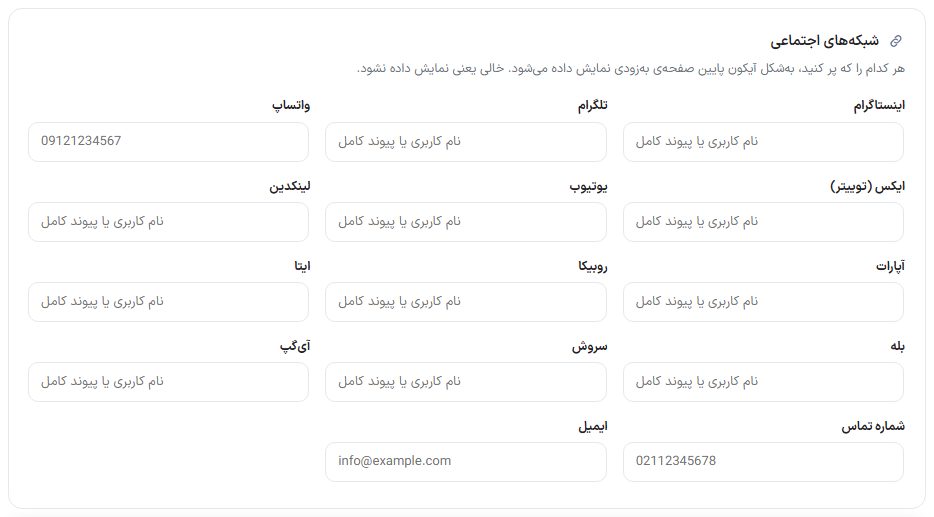
Instagram, Telegram, WhatsApp, X (Twitter), YouTube, LinkedIn, Aparat, Rubika, Eitaa, Bale, Soroush, iGap, phone number and email. For networks, write the username or the full link; empty means that icon isn't shown.
Launch day
- Turn off the “Coming soon mode is active” switch and save.
- to Newsletter Go and send the “Launch news” message to the people who signed up.
- If you have a cache plugin, from cache clear all the cache so no one is left seeing the coming soon page.