

User Panel
The customer account is where customers see their orders, downloads, addresses, wallet, and tickets. Here you decide which sections are in its side menu and what its dashboard says.
Where is it? Rafina Panel → Site content → User Panel
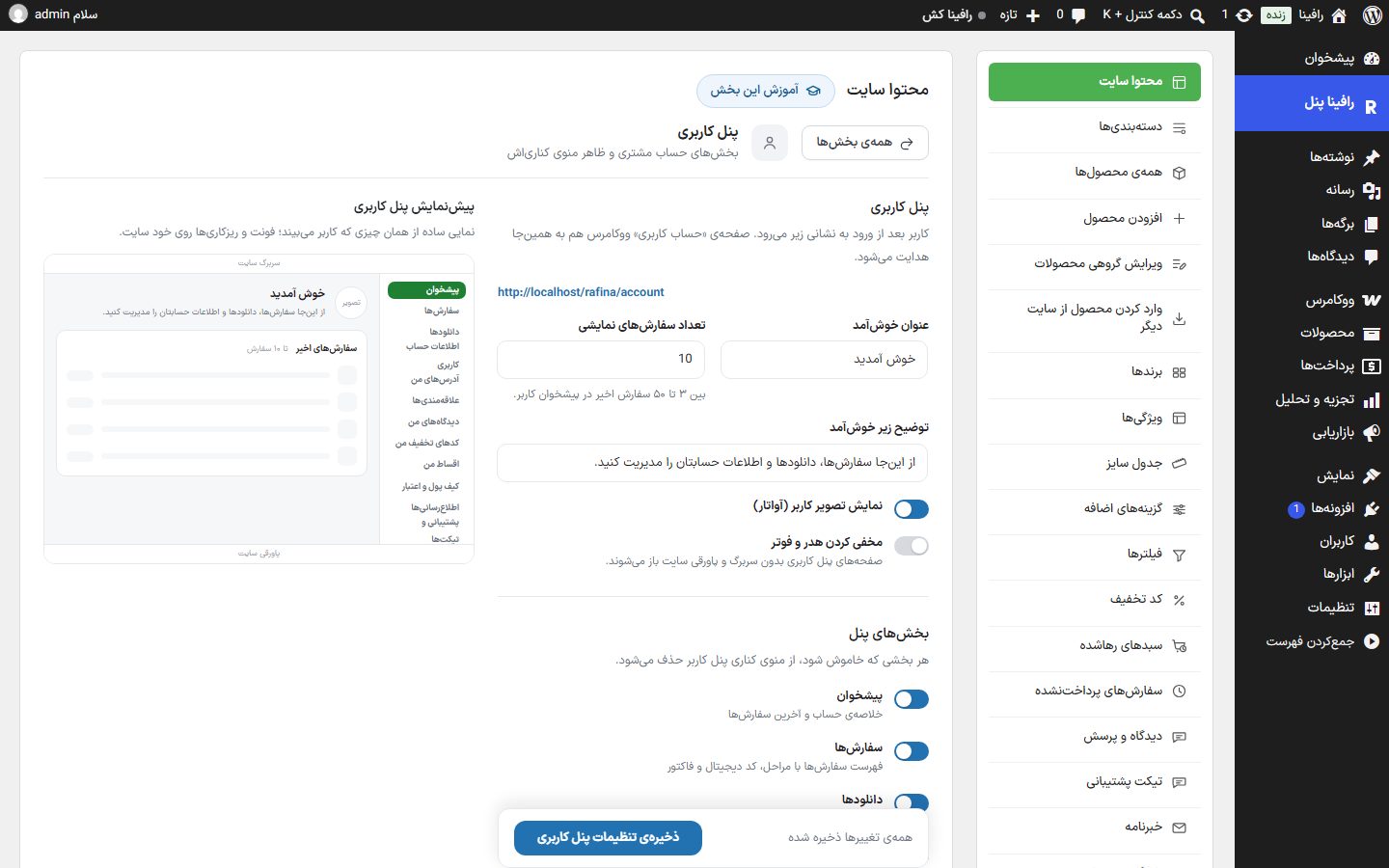
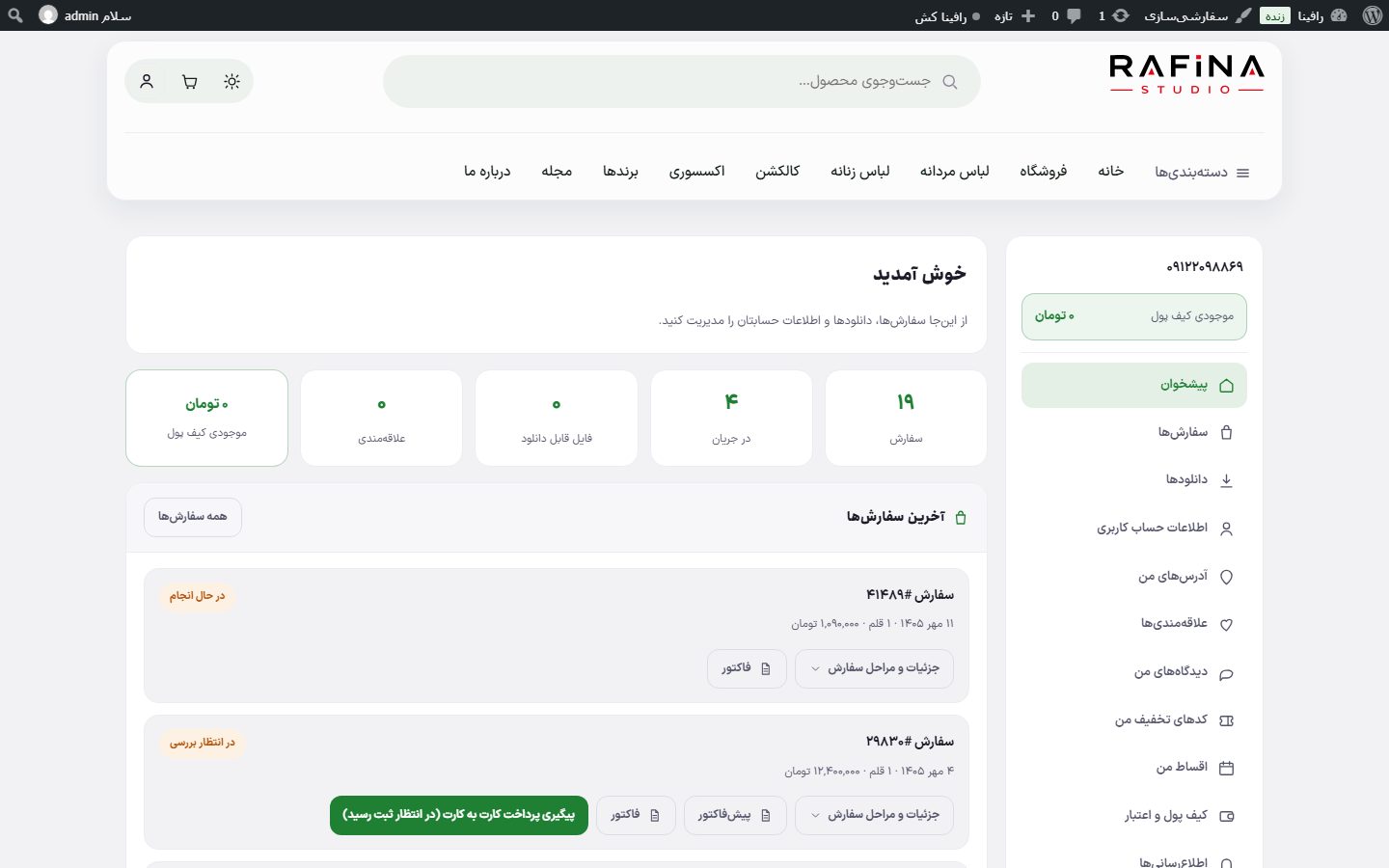
After logging in, the user goes to the address /account . WooCommerce's "My account" page also redirects here.
General settings
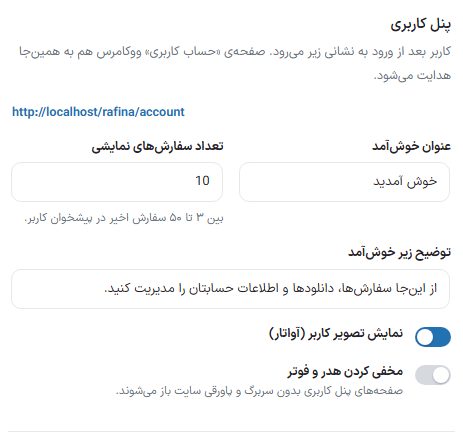
| Option | What it does | Default |
|---|---|---|
| Welcome title | The big heading of the panel dashboard. | Welcome |
| Number of orders shown | The number of recent orders on the user's dashboard, between 3 and 50. | 10 |
| Text under the welcome | — | Manage your orders, downloads, and account details from here. |
| Show user picture (avatar) | The user's profile photo above the side menu. The user sets their photo in "Account details". | On |
| Hide header and footer | User panel pages open without the site's header and footer. | Off |
Panel sections
Any section turned off is removed from the user panel's side menu, and the tiles at the top of the dashboard follow it.
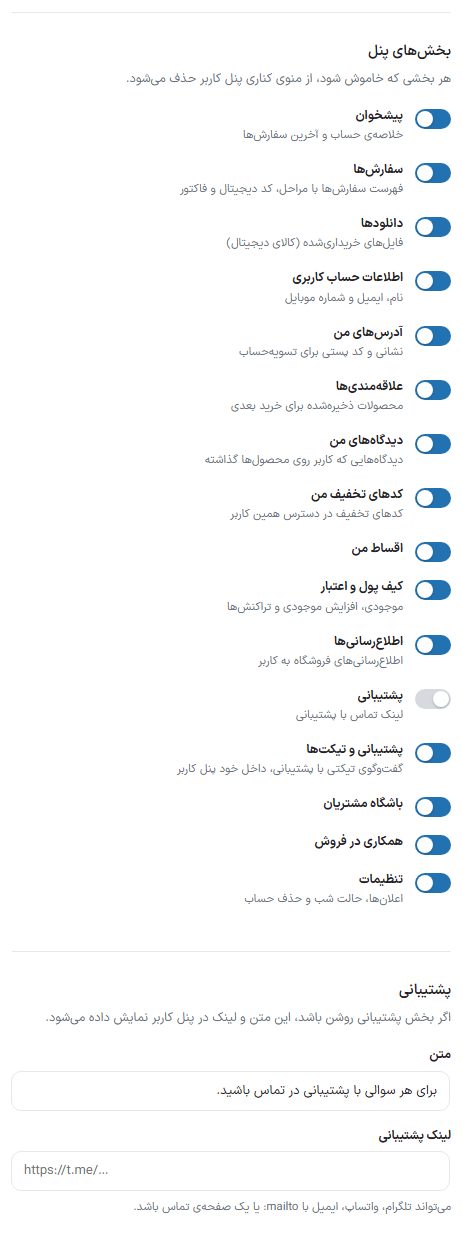
| Section | What it shows in the user panel |
|---|---|
| Dashboard | Account summary and latest orders. |
| Orders | Order list with steps, digital code, invoice, and proforma invoice. |
| Downloads | Purchased files (digital products). |
| Account details | Name, email, mobile number, and profile photo; if site login is by password, changing the password is here too. |
| My addresses | Address book for order shipping. |
| Wishlist | Products saved for a later purchase. |
| My reviews | Reviews the user has left on products. |
| My discount codes | The discount codes available to this user, with status active, used, or expired. |
| My installments | The buyer's installment orders and paying the down payment or next installment; appears in the menu only when the theme's installment purchase is on. |
| Wallet and credit | Balance, topping up, and transactions; it is also tied to Wallet being on. |
| Notifications | Order status changes and new ticket replies. |
| Support | Support contact text and link (below). |
| Support and tickets | Ticket conversation with support, inside the user panel itself; depends on it being on Support ticket being on. |
| Customer club | Points, missions, and rewards; depends on it being on Customer club being on. |
| Affiliate program | Referral link, commissions, and withdrawal; depends on it being on Affiliate program being on. |
| Settings | Notifications, night mode, and account deletion. |
Support
| Option | What it does | Default |
|---|---|---|
| Text | If the "Support" section is on, this text is displayed in the user panel. | Stay in touch with support for any question. |
| Support link | Can be Telegram, WhatsApp, email with mailto: or a contact page. | Empty |
Frequently Asked Questions
I turned a section on but it is not in the menu
The wallet, ticket, installments, club, and affiliate program sections are also tied to that feature being on in Rafina Panel. If it is off there, turning it on here has no effect.
Is the user panel the same on the mobile app?
Yes, this setting's on and off sections are respected in the web app and the dedicated app too; only the dedicated app's look has its own design.