

Affiliate program
Customers can become the store's affiliates: they share their personal link or discount code and earn a commission on every purchase that comes through them. They withdraw the commission to their wallet or bank account.
Where is it? Rafina Panel → Affiliate program
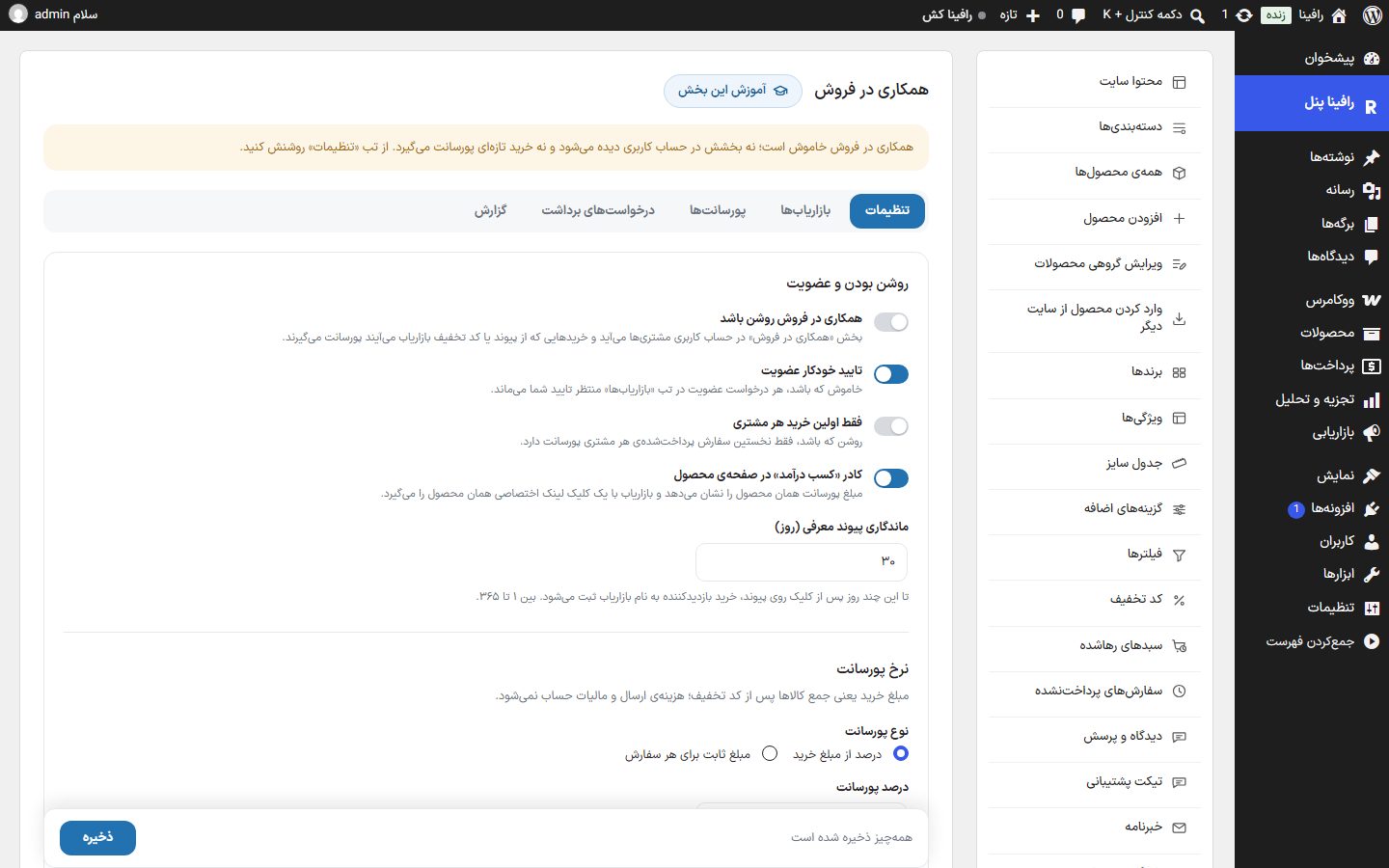
The page has five tabs: Settings, Affiliates, Commissions, Withdrawal requests and Report. There are also parts outside this page: Setting a commission for each product and The affiliate's bank account in the user profile.
Setup
- In the “Settings” tab, turn on “Affiliate program on”.
- Set the commission type and rate and, if needed, write separate percentages for categories.
- Set the holding period, the minimum withdrawal amount and the withdrawal methods.
- Write the “Program terms”; the affiliate sees them before signing up.
- Click “Save”. The “Affiliate program” section appears in customers' accounts.
Settings tab
Enabled and sign-up
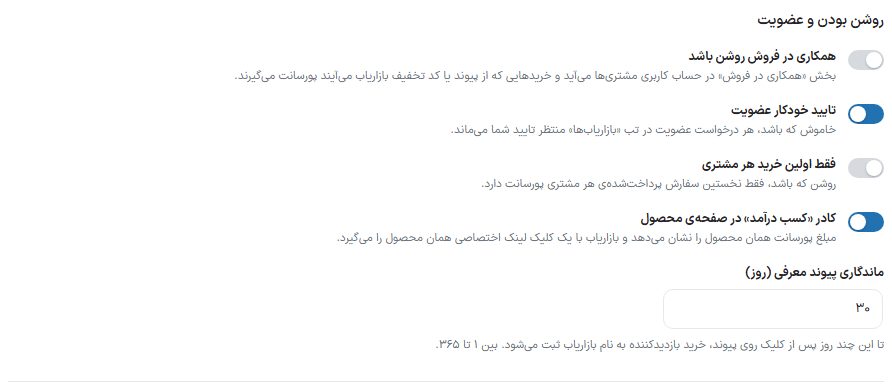
| Option | What it does | Default |
|---|---|---|
| Affiliate program on | The “Affiliate program” section appears in customers' accounts, and purchases that come through an affiliate's link or discount code earn commission. | Off |
| Auto-approve sign-up | If off, every sign-up request waits for your approval in the “Affiliates” tab. | On |
| First purchase of each customer only | If on, only each customer's first paid order earns commission. | Off |
| “Earn income” box on the product page | On the product page it shows that product's commission amount, and the affiliate gets that product's personal link with one click. For someone who is not an affiliate, it has a sign-up or login link. | On |
| Referral link lifetime (days) | For this many days after the click on the link, the visitor's purchase is recorded under the affiliate. Between 1 and 365. | 30 |
Commission rate
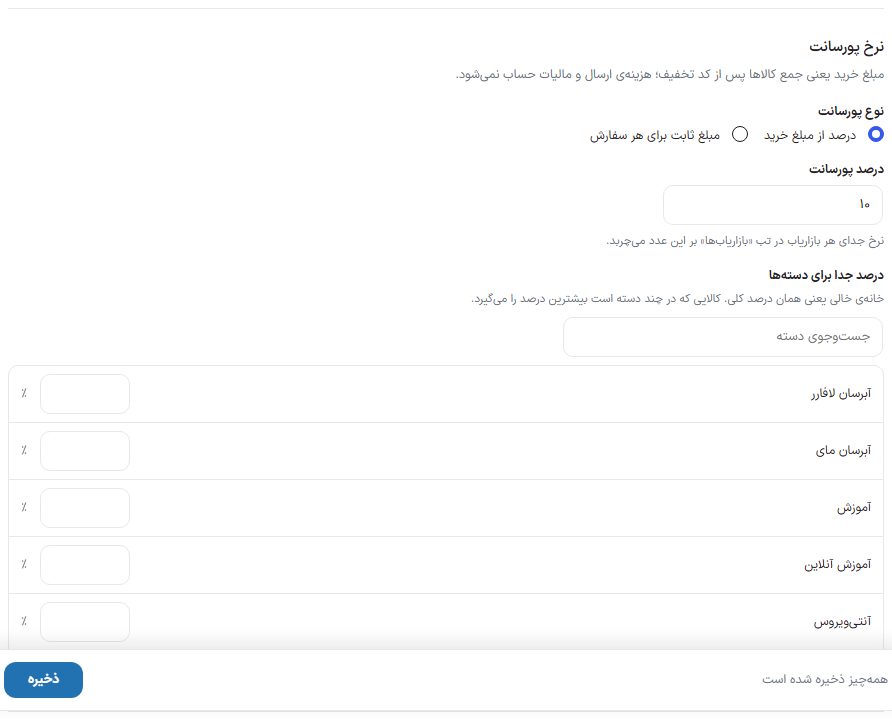
| Option | What it does | Default |
|---|---|---|
| Commission type | “Percentage of purchase amount” or “Fixed amount per order”. | Percentage |
| Commission percentage | The store-wide percentage. With the “Fixed amount” type its name becomes “Commission amount per order”. A separate rate for an affiliate in the “Affiliates” tab overrides this number. | 10 |
| Separate percentage for categories | A percentage field next to each category, with “Search categories”. An empty field means the store-wide percentage. An item in several categories gets the highest percentage. It applies only with the “Percentage of purchase amount” type. | Empty |
Commission withdrawal
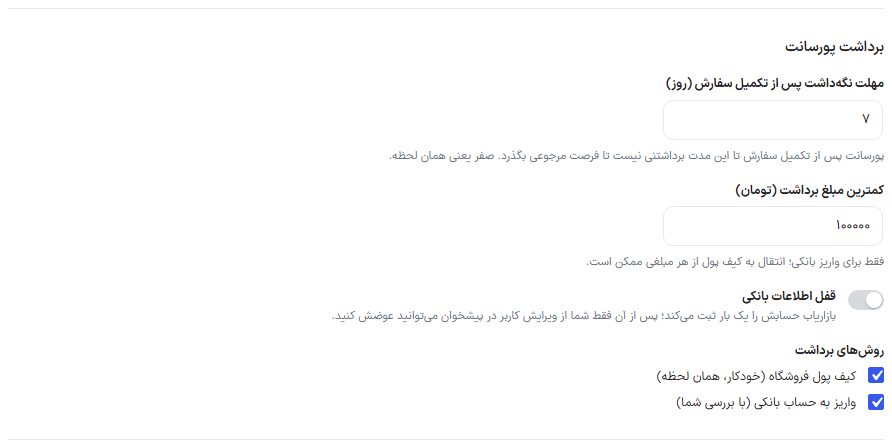
| Option | What it does | Default |
|---|---|---|
| Holding period after order completion (days) | A commission cannot be withdrawn for this long after the order is completed, so the return window passes. Zero means immediately. | 7 |
| Minimum withdrawal amount (Toman) | For bank payouts only; a transfer to the wallet is possible for any amount. | 100,000 |
| Lock bank details | The affiliate registers their account once; after that only you can change it, from Edit user in the dashboard. | Off |
| Withdrawal methods | “Store wallet (automatic, immediate)” and “Payout to bank account (with your review)”. | Both |
Texts
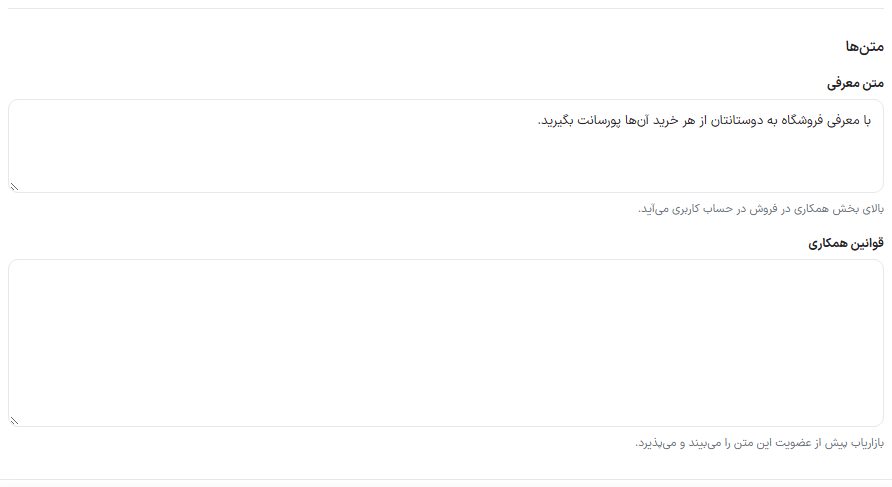
| Option | What it does |
|---|---|
| Introduction text | Appears at the top of the Affiliate program section in the account. |
| Program terms | The affiliate sees and accepts this text before signing up. |
Affiliates tab
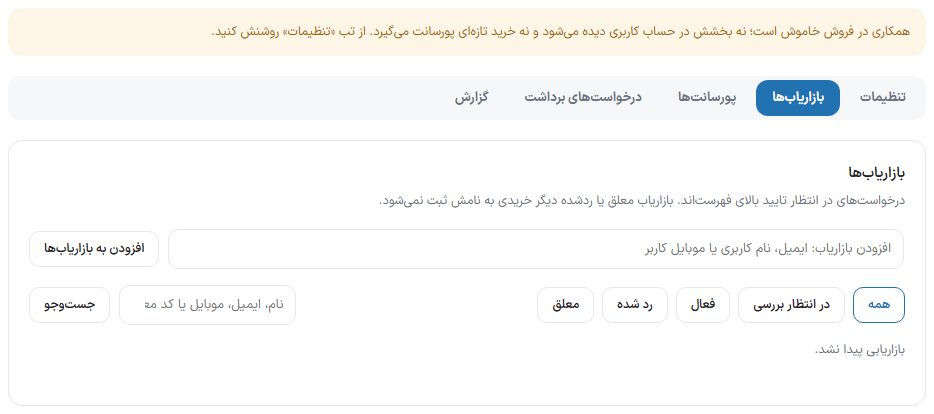
| Option | What it does |
|---|---|
| Add to affiliates | Enter a user's email, username or mobile; the user becomes an active affiliate and their referral code is created. |
| Status filter | All, On hold, Active, Rejected, Suspended. |
| Search | By name, email, mobile or referral code. |
| Columns | Affiliate, status, referral code, separate percentage (or “Store rate”), clicks, orders, approved commission, balance, discount codes, sign-up. |
| Approve / Reject | For a pending request. |
| Suspend / Reactivate | A suspended or rejected affiliate no longer has purchases recorded under their name; their link and discount code stop working too. |
| Rate and discount code | “This affiliate's separate percentage” (empty means the store rate) and “This affiliate's discount codes” (comma-separated; the code must already exist in the Discount code section, and a purchase made with it goes to this affiliate). The “Create discount code” link takes you to that section. |
| Commissions | Opens the Commissions tab for this affiliate only. |
| Profile | The user edit page in the dashboard. |
Commissions tab
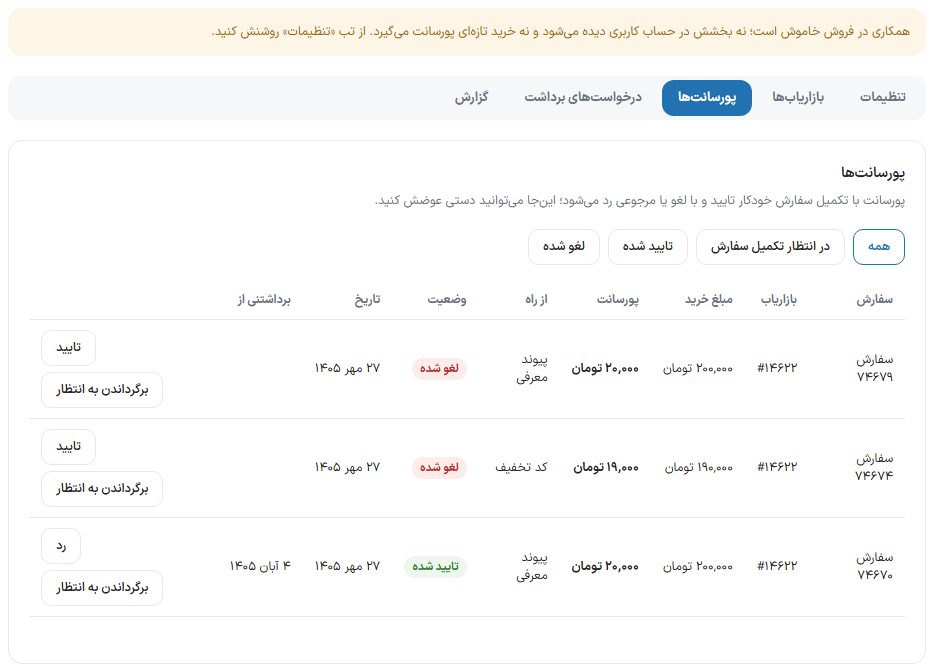
Filters: All, Awaiting order completion, Approved, Cancelled. Columns: order, affiliate, purchase amount, commission, “Via” (link or discount code), status, date and “Withdrawable from”. You can change each commission's status manually: “Approve”, “Reject” or “Return to waiting”. A rejected commission does not come back even if the same order is completed later.
Withdrawal requests tab
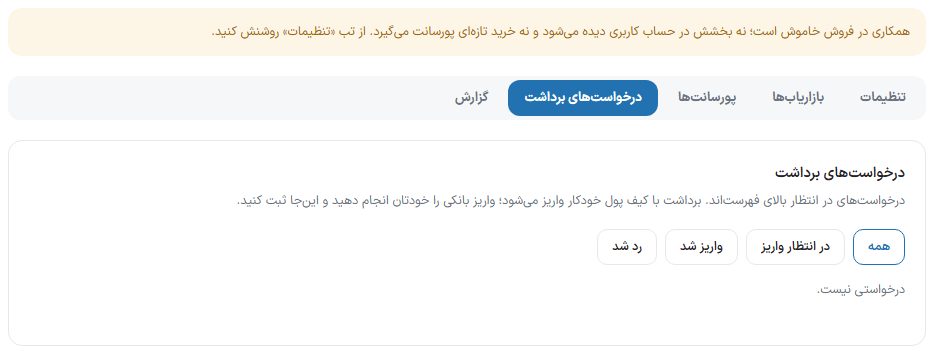
Filters: All, Awaiting payout, Paid, Rejected. Columns: Affiliate, Amount, Method, "IBAN and account holder (at time of request)", Card number, Affiliate note, and Date.
- Transfer the amount from your own bank account to the IBAN shown.
- Enter the payout tracking number in "Your note".
- Click "Paid" and confirm. If the request is not valid, click "Reject request"; its amount returns to the affiliate's balance.
Report tab
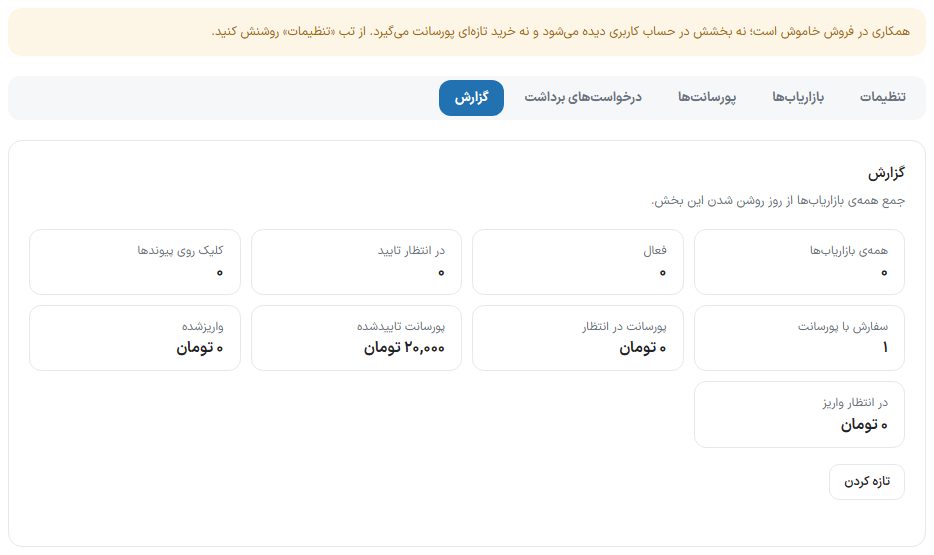
Cards: All affiliates, Active, Awaiting approval, Link clicks, Orders with commission, Pending commission, Approved commission, Paid out, and Awaiting payout. "Refresh" reloads the numbers.
Commission per product (product edit page)
When the affiliate program is on, two boxes appear in the "General" tab of the product data:
| Option | What it does |
|---|---|
| Affiliate program: do not calculate commission for this product | This product earns no commission, even for an affiliate with a custom rate. With the "Fixed amount" type, an order containing only these products earns no commission. This product also does not appear in the affiliate's "Products to promote" list. |
| Commission percentage for this product (%) | Takes priority over the category percentage and the global percentage; an affiliate's custom percentage takes priority over this one. Empty means the category or global percentage applies. It only applies with the "Percentage of purchase amount" type. Persian digits are accepted too. |
Variations of a variable product follow the same setting as the parent product.
Users: adding an affiliate and bank account
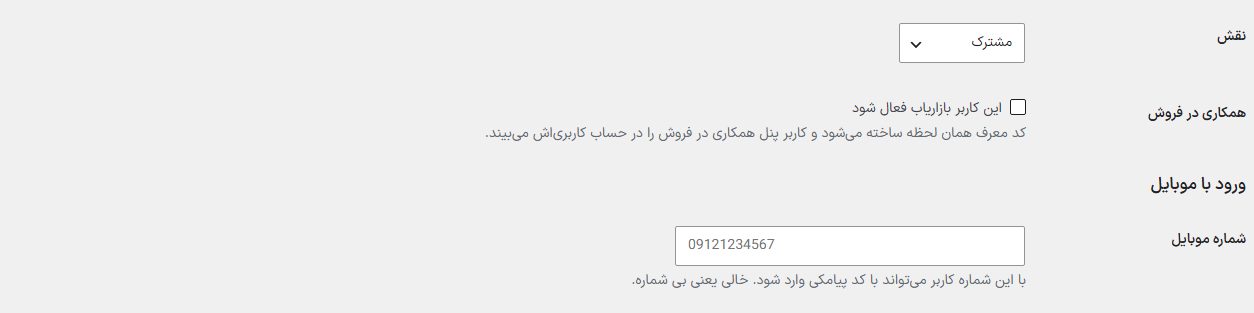
- Add user: On "Users → Add user" there is an "Affiliate program" row with the "Make this user an active affiliate" checkbox. The referral code is created immediately, and the user sees the affiliate program panel in their account.
- Affiliate program bank account: On the edit page of a user who is an affiliate, a section appears with "IBAN", "Card number", and "Account holder name" (only for the shop manager and administrator). With "Lock bank details" on, they can only be changed from here. An empty IBAN clears the saved account so the affiliate can register it again themselves.
What does the affiliate see in their account?
Their own personal link and a link builder for any page of the site, a QR code of the link with a download button, balance and commissions, the withdrawal form and bank account registration, and a "Products to promote" card showing each product's link, its commission at today's price, and the number of sales that came through them.
FAQ and troubleshooting
Does the affiliate earn commission on their own purchases?
No. An order placed by the affiliate themselves earns them no commission.
What if a customer came through a link and also enters another affiliate's discount code?
An affiliate's personal discount code takes priority over the link, and the order is credited to the code's owner.
The commission stays pending and is not approved.
The commission is approved when the order becomes "Completed" and can be withdrawn after the "holding period". Complete orders after delivery, or approve them manually from the Commissions tab.
Is the affiliate notified?
Membership approval, new commission, commission approval, payout and withdrawal rejection, and, for the admin, new member and new withdrawal request, are events in the "Club and affiliate program" group in the SMS panel and email panel, and are off by default. SMS panel · Email panel