

Post-Payment Page
When the buyer returns from the bank's gateway to the site, they see this page; whether the payment succeeded, failed, or they canceled it themselves. Here you set the text of all three states, the details shown, and the buttons.
Where is it? Rafina Panel → Site content → Checkout path → Post-Payment Page
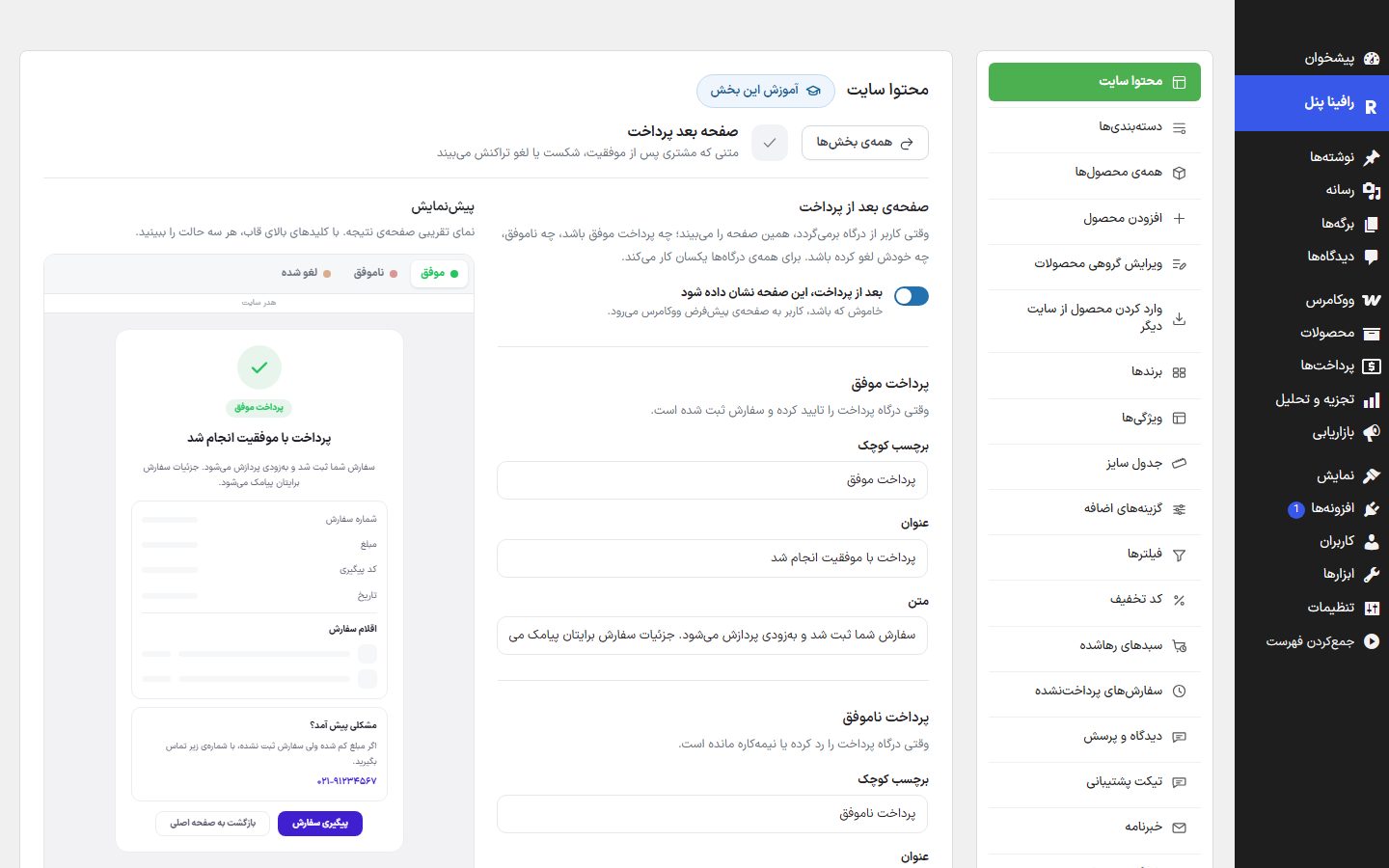
This page works the same for all gateways. A card-to-card order also comes to this page, with its own state that shows the receipt submission form (it is set in Payment gateway ).
Text of the three states
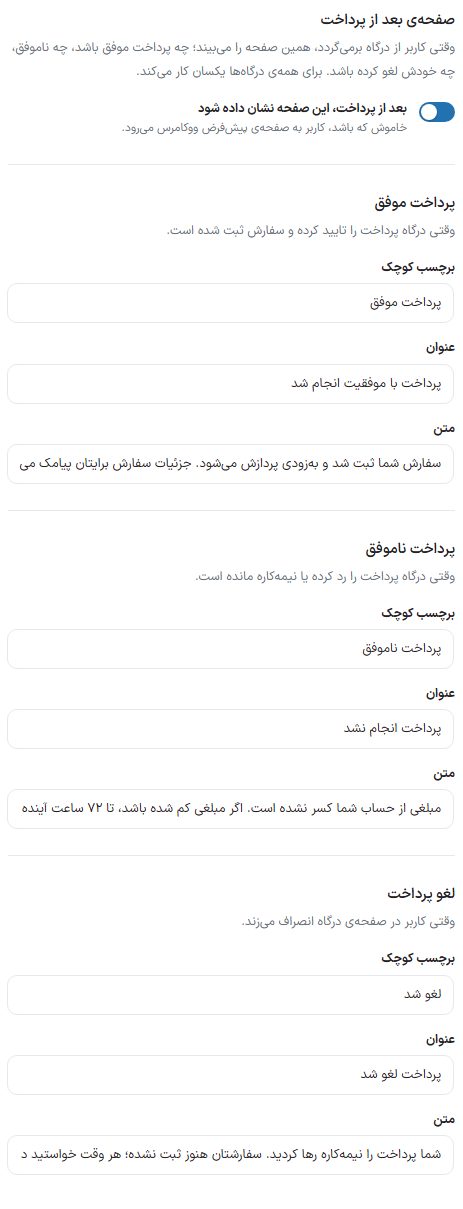
| Option | What it does | Default |
|---|---|---|
| Show this page after payment | When off, the buyer goes to WooCommerce's default page. | On |
| Successful payment: small label / title / text | When the gateway has confirmed the payment and the order is placed. | Payment successful / Payment completed successfully / Your order has been placed and will be processed soon. Order details will be sent to you by SMS. |
| Failed payment: small label / title / text | When the gateway rejected the payment or it was left unfinished. | Payment failed / Payment was not completed / No amount has been deducted from your account. If any amount was deducted, it will be returned to your account within 72 hours. |
| Canceled payment: small label / title / text | When the buyer clicks cancel on the gateway page. | Canceled / Payment canceled / You left the payment unfinished. Your order is not placed yet; try again whenever you like. |
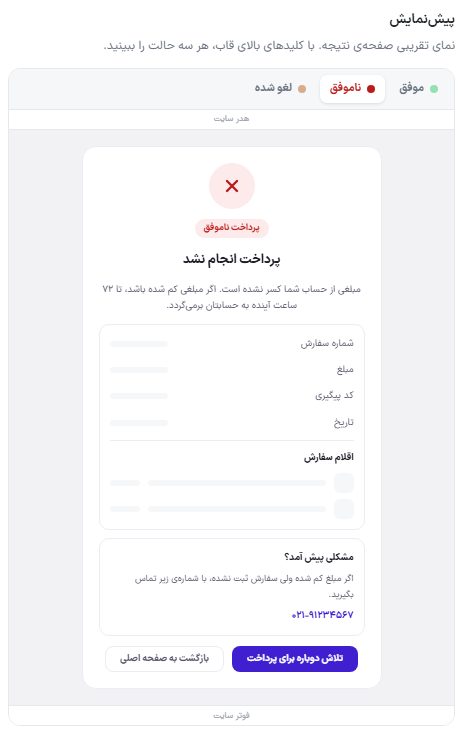
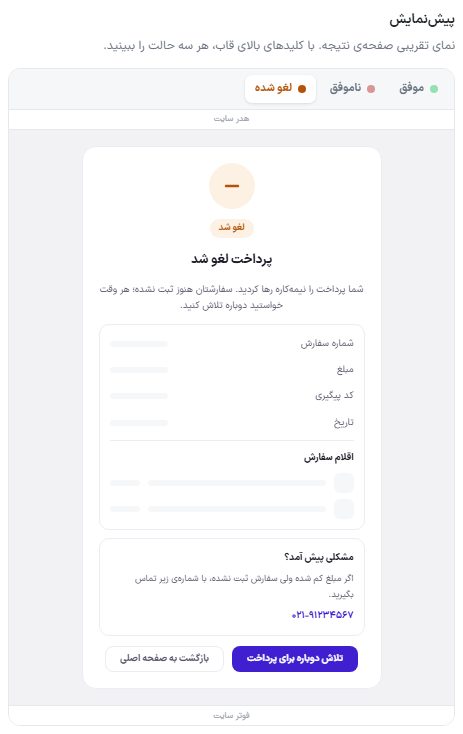
Details, support box, and buttons
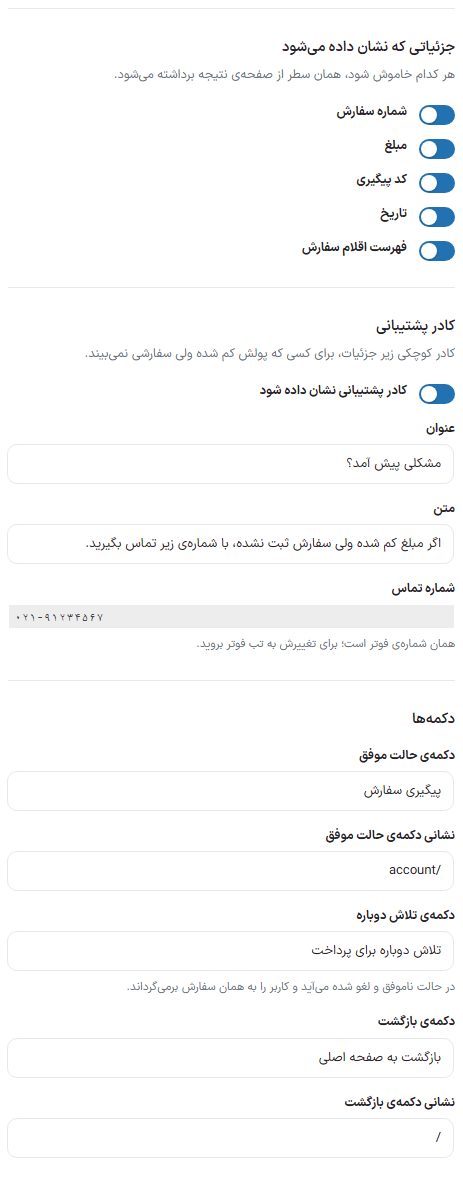
| Option | What it does | Default |
|---|---|---|
| Order number, amount, tracking code, date, list of order items | Turn any off and that row is removed from the result page. | All on |
| Show the support box | A small box under the details, for someone whose money was deducted but who sees no order. | On |
| Support box title / text | — | Something went wrong? / If the amount was deducted but the order was not placed, call the number below. |
| Phone number | Display only. It is the same number as in the footer; to change it go to the tab Footer tab. | — |
| Success state button / address | The main button after a successful payment. | Track order / /account |
| Try again button | Appears in the failed and canceled states and takes the buyer back to paying for that same order. | Try paying again |
| Back button / address | The second button in all three states. | Back to home page / / |
Frequently Asked Questions
The buyer paid but the page shows "Failed"
The result is announced by the bank gateway itself and this page only displays it. The notes on that order in the dashboard have the exact reason; if the bank's confirmation did not arrive, the order stays "Awaiting payment" until it is cleared up by follow-up. The support box is for exactly this case.
Does "Cancel" empty the buyer's cart?
No. The cart is emptied only after a successful payment confirmation; a buyer who canceled pays for that same order with the try again button.