

Font
You choose the typeface for the site's texts and headings, the admin panel typeface, the base reading size, and the weights here. Two fonts, IRANSansX and Anjoman, come with the theme, and you can add a custom font too.
Where is it? Rafina Panel → Site content → Font
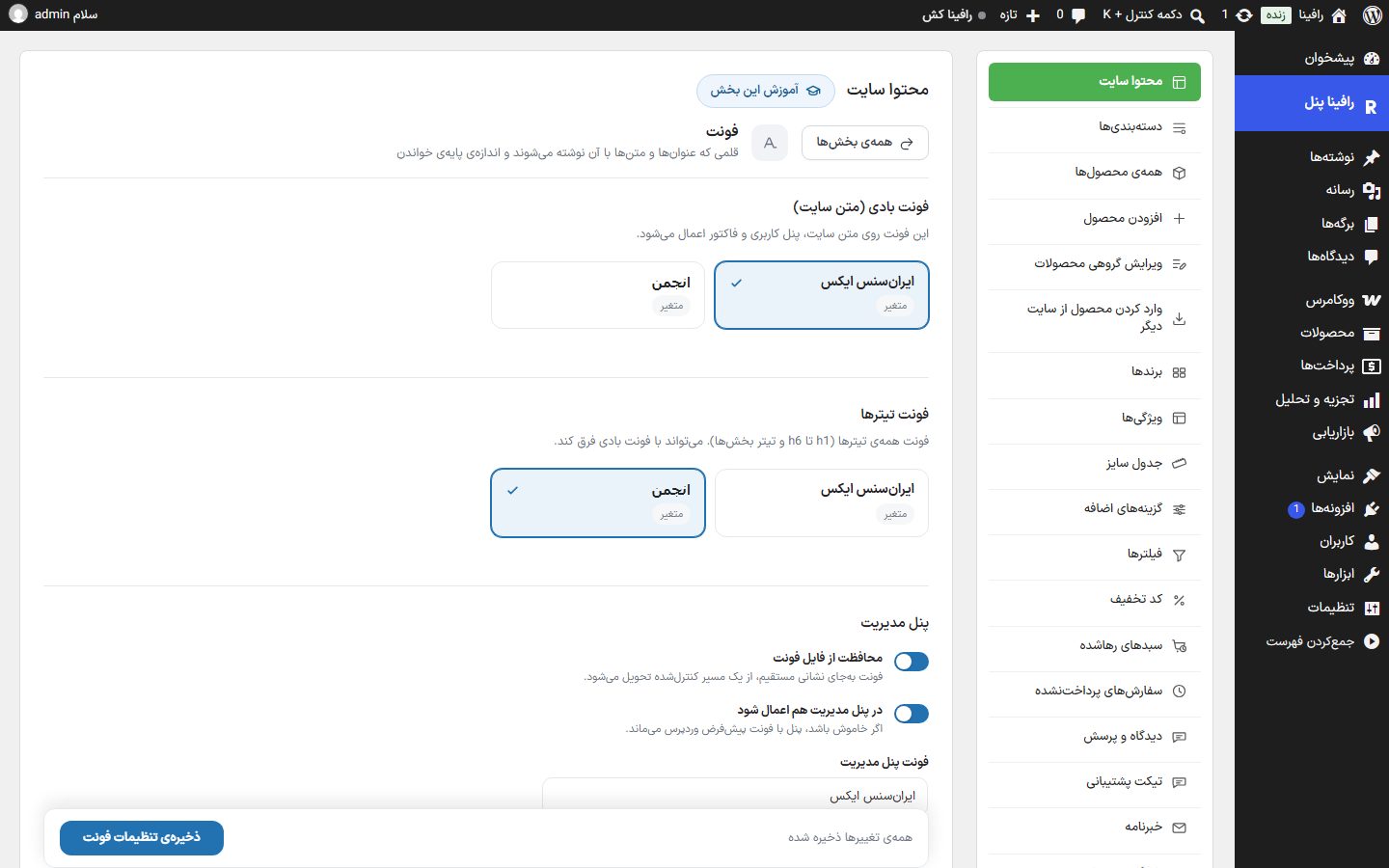
Body and heading fonts
| Option | What it does | Default |
|---|---|---|
| Body font (site text) | The font for the site text, the user panel, and the invoice. The "IRANSansX" and "Anjoman" cards (both with a "Variable" badge) and any custom font you have added (with a "Custom" badge) appear here; click one. | IRANSansX |
| Heading font | The font for all headings (h1 to h6 and section headings). It can differ from the body font; for example, headings in Anjoman and text in IRANSans. | IRANSansX |
Admin panel
| Option | What it does | Default |
|---|---|---|
| Font file protection | The font is delivered through a controlled path instead of a direct address so other sites cannot use your font file directly. | On |
| Apply in the admin panel too | The WordPress dashboard and Rafina Panel are also written in the theme font. If off, the panel keeps WordPress's default font. | On |
| Admin panel font | Three options: "Same as site font", "IRANSansX", and "Anjoman". You can choose a separate font for the panel — for example, the site in Anjoman and the panel in IRANSans. | Same as site font |
Size and spacing
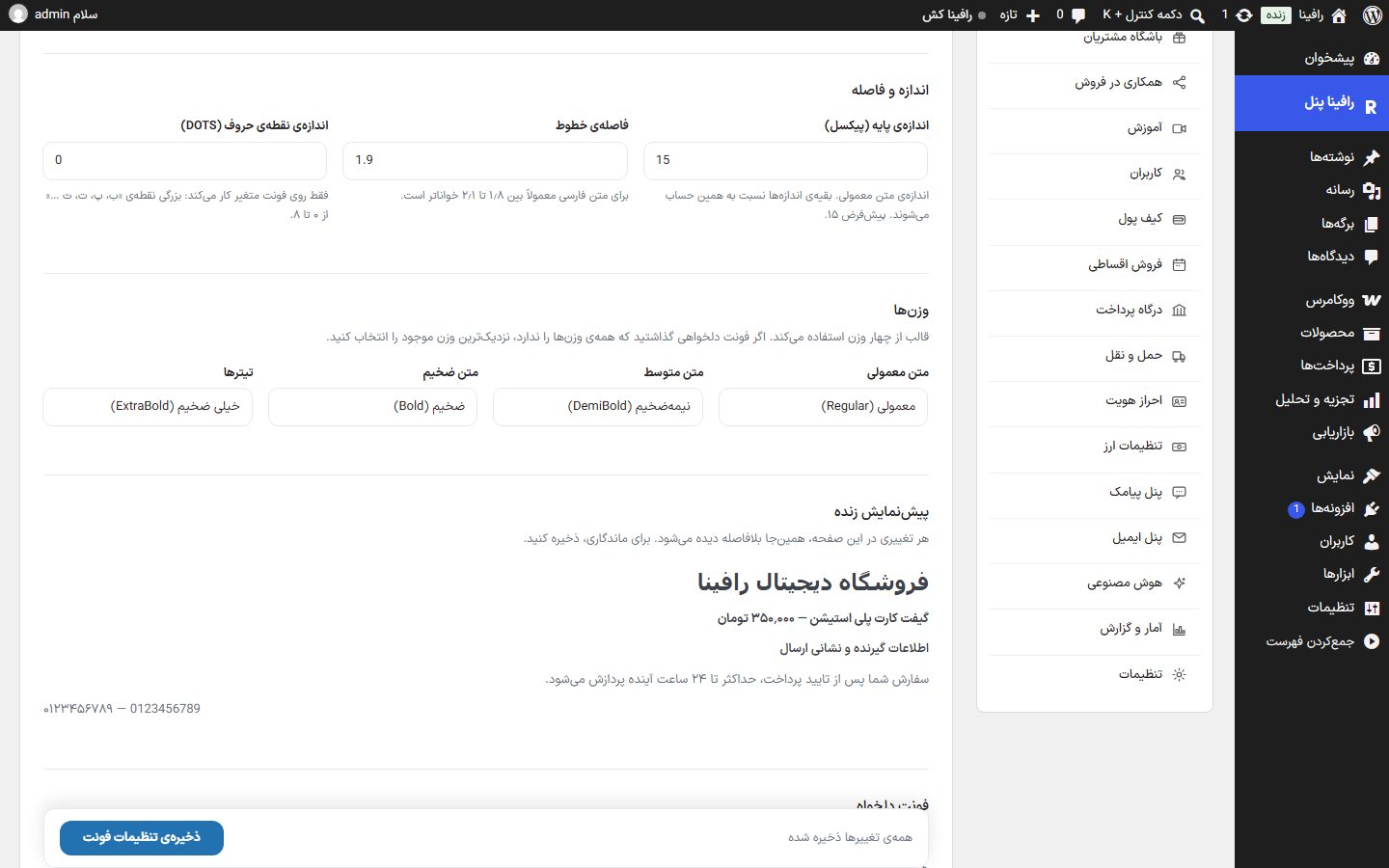
| Option | What it does | Default |
|---|---|---|
| Base size (pixels) | The size of normal text. All other sizes are calculated relative to it; enlarging it enlarges all texts proportionally. | 15 |
| Line spacing | The spacing between lines of a paragraph. For Persian text, a value between 1.8 and 2.1 is usually more readable. | 1.9 |
| Letter dot size (DOTS) | The size of the dots of letters like "ب، پ، ت، ث", from 0 to 8. Works only on a variable font. | 0 |
Weights
The theme uses four weights. For each, choose one of "Thin", "UltraLight", "Light", "Regular", "Medium", "DemiBold", "Bold", "ExtraBold", "Black", "ExtraBlack", and "Heavy". If you set a custom font that does not have all weights, choose the nearest available weight.
| Option | What it does | Default |
|---|---|---|
| Normal text | Body text weight. | Regular |
| Medium text | Weight of semi-bold texts. | DemiBold |
| Bold text | Weight of bold texts. | Bold |
| Headings | Weight of headings. | ExtraBold |
Live preview
Under the weights there is a sample text (heading, price, badge, text, and Persian and Latin digits). Any change on this page is seen there immediately; to make it permanent, you must save.
Custom font
Upload the font file to the WordPress "Media" first and put its address here. The theme does not load any file from outside (such as Google Fonts). The "Add font" button opens a new box; until a font is added, "No custom font added yet." is shown.
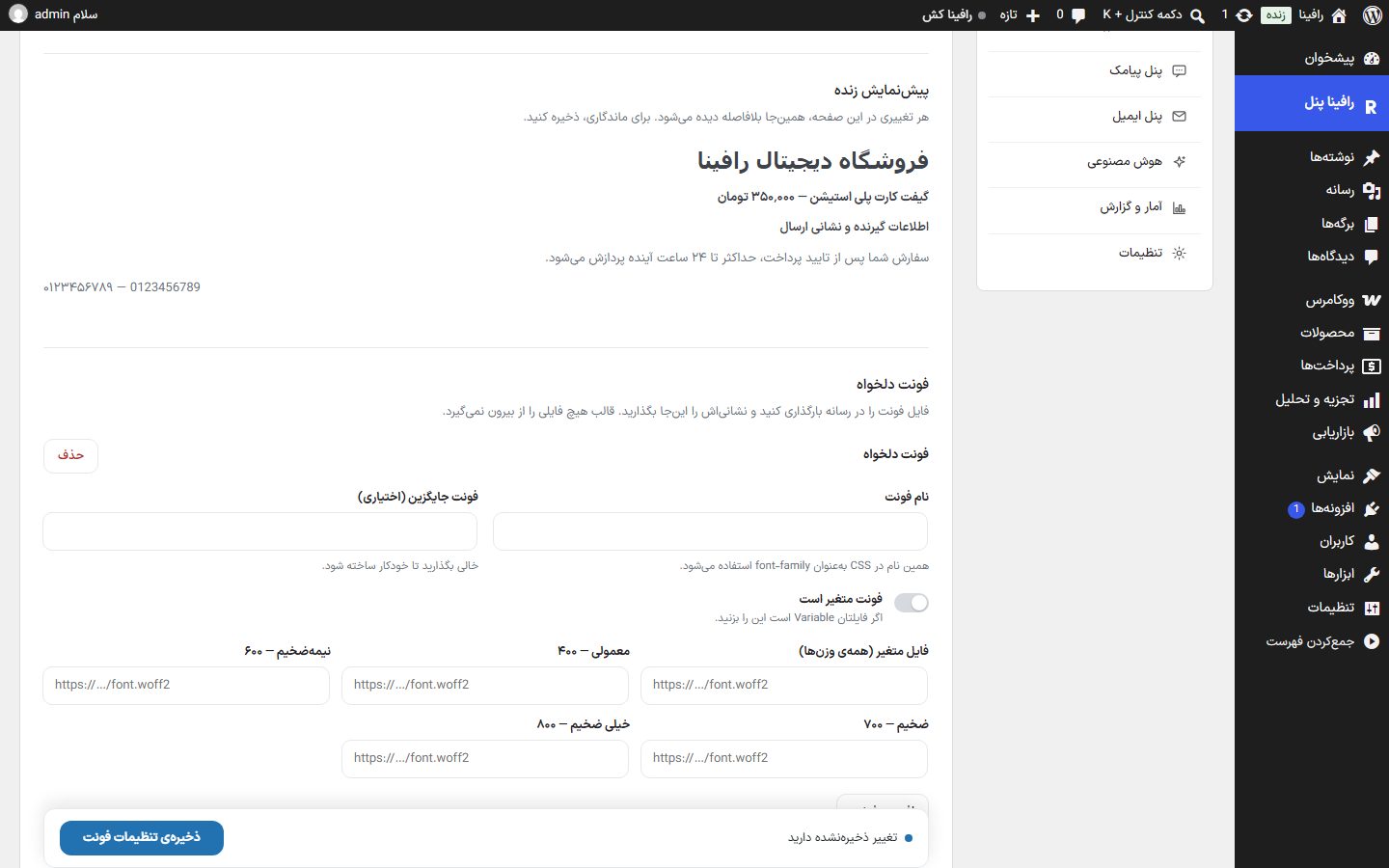
| Option | What it does |
|---|---|
| Font name | This name is used as font-family in CSS and appears in the font selection cards at the top of the page with a "Custom" badge. |
| Fallback font (optional) | The font shown until your font loads. Leave empty to have it generated automatically. |
| Font is variable | Check this if your file is Variable; then one file provides all weights. |
| Variable file (all weights) | The address of the variable font file (such as https://…/font.woff2). |
| Regular — 400 / DemiBold — 600 / Bold — 700 / ExtraBold — 800 | If your font is not variable, put a separate file address for each weight. |
| Delete | After the prompt "Delete this custom font?", it removes the font from the list. |
- Upload the font file (preferably
woff2) in "Media ← Add" and copy the file's address. - On this same page click "Add font", type the font name, and put the address in the field of the matching weight.
- Click "Save font settings"; now the font is in the "Body font" and "Heading font" cards, and you can choose it and save again.
Save
The bar at the bottom of the page shows "All changes saved" or "You have unsaved changes". The "Save font settings" button saves everything, and afterwards "Font settings saved." appears. If you leave the page with unsaved changes, the browser warns you.
FAQ and troubleshooting
I changed the font but the site still shows the old one.
Refresh the page; if the site is behind a cache, clear the cache. The browser keeps the font, so one hard refresh (Ctrl+F5) is also needed.
The site text appears in a plain font (such as Tahoma).
If "Font file protection" is on and the host or proxy strips browser headers, the font may not arrive. Turn it off once and save to see whether this is the problem.
Letter dot size has no effect.
This option works only on a variable font; it has no effect on a non-variable font.