

Brands
Here you create and edit the store's brands, or install hundreds of common brands for each category with one click. Brands are saved on the taxonomy product_brand which is where WooCommerce and plugins read them.
Where is it? Rafina Panel → Brands
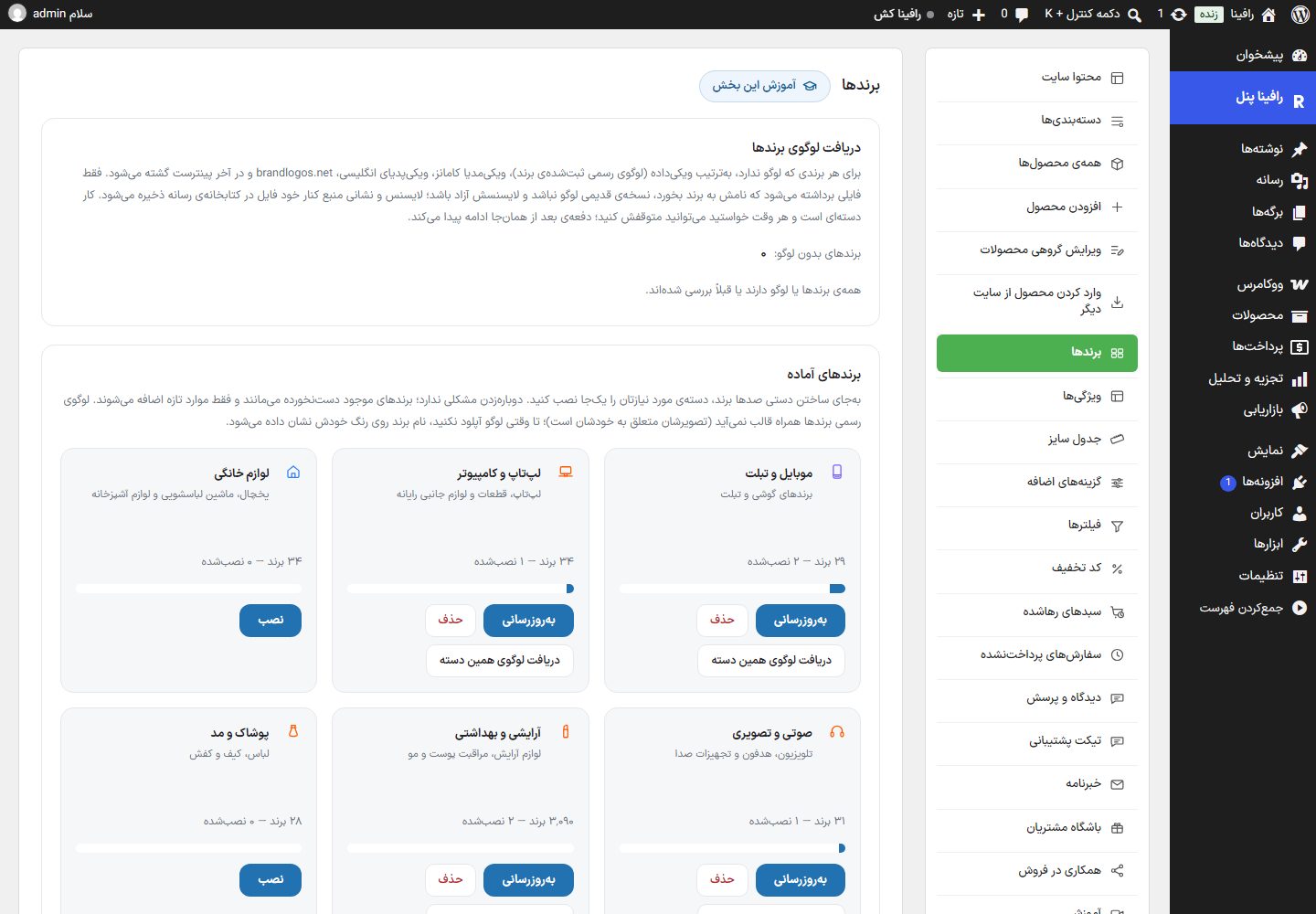
The page has four boxes: fetch brand logos, ready-made brands, add brand, and created brands.
Fetch brand logos
For every brand without a logo, the search goes in this order: Wikidata, Wikimedia Commons, English Wikipedia, brandlogos.net, and finally Pinterest. Only a file whose name matches the brand, is not an old version of the logo, and has a free license is taken; the license and source address are saved beside the file in the media library.
| Option | What it does |
|---|---|
| Brands without a logo | The number of brands that still have no logo and have not been checked. |
| Start fetching / Continue fetching | Works in batches and reports progress ("N of M checked — X logos fetched, Y not found"). |
| Stop | Pauses the job; next time it continues from the same point. |
| Re-check not found | Removes the "checked" mark from brands without a logo so they are tried again. |
| Download list as CSV | Gives the list of results (logo fetched / not found). |
Ready-made brands
Instead of creating hundreds of brands by hand, install the category you need in one go; such as mobile and tablet, laptop and computer, home appliances, audio and video, beauty and health, clothing and fashion, sports, watches and jewelry, gaming, services and subscriptions, mother and baby, food and grocery, tools and industrial, beverages and tea, hygiene and paper products, toys, cars and motorcycles, stationery and books, pharmacy and supplements, home and kitchen, pets, gold and jewelry, bicycles and outdoor sports. Each card shows the number of ready-made and installed brands ("29 brands — 1 installed").
| Option | What it does |
|---|---|
| Install / Update | Adds the brands of this category. Clicking again is fine; existing brands stay untouched and only new ones are added. Do not close the page until it finishes. |
| Delete | Deletes all brands of this category, except those that have products. |
| Fetch logos for this category | The same logo fetching tool, only for the brands of this category. |
Brands' official logos do not come with the theme; until you add a logo, the brand name is shown on its own color.
Add brand
This box is collapsed; click its title to open it. Clicking "Edit" on any brand in the table opens and fills this same form with the title "Edit brand".
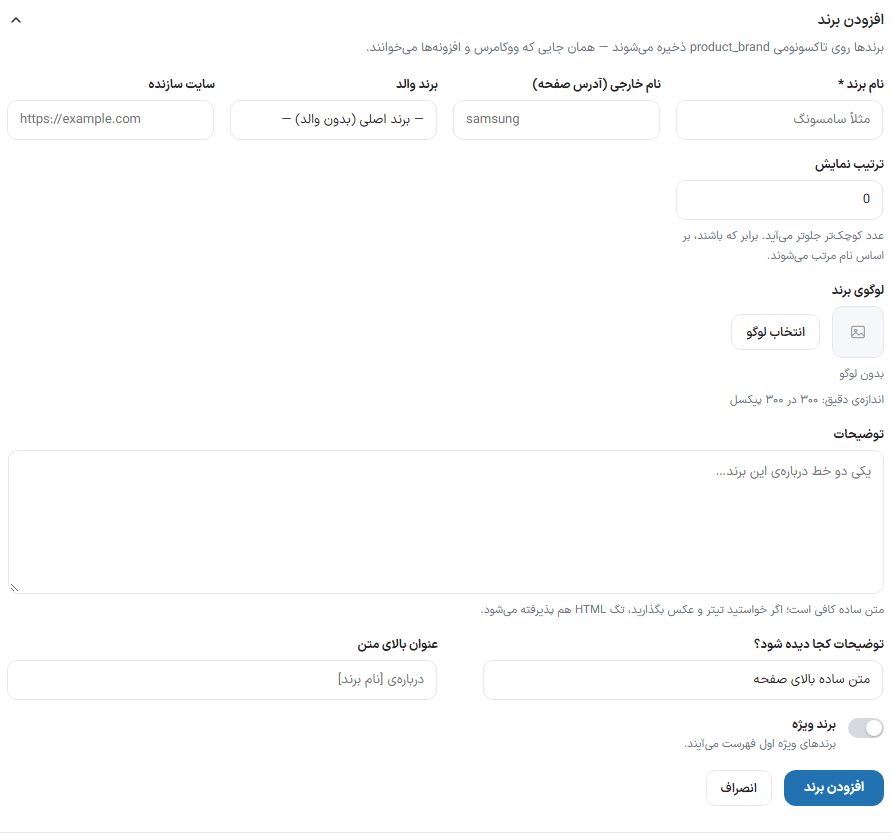
| Option | What it does | Default |
|---|---|---|
| Brand name * | Required, for example Samsung. | — |
| Latin name (page address) | Appears in the brand page address, for example samsung. | From the name |
| Parent brand | For a sub-brand. | Main brand (no parent) |
| Manufacturer website | The brand’s official website address. | Empty |
| Display order | A smaller number comes first; if equal, by name. | 0 |
| Brand logo | "Choose logo" from the media library; exact size 300 by 300 pixels. "Remove logo on save" removes the current logo. | No logo |
| Description | A line or two about the brand. Plain text is enough; HTML tags are accepted too. | Empty |
| Where should the description appear? | The same two modes Categories: "Plain text at top of page" or "Article below the category page", which shows the text with headings and images at the bottom of the brand page. | Plain text at top of page |
| Heading above the text | Only in article mode. | About [brand name] |
| Featured brand | Featured brands appear first in the list. | Off |
Created brands
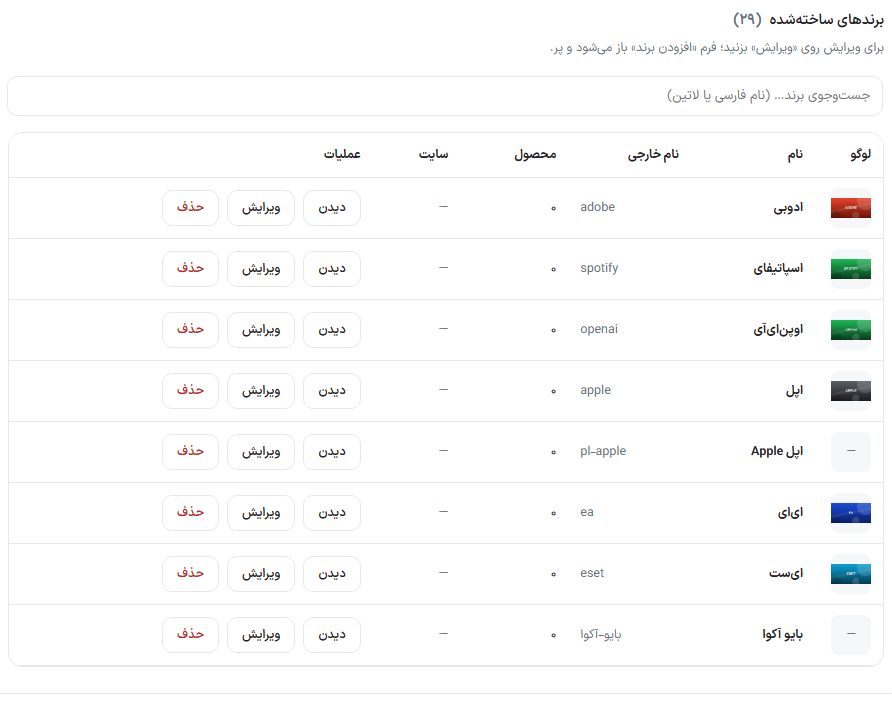
A table with the columns Logo, Name, Latin name, Product count, Website, and Actions. "Search brands…" works with the Persian or Latin name. Buttons: "View" (the brand page on the site), "Edit", and "Delete".
Frequently Asked Questions
The brand I installed is not on the product page.
Assign the brand to the product in the "Product brands" box on the Edit product page.
The Latin name of Persian brands is percent-encoded.
Brands created with a Persian name and no Latin name are saved as they are; the panel shows them in readable form. For a clean address, enter a Latin name.