

Site terms
You build the /terms Shows the store’s terms and privacy policy like an article with a table of contents. The sentence “By logging in you accept the site terms” under the login button is also set from here.
Where is it? Rafina Panel → Site content → Site terms
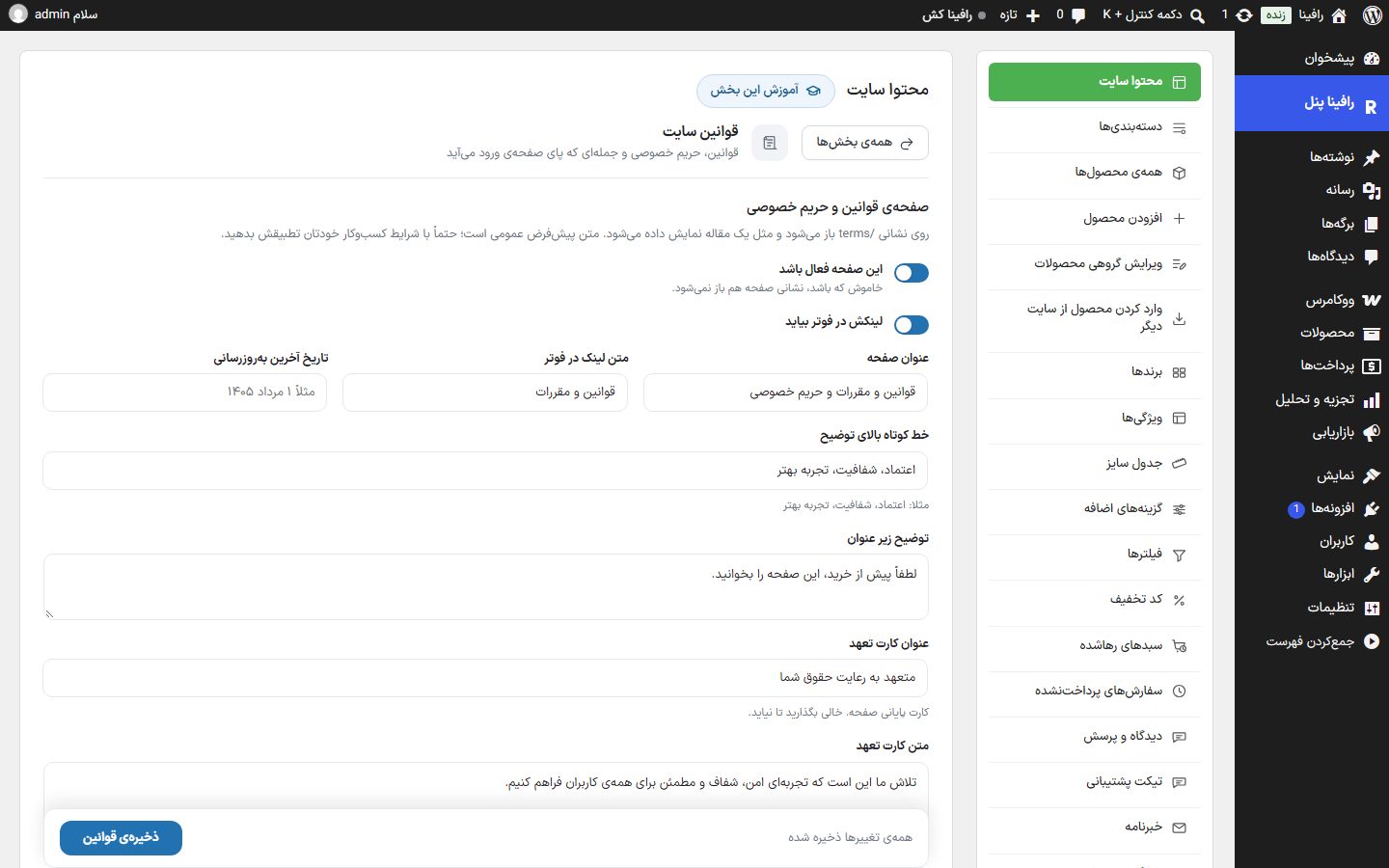
Terms and privacy page
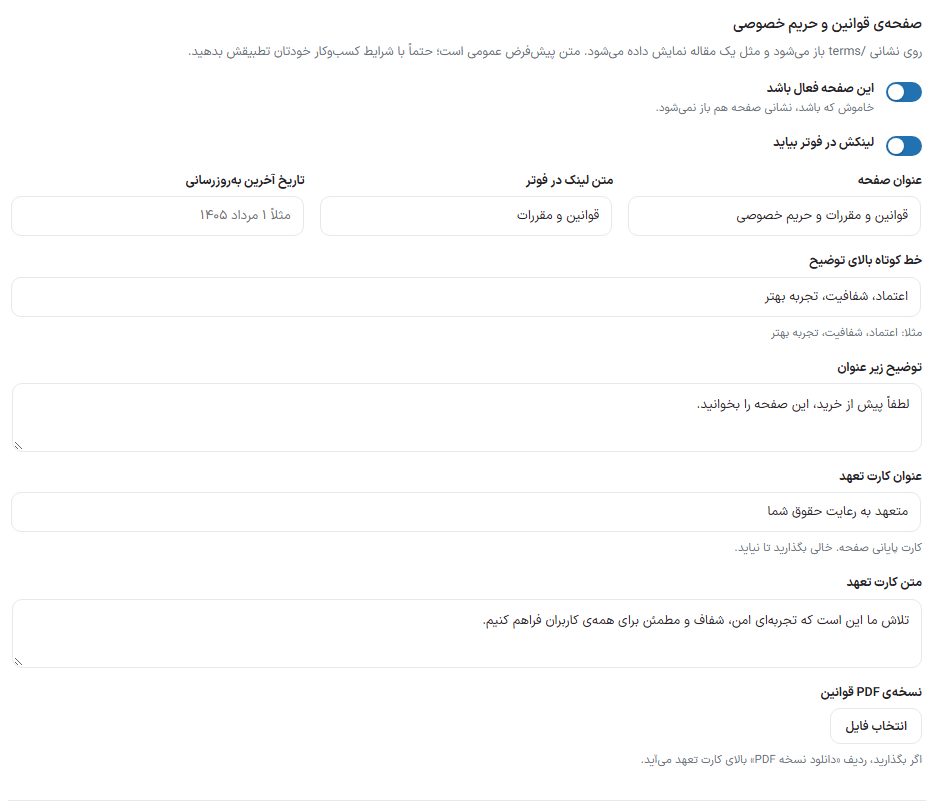
| Option | What it does | Default |
|---|---|---|
| This page enabled | When turned off, the address /terms does not open either. | On |
| Link appears in the footer | The page link in the footer’s “Quick access” column. | On |
| Page title | Page headline. | Terms, conditions, and privacy |
| Footer link text | Footer link text. | Terms and conditions |
| Last updated date | The date written under the title, for example “1 Mordad 1405”. It is not automatic; write it yourself each time you change the terms. | Empty |
| Short line above the description | The short colored line on the header card, for example “Trust, transparency, a better experience”. | Trust, transparency, a better experience |
| Description under the title | The sentence under the title. | Please read this page before buying. |
| Commitment card title | The title of the closing card on the page. Leave empty to hide the card. | Committed to respecting your rights |
| Commitment card text | That card’s text. | We strive to provide a safe and transparent experience … |
| PDF version of the terms | With “Choose file”, pick a PDF from the media library; if you set one, a “Download PDF version” row appears above the commitment card. | No file |
Sentence under the login button
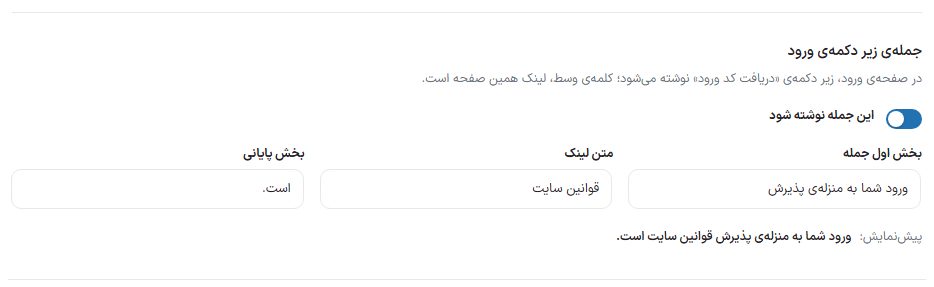
| Option | What it does | Default |
|---|---|---|
| Show this sentence | Turns the sentence on or off on the login page. It also doesn’t appear when the terms page itself is off. | On |
| First part of the sentence | Text before the link. | By logging in you accept |
| Link text | The part that links to the terms page. | Site terms |
| Final part | Text after the link. | . |
Terms clauses
Each clause has a title and a text. The table of contents at the top of the page is built from these titles, and a clause with neither title nor text is dropped on save. A fresh install comes with nine sample clauses.
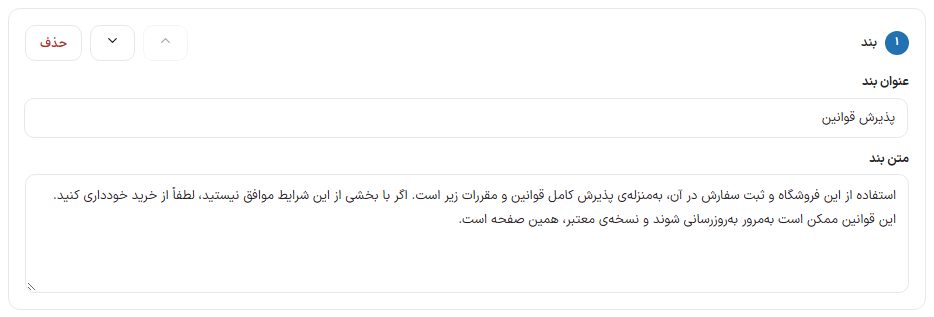
Two small rules in the clause text make it look better:
- A line starting with “Note:” appears in a colored note box.
- A line in the form “Term: explanation” (the start shorter than 25 characters and no period) turns into a definition card.
- A blank line creates a new paragraph.
WordPress page
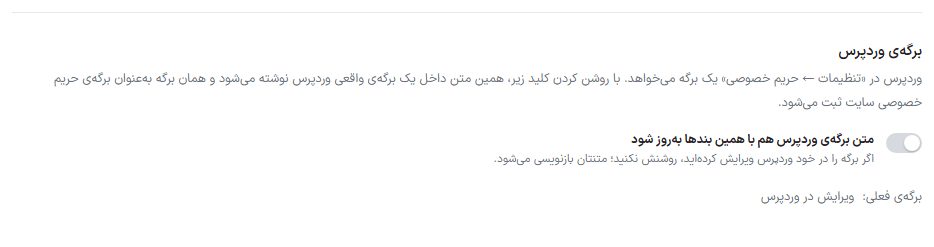
WordPress needs a page under “Settings ← Privacy”. When you turn on “Update the WordPress page text with these clauses too”, this text is written to a real WordPress page, and that page is registered as the site’s privacy page. “Current page” and the “Edit in WordPress” link under the switch show which page it is.
On the site
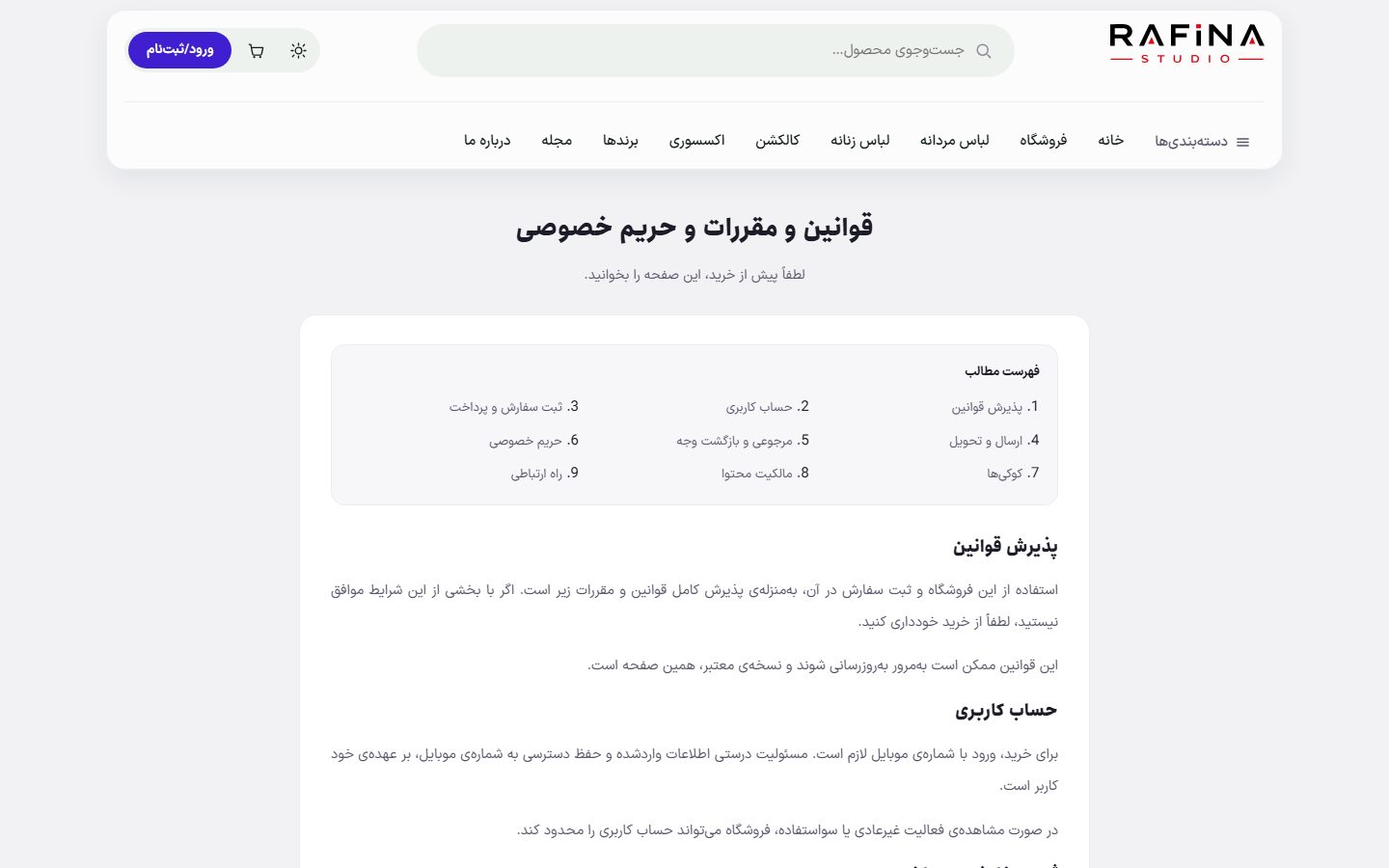
/terms On the site. The address /privacy opens this same page and scrolls down to the privacy clause.