

Guides / Site content / FAQ
FAQ
You build the /faq Shows the questions customers ask most as an accordion; each question can have a category and an image.
Where is it? Rafina Panel → Site content → FAQ
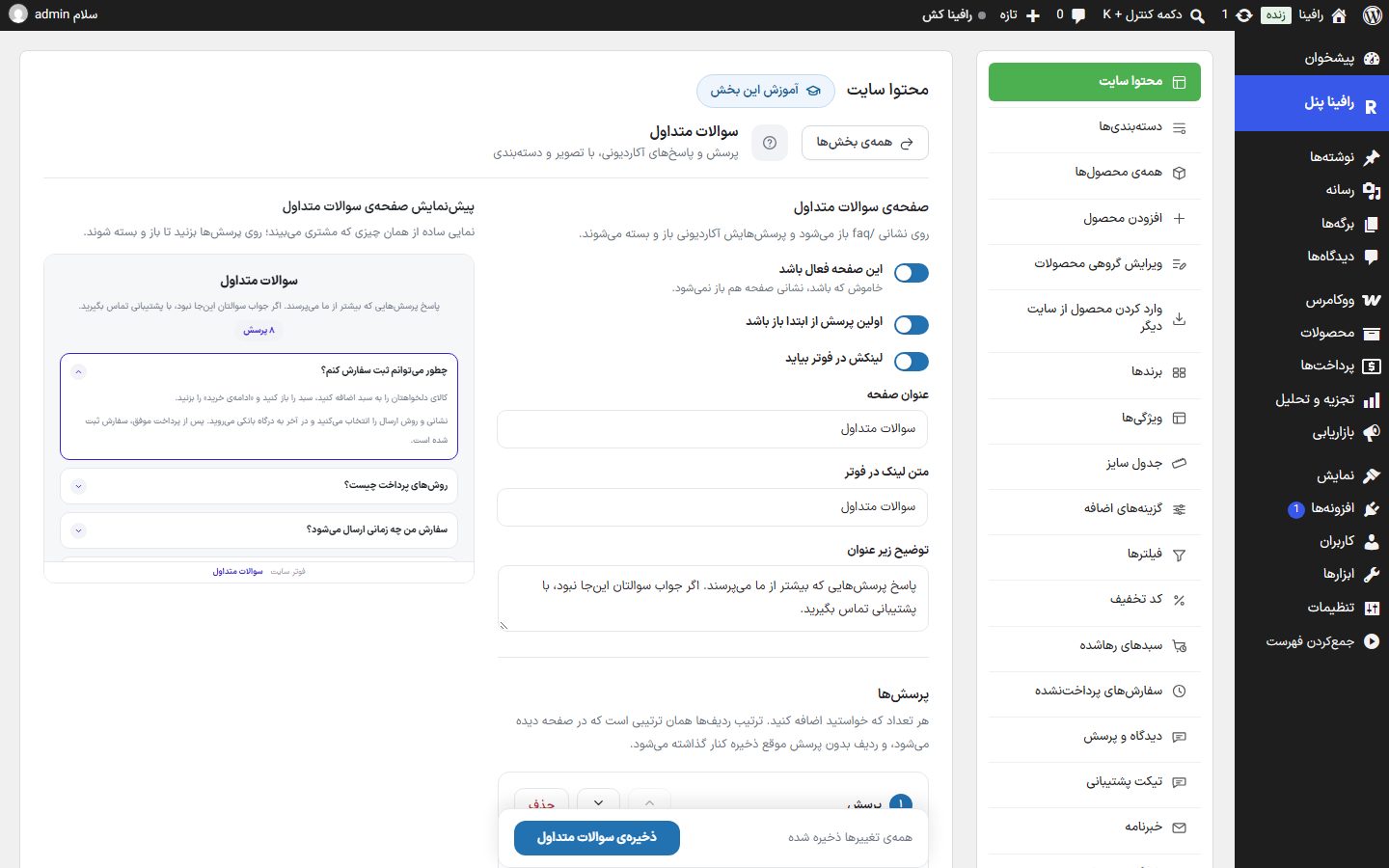
Page settings
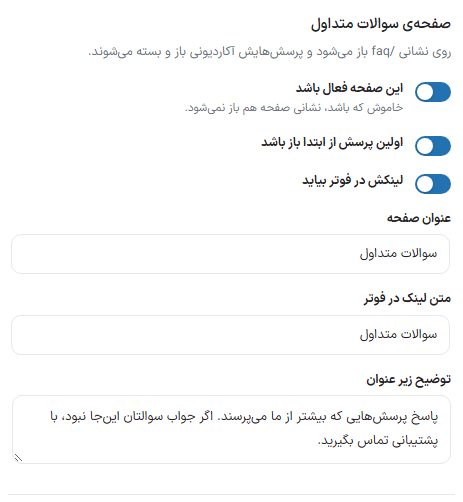
| Option | What it does | Default |
|---|---|---|
| This page enabled | When turned off, the address /faq does not open either. | On |
| First question open by default | When the page opens, the answer to the first question is already open. | On |
| Link appears in the footer | This page's link is automatically placed in the footer's "Quick access" column (if you have not added that link manually). | On |
| Page title | The title at the top of the page. | FAQ |
| Footer link text | The link text in the footer. | FAQ |
| Description under the title | The sentence under the title. | Answers to the questions we are asked most. … |
Questions
Add as many questions as you like. The order of the rows is the order seen on the page, and a row with no question is dropped when saving. On a fresh install, eight sample questions in six categories are ready.

| Option | What it does |
|---|---|
| Question text | What is seen on the accordion row. |
| Answer | The answer text; a blank line creates a new paragraph. |
| Category | The question's category name, such as "Shipping and delivery". The tiles at the top of the list are built from these names; leave empty so the question falls under no category. |
| Answer image | The image that opens under the answer. Exact size: 1024 × 576 pixels. |
| Move up one row / move down one row | The two arrow buttons in each row header; they change the order of questions on the page. |
| Delete | Removes the row. |
- Click "Add question" at the bottom of the list.
- Write the question and answer and, if needed, set a category and image.
- Save. The page is updated instantly.
Preview and on the site


/faq On the site.NoteThe mobile app's dedicated contact card reads its questions from this section, and this page's questions are also printed as structured data (FAQPage) for search engines.