

Extra options
A few questions for the buyer that appear on the product page above the buy button: material, gift wrapping, print text, design file. Each choice can raise or change the price, and the same choices are written in the cart, order, invoice and the buyer's account.
Where is it? Rafina Panel → Extra options
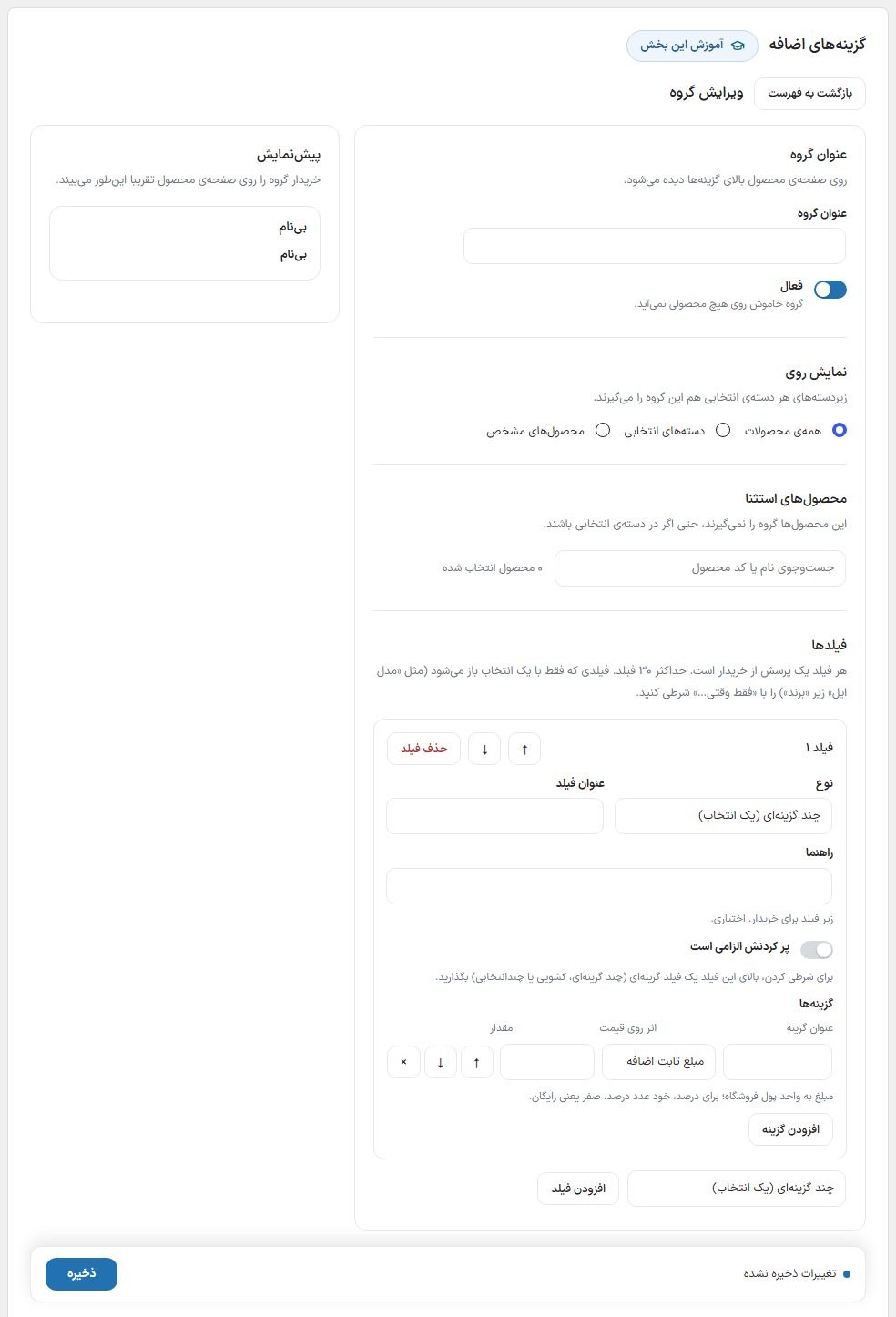
Group
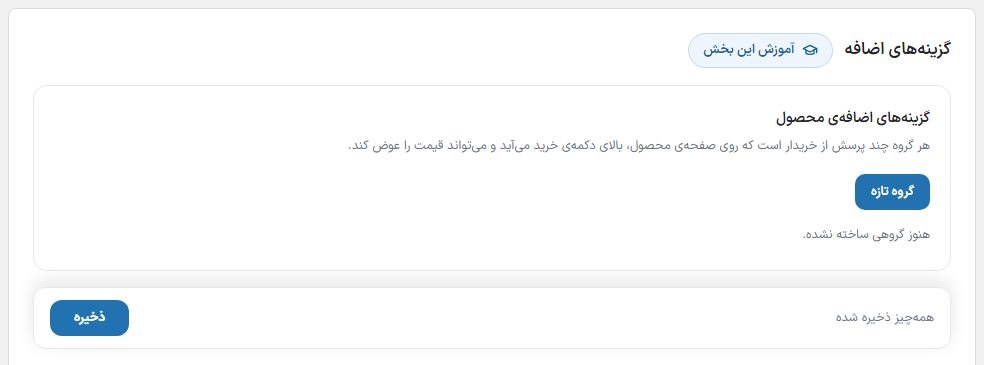
Each group has several fields and applies to a set of products. Click “New group”, give it a title (this title appears above the fields on the product page) and keep the “Active” toggle on; an off group appears on no product. Create a new group from one you already have with “Duplicate”.
| Show on | What it does |
|---|---|
| All products | On every product in the store. |
| Selected categories | On products in the ticked categories and their subcategories. |
| Specific products | Only those you find by searching a product name or code. |
The group's “Excluded products” are not covered, even if they are in a selected category.
Fields
| Type | What the buyer does | Effect on price |
|---|---|---|
| Multiple choice (pick one) | Picks one of the options. | Each option separately |
| Dropdown | Picks one from a drop-down list. | Each option separately |
| Checkboxes | Ticks as many options as they like. | The sum of the ticked options |
| Short text / Long text | Writes text (for example a name for printing). “Maximum characters” is its limit. | “Fill-in fee” only if they type something |
| File upload | Sends a file: JPG, PNG, WEBP or PDF, up to “Maximum size”. | “Fill-in fee” only if they send a file |
“Required” means the item cannot be added to the cart without it and the buyer gets a message. Up to 30 fields per group and 60 options per field.
Conditional field
Each field can be shown only when the buyer has chosen a specific option in an option field above it. Example: a “Brand” field with “Apple” and “Samsung”, and “Apple model” and “Samsung model” fields that each open only when its own brand is chosen.
- Create the parent field (for example “Brand”) above the dependent fields; the parent can only be chosen from multiple choice, dropdown or checkbox fields before this field.
- In the dependent field, turn on “Show only when…”, choose the parent field and tick the options that open this field.
- The panel preview next to each conditional field says which option opens it.
A hidden field is not counted as required, has no effect on price and does not go to the cart; if the buyer changes the brand, the model chosen for the previous brand is dropped. If the parent field is deleted or moved lower, the condition is removed on save and the field is always visible.
Effect on price
| Option | What it does |
|---|---|
| Fixed amount added | That amount is added to the price of each unit. Zero means free. |
| Percentage added | A percentage of the item price is added. |
| Replacement price | The item price becomes this number, and other amounts and percentages are calculated on it. |
The price on the product page changes the moment a choice is made and the cart takes that; the number the browser sends is ignored and the server calculates it again.
Buyer's file
The file is uploaded before adding to the cart and after the order is placed it moves to that order's closed folder; it has no public URL. The file type is read from the content, not the extension, and images are rebuilt.
- You: On the WooCommerce order page, under the item's row, click the “File: …” link.
- Shopper: In the account's order details and the payment result page, next to the item name.
An uploaded file that never reaches an order is deleted automatically after two days. Permanently deleting an order (not moving it to the trash) deletes its files too.
Frequently Asked Questions
I created the group but it does not appear on the product.
Check the “Active” toggle, “Show on” and “Excluded products”, and that the group has at least one field with a title. Do not forget to save; the bottom bar says “Unsaved changes”.
What happens with per-meter sales or wholesale pricing?
The per-meter price or wholesale tier is calculated first, and the options are applied on top of it.