

Abandoned carts
When a signed-in customer adds an item to the cart and does not place an order, this section sends them reminders at the times you set, with a dedicated discount code if you like.
Where is it? Rafina Panel → Abandoned carts
Setup
- In the “SMS panel”, create one or more templates of the “Abandoned cart reminder” type (for example, one plain and one with a discount code).
- If you also want the reminder email to go out, turn on this event's email template in the “Email panel”.
- In the “Basics” box, turn on “Abandoned cart reminder on” and set the idle time.
- In the “Reminders” box, enter the number of reminders and the timing of each, and choose its SMS template.
- If you send a discount code, set up the “Discount code” box.
- Click “Save settings”.
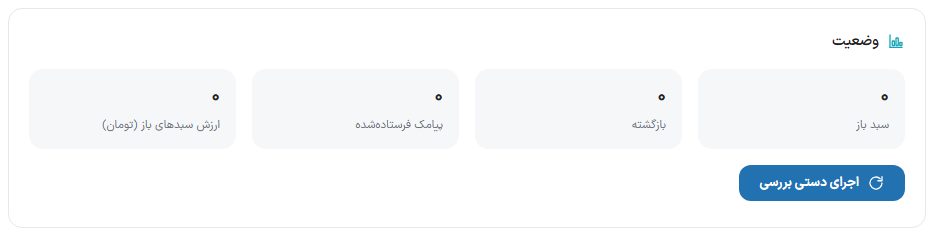
Status box
| Option | What it does |
|---|---|
| Open carts | Carts that have not been ordered yet. |
| Recovered | Carts that became an order after being abandoned. |
| SMS sent | The number of reminders that went out. |
| Value of open carts (Toman) | The total amount of carts that are still open. |
| Run check manually | Runs the check right now and reports the result (“… carts seen, … SMS sent”). The automatic check also runs separately, and the time of its last run is written below the box. |
Basics box
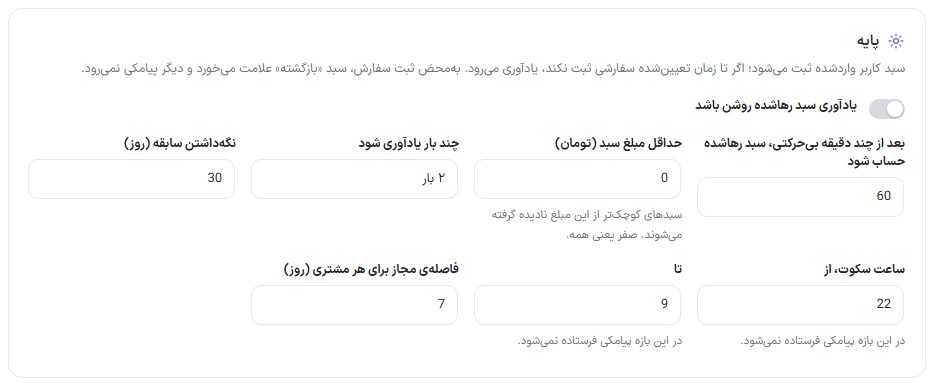
A signed-in user's cart is recorded; if they place no order by the set time, a reminder goes out. As soon as an order is placed, the cart is marked “Recovered” and no more messages are sent.
| Option | What it does | Default |
|---|---|---|
| Abandoned cart reminder on | The main toggle of this section. | Off |
| Count a cart as abandoned after how many idle minutes | A cart left untouched for this long is counted as abandoned. | 60 minutes |
| Minimum cart amount (Toman) | Carts smaller than this amount are ignored. Zero means all. | 0 |
| How many reminders | 1, 2 or 3 times. Reminders above this number are shown as “Disabled” in the next box. | 2 times |
| Keep history (days) | Carts older than this are deleted from the list. | — |
| Quiet hours, from … to … | No SMS is sent during this window, so customers do not get an SMS in the middle of the night. | 22 to 9 |
| Allowed interval per customer (days) | Each customer gets only one round of reminders within this interval. | 7 days |
Reminders box
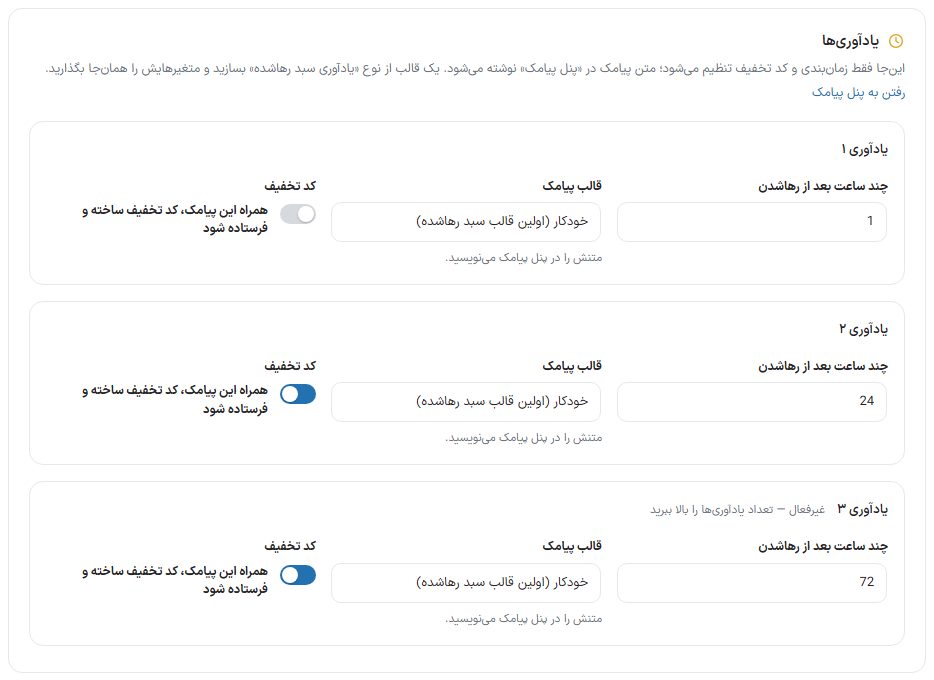
| Option | What it does | Default |
|---|---|---|
| Hours after abandonment | This reminder's delay from the moment the cart was abandoned. | Reminder 1: 1 hour, 2: 24 hours, 3: 72 hours |
| SMS template | “Automatic (first abandoned cart template)” or one of the templates of this type you created in the SMS panel (such as “Second reminder (with discount code)”). | Automatic |
| Create and send a discount code with this SMS | A new discount code is created for that customer with the next box's settings and placed in the message. | Reminder 1 off, 2 and 3 on |
Discount code box
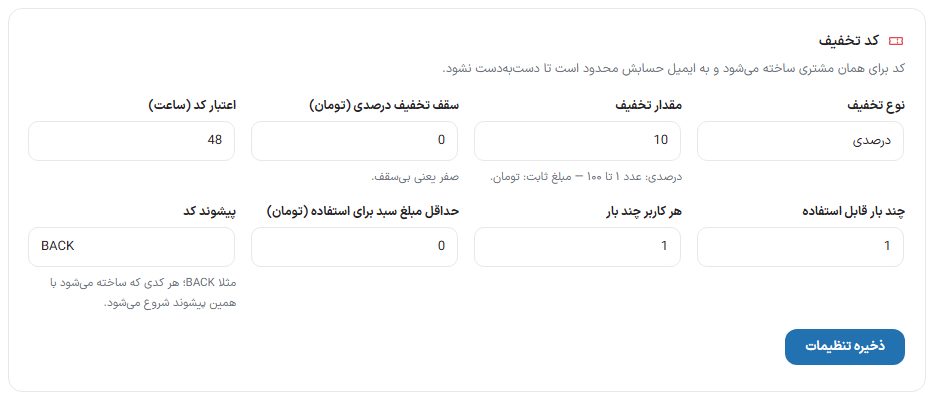
| Option | What it does | Default |
|---|---|---|
| Discount type | “Percentage” or “Fixed amount (Toman)”. | Percentage |
| Discount amount | Percentage: a number from 1 to 100. Fixed amount: in Toman. | 10 |
| Percentage discount cap (Toman) | The most a percentage discount can take off. Zero means no cap. | 0 |
| Code validity (hours) | The code expires after this time. | 48 |
| How many times it can be used | The total usage limit of the created code. | 1 |
| Uses per user | The usage limit per user. | 1 |
| Minimum cart amount to use (Toman) | The cart floor for the code to be accepted. | 0 |
| Code prefix | Every code that is created starts with this prefix, for example BACK. | BACK |
Recent carts box

The list of recorded carts with columns “Customer”, “Mobile”, “Product”, “Amount”, “Status” (open, reminder sent, recovered), “SMS”, “Discount code” and “Last change”. The “Refresh” button reloads the list. In each cart's “Actions” column:
- Send now: Sends that cart's next reminder without waiting for its time.
- Delete: Removes the cart from the list.
FAQ and troubleshooting
Is a reminder sent to guest customers too?
No. Only a signed-in user's cart is recorded, because a guest has no number or email.
Everything is on but no SMS goes out.
First look at the message at the top of the page: if the “Abandoned cart reminder” template has not been created, no SMS goes out. Also check the quiet hours and the “Allowed interval per customer”. If the customer has no mobile number, only the reminder email (if its template is on) is sent.
Does leaving this page with “Go to SMS panel” erase the settings?
This link opens in a new tab so the page's unsaved form is not lost. Still, click “Save settings” before you go.